
Running a small business means juggling customer emails, tracking sales leads, and remembering follow-up tasks all at once. A Customer Relationship Management (CRM) system helps organize these tasks in one place, making it easier to build stronger customer relationships and close more deals.
The best CRM for small business in 2025 balances ease of use, affordability, and powerful features like contact management, sales tracking, and automation without the complexity of expensive enterprise software.

Small business owners need tools that work right away without a steep learning curve or massive upfront costs. Modern CRM platforms offer simple dashboards where teams can see all customer interactions, manage sales pipelines, and automate routine tasks.
These systems help businesses stay organized and respond to customers faster. This leads to better service and more sales.
Choosing the right CRM depends on specific business needs, team size, and budget. Some platforms excel at email marketing integration, while others focus on sales automation or detailed reporting.
This guide breaks down the top CRM options available today. It will help small business owners find the perfect fit for their company.
Key Takeaways
- CRM software helps small businesses organize customer data, track sales, and automate tasks in one central location
- The best small business CRMs balance affordability with essential features like contact management, pipeline tracking, and easy integrations
- Selecting the right CRM requires matching software capabilities to specific business goals, team size, and budget constraints
What Is a CRM and Why Small Businesses Need One
A CRM (customer relationship management) system helps businesses track and manage interactions with customers and potential customers in one central place. Small business CRM software organizes contact information, sales activities, customer communications, and business data to help teams work more efficiently and build stronger customer relationships.
Benefits of CRM for Small Business
CRM platforms eliminate the need for scattered spreadsheets and sticky notes by keeping all customer data in one accessible location. Sales teams can track leads from first contact through final purchase, while customer service staff can view complete interaction histories to resolve issues faster.
Small business CRM software automates repetitive tasks like follow-up emails and appointment reminders. This saves time that employees can spend on activities that directly generate revenue.
The automation features also reduce human error and ensure no customer falls through the cracks. CRM software for small business provides insights through reporting and analytics.
Business owners can see which marketing campaigns work best, which products sell most, and where deals get stuck in the sales process. These insights help make informed decisions about where to invest time and money.
Team collaboration improves when everyone accesses the same customer information. Multiple employees can work with the same client without duplicating efforts or contradicting each other.
When to Implement CRM Software
Small businesses should consider CRM software when customer information lives in multiple places like email inboxes, notebooks, or individual employee memories. This scattered approach creates problems as the business grows and employees struggle to find important details.
The right time arrives when sales processes become too complex to track manually. If deals involve multiple steps or touchpoints, a CRM keeps everything organized and moving forward.
Growing teams need CRM platforms to maintain consistency. When more than one person handles sales or customer service, everyone needs access to the same information.
New employees also get up to speed faster with organized customer histories. Businesses ready to scale require the foundation that CRM software provides.
Common Challenges in CRM Adoption
Employee resistance represents the biggest hurdle in CRM adoption. Staff members comfortable with old methods resist learning new software, especially when they don't understand the benefits.
Training and clear communication about how the system makes their jobs easier helps overcome this resistance. Data migration creates technical challenges when moving from spreadsheets or old systems to new CRM platforms.
Cleaning up duplicate contacts, incomplete records, and outdated information takes time but produces a more useful database. Many small businesses choose overly complex systems with features they never use.
This wastes money and overwhelms users. Starting with basic CRM software for small business and adding features as needed works better than implementing everything at once.
Inconsistent usage undermines CRM effectiveness. When some team members use the system while others don't, data gaps appear and the tool loses value.
Setting clear expectations and making CRM use part of daily workflows ensures everyone participates.
Key Features of the Best CRM for Small Business
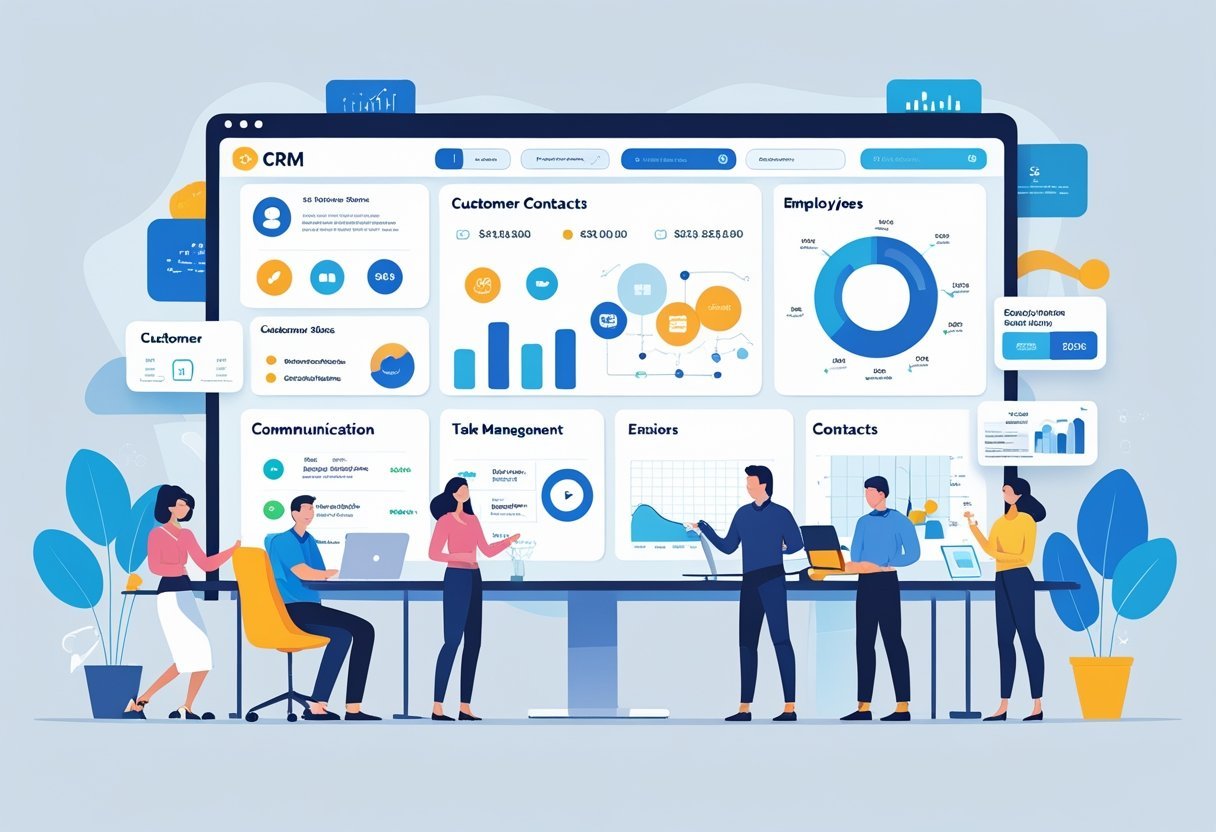
Small business CRMs need specific features that help teams manage customer relationships without requiring extensive technical knowledge or large budgets. The right combination of contact management, automation, customization options, and collaboration tools can transform how a business handles its customer interactions.
Contact Management Capabilities
Contact management forms the foundation of any CRM system. A good CRM stores customer names, email addresses, phone numbers, and company details in one centralized location.
It tracks every interaction a business has with each contact, including emails, phone calls, and meeting notes. The best systems organize contacts into segments based on criteria like location, purchase history, or engagement level.
This organization helps sales teams find the right customers quickly. Contact management tools should also link related contacts together, showing relationships between decision-makers at the same company.
Advanced contact management includes custom fields that let businesses track information specific to their industry. A real estate CRM might track property preferences, while a consulting firm might record project types and budget ranges.
Automation and Workflow Tools
Workflow automation eliminates repetitive tasks that waste time. CRM systems can automatically assign new leads to sales representatives based on territory or expertise.
They send follow-up emails when prospects take specific actions, like downloading a resource or abandoning a shopping cart. An automation builder lets users create rules without writing code.
For example, a business can set up automated workflows that move contacts through sales stages, schedule tasks for team members, or update contact records when certain conditions are met. Task management tools integrate with these automated workflows.
The system creates reminders, sets deadlines, and notifies team members about important activities. CRM workflows can trigger actions across multiple departments, ensuring marketing, sales, and customer service stay coordinated.
Customization and Scalability
Customization options let businesses adapt their CRM to match their specific processes. Users can add custom fields, create unique sales pipelines, and design personalized dashboards that display the metrics they care about most.
The system should allow modifications to forms, reports, and data layouts without requiring technical expertise. Scalability matters because small businesses grow.
The CRM should handle an increasing number of contacts, users, and data without slowing down or requiring a complete system replacement. Many platforms offer tiered pricing that adds features as needs expand.
Businesses can customize user permissions to control who sees sensitive information. Custom reports help track the specific KPIs that matter to different departments.
Collaboration and Communication Tools
Team collaboration features keep everyone informed about customer interactions. Multiple team members can access the same contact records, view conversation histories, and add notes about their interactions.
This shared visibility prevents duplicate outreach and ensures consistent messaging. Communication tools built into the CRM let teams send emails, make calls, and exchange messages without switching between applications.
Internal chat features allow quick questions about deals or customer issues. Some systems include shared calendars that help coordinate meetings and prevent scheduling conflicts.
CRM features that support collaboration include @mentions to tag colleagues in notes, shared task lists that show team workloads, and activity feeds that display recent updates. These tools create transparency and improve coordination across sales, marketing, and support teams.
Top CRM Software Solutions for Small Businesses
Small business owners can choose from several CRM platforms that offer strong contact management, sales tracking, and automation features at reasonable prices. These solutions range from free options with basic features to paid plans that include advanced tools like AI assistants and detailed analytics.
Zoho CRM and Bigin by Zoho
Zoho CRM provides a complete sales and marketing platform with automation tools, analytics, and customization options. The software includes contact management, deal tracking, email integration, and workflow automation.
Teams can manage leads through multiple sales pipelines and track customer interactions across different channels. Bigin by Zoho offers a simpler alternative designed specifically for micro-businesses and startups.
This streamlined version focuses on pipeline management without the complex features found in the full Zoho CRM. Bigin costs less and requires minimal setup time.
Both platforms integrate with other Zoho products and third-party applications. The mobile apps let sales teams update records and check customer information while working remotely.
Zoho CRM offers a free plan for up to three users, while Bigin starts at a low monthly rate per user.
HubSpot CRM
HubSpot CRM includes unlimited users and contacts at no cost, making it one of the most accessible options for small businesses. The free version provides contact management, deal tracking, email integration, and basic reporting tools.
Users can log calls, schedule meetings, and track email opens without paying anything. The platform connects directly with HubSpot's marketing and service tools for businesses that need more capabilities.
Sales teams can create email templates, automate follow-up tasks, and manage their pipeline from a central dashboard. The interface requires little training because of its clean design and logical layout.
HubSpot stores up to one million contacts in the free plan. Paid upgrades add sales automation, custom reporting, and predictive lead scoring.
The system works well for companies planning to expand their marketing efforts over time.
Freshsales CRM and Freddy AI
Freshsales CRM combines sales automation with built-in phone and email capabilities. The platform includes lead scoring, deal management, and visual pipeline views.
Sales representatives can make calls directly through the software and record conversations for later review. Freddy AI serves as an intelligent assistant within Freshsales.
This feature predicts deal outcomes, suggests the best times to contact leads, and identifies which prospects need attention. Freddy also answers questions about sales data using natural language queries.
The software offers workflow automation to eliminate repetitive tasks. Teams can set up rules that automatically assign leads, send emails, or update deal stages.
Freshsales provides a free plan for up to three users with basic features, while paid plans start at affordable monthly rates.
Pipedrive
Pipedrive focuses on visual pipeline management and sales activity tracking. The interface shows deals as cards that move through customizable stages.
Sales teams can quickly see which deals need attention and what actions to take next. The platform emphasizes activities rather than just storing contact information.
Users create tasks like calls and meetings, then track completion rates. Reports show how activities connect to closed deals, helping managers identify what works best.
Pipedrive includes email integration, scheduling tools, and mobile apps. The system connects with over 400 third-party applications through native integrations and Zapier.
All plans include customizable pipelines, though automation features require higher-tier subscriptions. A 14-day free trial lets businesses test the software before committing.
Monday.com Sales CRM
Monday.com Sales CRM brings the visual project management style of Monday.com to customer relationship management. The platform uses colorful boards and customizable columns to track leads, contacts, and deals.
Teams can view their sales pipeline as a board, timeline, chart, or map. The system includes email integration, contact management, and quote generation.
Automation recipes handle routine tasks like moving deals between stages or notifying team members about updates. Users can create custom workflows without coding knowledge.
Monday.com sales CRM connects with other Monday.com products for project management and team collaboration. The platform offers templates for common sales processes that businesses can modify to match their needs.
Pricing starts at a reasonable monthly rate per user with a minimum of three seats.
Capsule CRM
Capsule CRM provides straightforward contact management and sales tracking for small teams. The interface keeps things simple with clear navigation and minimal clutter.
Businesses can store up to 50,000 contacts and track unlimited sales opportunities. The platform includes pipeline management, task tracking, and email integration.
Users can tag contacts with custom categories and create filtered lists for targeted outreach. Capsule stores complete interaction histories so team members always know the status of customer relationships.
The software integrates with popular tools like G Suite, Mailchimp, and Xero accounting software. Capsule offers a free plan for up to two users with 250 contacts.
Paid plans add more contacts, additional users, and advanced features like custom fields and reporting dashboards.
Keap and Insightly
Keap combines CRM functionality with marketing automation designed for service-based businesses. The platform manages contacts, automates follow-up sequences, and processes payments.
Users can build automated campaigns that send emails, create tasks, and track customer journeys. Insightly focuses on project management alongside traditional CRM features.
The software links customer relationships to specific projects and tasks. Teams can track deals through the pipeline while managing the work required to deliver services.
Both platforms offer mobile apps and integration options. Keap works well for businesses that need appointment scheduling and payment collection.
Insightly suits companies that manage complex projects for clients. Each system requires a higher investment than basic CRM options but provides more comprehensive tools.
Salesmate CRM
Salesmate CRM delivers sales automation, pipeline management, and communication tools in one package. The platform includes built-in calling, texting, and email capabilities.
Sales teams can contact leads through their preferred channel without switching between applications. The software offers visual pipeline views with drag-and-drop functionality.
Users can create multiple pipelines for different products or sales processes. Salesmate includes workflow automation that triggers actions based on deal stages or customer behaviors.
The system provides detailed analytics and custom reporting options. Teams can track individual performance metrics and identify trends across the sales pipeline.
Salesmate integrates with popular business tools and offers a mobile app for remote access. Pricing starts at competitive monthly rates with a 15-day free trial available.
Copper CRM and Nimble
Copper CRM integrates directly with Google Workspace, making it ideal for businesses that rely on Gmail and Google Calendar. The system automatically captures contact information and email conversations without manual data entry.
Sales representatives see CRM data directly within their Gmail inbox. The platform includes pipeline management, task automation, and reporting tools.
Copper pulls information from email signatures and social profiles to build complete contact records. The interface matches Google's design style.
Essential CRM Functionalities for Small Business Growth
Small businesses need specific CRM features to manage customer relationships effectively and drive revenue. The right mix of sales tools, lead management capabilities, marketing features, and data insights helps teams work smarter without adding complexity.
Sales Pipeline and Deal Management
A visual sales pipeline shows every potential customer and where they are in the buying process. Sales teams can see which deals need attention, which ones are close to closing, and where bottlenecks happen.
Pipeline management lets users create custom stages that match their actual sales process. A company might use stages like “Initial Contact,” “Proposal Sent,” “Negotiation,” and “Closed Won.”
Each deal moves through these stages as conversations progress. Deal tracking records important details about each opportunity.
This includes the potential value, expected close date, products or services involved, and any special terms. Sales reps can add notes, attach files, and set reminders for follow-ups.
Deal management features help teams prioritize their work. Reps can sort opportunities by value, close date, or stage to focus on the most important tasks first.
Some CRMs automatically alert team members when deals sit idle too long or when key dates approach.
Lead Generation and Tracking
Lead generation tools capture potential customer information from websites, social media, and other sources. Web forms automatically create new contact records when someone requests information or signs up for a newsletter.
Lead management organizes these contacts and routes them to the right salesperson. Rules can assign leads based on territory, company size, industry, or other criteria.
This ensures quick response times and proper distribution of opportunities. Lead scoring ranks prospects based on their likelihood to buy.
Points get assigned for specific actions like visiting a pricing page, opening emails, or downloading resources. Demographic factors like job title, company size, and industry also affect scores.
Higher-scored leads get priority attention from sales teams. A lead who visits the website five times and opens three emails scores higher than someone who only filled out one form.
Lead tracking monitors every interaction a prospect has with the business, creating a complete history that helps sales reps personalize their approach.
Email Marketing and Campaigns
Built-in email marketing tools let small businesses stay connected with prospects and customers without switching platforms. Users can send mass emails, newsletters, and promotional offers directly from the CRM.
Email templates save time by providing pre-designed layouts for common messages. Sales teams can personalize these templates with merge fields that automatically insert names, company details, and other custom information.
Automated email sequences send a series of messages based on triggers or schedules. A new lead might receive a welcome email immediately, followed by educational content three days later, and a special offer after a week.
These sequences run automatically without manual intervention. Two-way email sync connects personal email accounts with the CRM.
Every message sent or received gets logged automatically. Sales reps don't need to copy and paste or manually record their conversations.
Email campaigns track performance metrics like open rates, click rates, and responses. This data shows which messages resonate with audiences and which need improvement.
Reporting, Analytics, and Dashboards
Reporting and analytics turn raw data into actionable insights. Small businesses can see which marketing efforts generate the most leads, which sales reps close the most deals, and where customers come from.
Standard reports cover common metrics like total sales, conversion rates, average deal size, and sales cycle length. Custom dashboards display the specific numbers each team member needs to see.
Sales managers might track team performance, while executives focus on revenue trends and growth metrics. Reporting dashboards update in real-time, showing current numbers without manual data collection.
Visual elements like charts, graphs, and progress bars make information easy to understand at a glance. Sales forecasting predicts future revenue based on current pipeline activity.
The CRM looks at deal values, close probabilities, and expected close dates to estimate what will close this month, quarter, or year. This helps businesses plan spending, hiring, and inventory decisions with more confidence.
Teams can filter reports by date ranges, products, sales reps, or customer segments. Exporting options let users share data with stakeholders or import it into other tools for deeper analysis.
Choosing the Right CRM for Your Small Business
Selecting the right CRM platform requires evaluating cost structures, learning curves, integration capabilities, and support options. Small businesses need CRM solutions that fit their budget while providing tools that team members can actually use without extensive training.
Comparing Pricing and Affordability
Affordable CRM options range from free plans to paid subscriptions that typically cost between $10 and $50 per user per month. Free plans often include basic contact management and limited storage, while paid tiers unlock automation, advanced reporting, and larger contact databases.
Small business CRM software pricing usually follows one of three models: per-user monthly fees, flat-rate team pricing, or tiered packages based on features. Some CRM tools for small business charge extra for add-ons like phone support or additional storage.
Business owners should calculate the total cost including hidden fees for implementation, training, and data migration. Many CRM platforms offer annual billing discounts of 10-20% compared to monthly payments.
The best crm software for budget-conscious teams often includes scalable pricing that grows with the business rather than forcing upgrades to expensive enterprise plans.
Ease of Use and Onboarding Experience
CRM implementation success depends heavily on how quickly team members can start using the system productively. The best small business CRM software features intuitive interfaces with clear navigation and minimal clicks to complete common tasks.
Setup time varies widely between platforms. Some CRM solutions offer guided onboarding that walks users through importing contacts, customizing fields, and setting up basic workflows in under an hour.
Others require technical knowledge or professional services to configure properly. Training resources matter just as much as interface design.
Platforms with interactive tutorials, video guides, and practice environments help teams get up to speed faster. Some vendors provide free onboarding sessions or dedicated account managers for paid plans.
Mobile apps should mirror desktop functionality without forcing users to learn different workflows. Teams that work remotely or in the field need CRM tools that function equally well on phones and tablets.
Third-Party Integrations and Ecosystem
Modern CRM platforms must connect with existing business tools to avoid data silos. Third-party integrations allow CRM software to sync with email providers, calendar apps, accounting systems, and marketing platforms automatically.
Essential integrations include:
- Email platforms (Gmail, Outlook, Office 365)
- Communication tools (Slack, Microsoft Teams, Zoom)
- Payment processors (Stripe, PayPal, Square)
- Marketing software (Mailchimp, Constant Contact)
- Accounting systems (QuickBooks, Xero, FreshBooks)
Native integrations typically work more reliably than third-party connectors built through platforms like Zapier. However, integration marketplaces expand possibilities by connecting hundreds of business applications.
API access allows custom integrations for businesses with unique workflows or proprietary systems. Small businesses should verify that critical tools integrate before committing to a CRM platform.
Customer Support and Resources
Reliable customer support prevents small disruptions from becoming major productivity losses. Phone support provides immediate help for urgent issues, though many affordable CRM providers reserve this channel for higher-tier plans.
Live chat and email support work well for non-emergency questions but may involve wait times of several hours to a full business day. Response quality matters more than speed when support teams provide complete solutions rather than generic replies.
Self-service resources reduce dependency on support tickets. Comprehensive knowledge bases, searchable FAQs, and step-by-step guides let users solve common problems independently.
Video tutorials often explain complex features more effectively than written documentation. User forums and community spaces connect customers who share tips, workflows, and workarounds.
Active communities moderated by vendor staff often surface solutions faster than official support channels for niche use cases.
Trends and Innovations in CRM for Small Businesses
CRM tools for small business are advancing rapidly with AI-powered features, automated workflows, and mobile capabilities that make customer management easier. These innovations focus on improving customer engagement while addressing security concerns.
Artificial Intelligence and AI Assistants
AI assistant technology is changing how small businesses handle customer interactions. These tools can predict customer needs based on past behavior and buying patterns.
They help sales teams know when to reach out and what products to recommend. Chatbots powered by AI work 24/7 to answer common questions.
They handle basic customer inquiries without human help. When issues get complex, the chatbot passes the conversation to a real person.
Live chat features now include smart suggestions that help staff respond faster. The AI reads customer messages and suggests replies based on similar past conversations.
This speeds up response times and keeps answers consistent across the team.
Sales Automation and Workflow Enhancements
Sales automation removes repetitive tasks from daily work routines. The system can automatically send follow-up emails after meetings or calls.
It updates contact records when customers take specific actions like downloading files or visiting pricing pages. Automation tools create workflows that trigger based on customer behavior.
When a lead opens three emails in a week, the system can alert a sales rep or schedule a call automatically. These automated workflows keep leads moving through the sales process without manual tracking.
Small businesses save hours each week by automating data entry. The CRM captures information from emails, forms, and phone calls without staff typing everything manually.
This reduces errors and frees up time for actual selling.
Mobile CRM and Remote Access
Mobile CRM apps let teams work from anywhere with full system access. Sales reps can update deals, add notes, and check customer history from their phones.
This matters more as remote work becomes standard for many small businesses. The apps sync data instantly across all devices.
Changes made on a phone appear immediately on desktop computers. Teams stay coordinated even when working from different locations.
Mobile features include voice recording for quick note-taking and GPS tracking for field sales routes. Some systems let users scan business cards to create new contacts automatically.
Push notifications alert staff to urgent tasks or customer responses.
Security, Compliance, and Data Privacy
CRM systems now include stronger security measures to protect customer information. Two-factor authentication requires staff to verify their identity twice before accessing data.
This stops unauthorized access even if passwords get stolen. Data encryption protects information both when stored and when sent between devices.
Small businesses must follow privacy laws like GDPR or CCPA depending on where customers live. Modern CRM platforms include tools to manage consent and deletion requests.
Regular security updates patch vulnerabilities before hackers can exploit them. Role-based permissions let owners control which staff members see sensitive information.
Automated backups protect against data loss from technical failures or security breaches.
Maximizing ROI and Business Growth with CRM
A CRM system delivers real value when it connects directly to how a business operates and tracks measurable results. Small businesses see the biggest returns when they align their CRM with daily workflows, monitor key performance indicators, and use advanced features as they grow.
Aligning CRM with Business Processes
The best results come from matching CRM tools to existing workflows rather than forcing teams to change how they work. Sales teams should map out their current pipeline stages and set up the CRM to mirror those exact steps.
This makes adoption easier and keeps everyone on the same page. Customer service teams benefit when the CRM connects to email, phone systems, and support tickets.
All customer interactions appear in one place, so no one has to switch between multiple programs. Account management becomes simpler when contact history, purchase records, and communication notes live in a single location.
Key alignment steps include:
- Importing existing customer data with proper field mapping
- Setting up automated workflows for routine tasks like follow-up emails
- Creating custom fields that match specific business needs
- Training team members on features they will actually use
- Connecting the CRM to current sales tools and communication platforms
Team management improves when managers can see what each person is working on without constant check-ins. The CRM becomes a central hub where work happens instead of just a place to store information.
Measuring CRM Success Metrics
Tracking the right numbers shows whether a small business CRM delivers real value. Businesses should focus on metrics that connect directly to revenue and customer satisfaction rather than vanity numbers.
Essential metrics to monitor:
| Metric | What It Shows | Why It Matters |
|---|---|---|
| Customer Acquisition Cost | Money spent to gain each new customer | Helps determine marketing budget efficiency |
| Sales Cycle Length | Time from first contact to closed deal | Shows where bottlenecks slow down revenue |
| Customer Retention Rate | Percentage of customers who stay | Indicates satisfaction and repeat business potential |
| Lead Response Time | How fast the team contacts new leads | Directly impacts conversion rates |
Conversion rates at each pipeline stage reveal where prospects drop off. If leads consistently stall at the proposal stage, the sales team knows exactly where to improve.
Deal velocity measures how quickly opportunities move through the pipeline. This affects cash flow and business growth.
Customer lifetime value becomes clearer when the CRM tracks repeat purchases and upsells. This number helps businesses decide how much to spend on acquiring and keeping customers.
Scaling with Advanced CRM Features
Growing businesses need more sophisticated tools than startups. Advanced features help teams work faster and serve more customers without hiring proportionally more staff.
Automation handles repetitive tasks like data entry, email sequences, and task assignments. A sales rep might spend 30 minutes each day logging calls and sending follow-ups manually.
Automation cuts that to just a few minutes, freeing up time for actual selling. Marketing integration connects campaigns to sales results.
When someone clicks an email link or downloads content, the CRM records that interest and alerts the right team member. This creates warmer conversations and better customer interactions.
Custom reporting lets managers spot trends that standard reports miss. A business might discover that customers from certain industries have twice the lifetime value or that specific sales reps excel with particular deal types.
Territory management and team collaboration features become critical as staff grows. Multiple people can work on the same account without duplicating effort or confusing customers.
Permission levels protect sensitive data while still giving everyone the information they need.