
Constant Contact is an email marketing platform that has been around for over 25 years, serving small and medium-sized businesses with tools to create campaigns, manage contacts, and track results.
It offers features like email design tools, automation, social media marketing, and e-commerce integrations.
But with so many email marketing options available today, you might wonder if this veteran platform still holds up against newer competitors.

Constant Contact works well for beginners who need simple email marketing tools, but its pricing increases quickly as your contact list grows, and some users report technical issues like slow loading times and glitches.
The platform starts at $12 per month for 500 subscribers, which seems reasonable at first.
However, costs rise sharply when you add more contacts or need advanced features.
This review looks at what Constant Contact offers, how much it costs, and whether it fits your business needs.
We'll cover the key features, real user experiences, and compare it to other email marketing tools so you can decide if it's worth your money.
Key Takeaways
- Constant Contact is best suited for small businesses and beginners who need basic email marketing tools with a simple interface
- Pricing starts low but increases significantly as your subscriber list grows, making it less affordable than some competitors
- The platform offers essential features like email design, automation, and integrations, but users report technical glitches and slow performance
Constant Contact Overview
Constant Contact is an email marketing software and digital marketing platform designed primarily for small business owners and nonprofits.
The company provides tools for email campaigns, marketing automation, social media integration, and e-commerce features.
What Is Constant Contact?
Constant Contact is a digital marketing platform that focuses on email marketing as its core service.
The software allows users to create and send email campaigns, manage contact lists, and track campaign performance through analytics.
Beyond email, the platform includes marketing automation features, social media marketing tools, and AI-powered assistance.
Users can design emails with drag-and-drop editors and access hundreds of customizable templates.
The platform integrates with e-commerce systems and other business tools.
Constant Contact offers event marketing features, letting users create registration pages and manage RSVPs.
The software also includes website building capabilities and tools for creating online surveys and polls.
Who Is Constant Contact For?
Constant Contact targets small business owners who need straightforward email marketing tools without complex features.
The platform works well for retail shops, restaurants, consultants, and service-based businesses with limited marketing experience.
Nonprofits represent another key audience, with specific features and pricing designed for charitable organizations.
These groups can access donation tools and member management features.
The platform suits businesses managing up to several thousand contacts.
Plans start at $12 per month for 500 subscribers, though costs increase as contact lists grow.
Companies wanting advanced automation or sophisticated segmentation may find the features limited compared to enterprise-level platforms.
Company Background and Evolution
Constant Contact launched in 1995 as one of the earliest email marketing software providers.
The company established itself during the growth of digital marketing and built a reputation among small businesses.
In 2015, Endurance International Group acquired Constant Contact.
Clearlake Capital Group took ownership in 2020 through a merger deal.
The platform has expanded from basic email marketing to include social media tools, event management, and AI features.
Constant Contact maintains a significant user base in the small business and nonprofit sectors.
Key Features and Capabilities
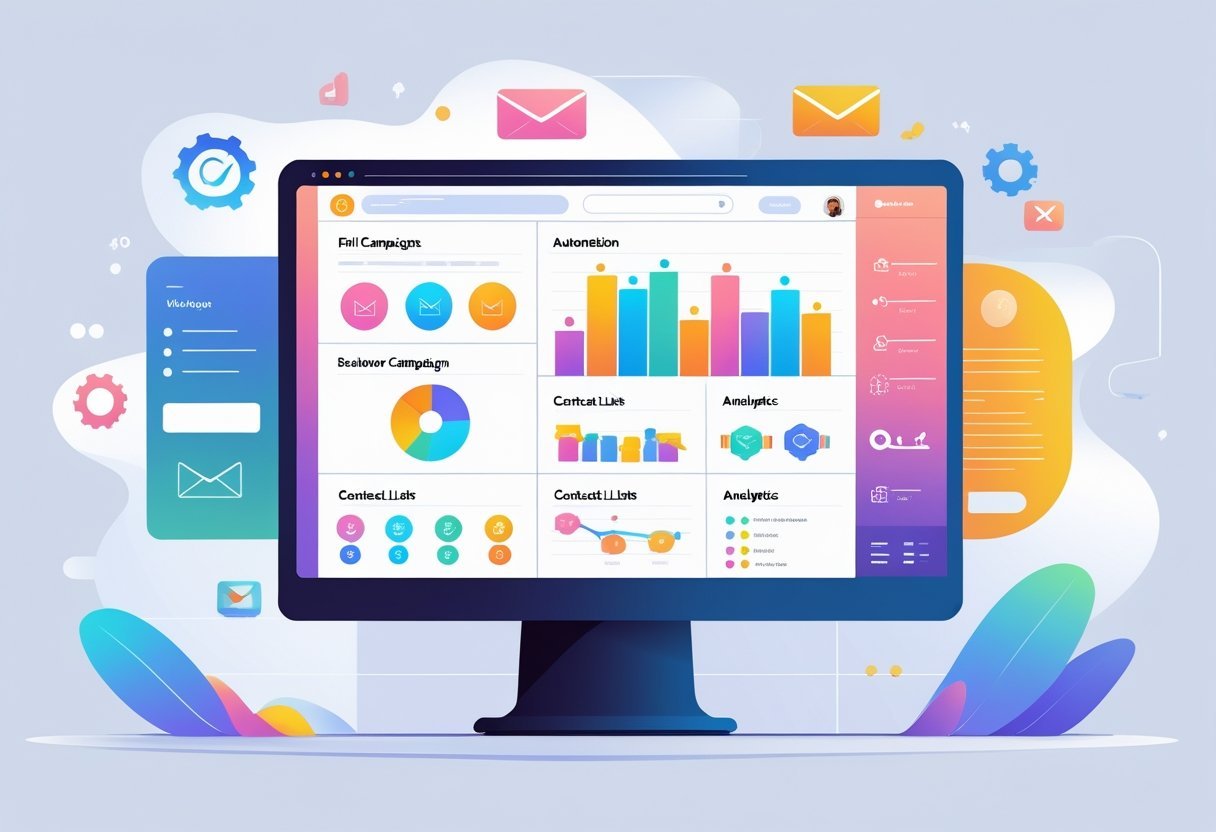
Constant Contact provides a complete set of tools for businesses managing their email marketing and customer outreach.
The platform combines easy-to-use email campaign creation with automation tools, contact segmentation, and landing page building capabilities.
Email Campaign Creation
Constant Contact offers a straightforward email editor that works well for users without technical skills.
The platform includes hundreds of pre-built templates that businesses can customize to match their brand.
Users can drag and drop elements like images, text blocks, buttons, and social media links into their emails.
The AI Content Assistant helps create subject lines and email copy based on the user's industry and goals.
This feature speeds up the campaign creation process for businesses that need to send regular emails.
The email marketing platform also supports dynamic email content, which changes based on subscriber data.
Users can preview how their emails look on different devices before sending.
The system includes spam checking tools that help improve deliverability.
Constant Contact also provides stock images and social media integration directly within the email editor.
Automation and Advanced Workflows
The marketing automation features in Constant Contact allow businesses to send emails based on specific triggers and customer actions.
Users can set up welcome series for new subscribers, birthday emails, and re-engagement campaigns for inactive contacts.
The platform supports email automation for common scenarios without requiring complex setup.
Advanced automation capabilities include multi-step workflows that guide contacts through different paths based on their behavior.
Businesses can trigger emails when someone clicks a link, makes a purchase, or abandons a cart.
While the automation tools handle basic needs effectively, they remain simpler than specialized automation platforms.
Segmentation and Personalization
Contact management in Constant Contact includes tools for organizing subscribers into specific groups.
Contact segmentation works through tags, custom fields, and list organization.
Users can segment contacts based on demographics, engagement history, purchase behavior, and custom data fields.
The platform supports targeted email campaigns that reach specific audience segments.
Businesses can personalize emails with merge tags that insert subscriber names, locations, and other custom information.
This segmentation approach helps improve open rates and engagement by delivering more relevant content to each subscriber group.
Landing Pages and Sign-up Forms
The landing page builder lets businesses create standalone pages for lead generation and event registration.
Users can design pages using templates and customize them to match their brand without coding.
These pages work well for capturing new subscribers and promoting specific offers.
Sign-up forms come in multiple formats including embedded forms, pop-ups, and inline options.
Businesses can add these forms to their websites to grow their email lists.
The forms connect directly to contact lists and can trigger automated welcome sequences when someone subscribes.
Email Design and Editor Tools
Constant Contact provides a visual email builder centered around drag-and-drop functionality and pre-designed templates.
The email editor aims to serve users without design experience while offering enough flexibility for customization.
Drag-and-Drop Editor Experience
The drag-and-drop editor uses a block-based system where users add elements like headlines, buttons, images, and social links to their emails.
Users can click and move these blocks to arrange their layout without touching any code.
The interface works well for straightforward newsletter designs.
Users can build basic campaigns quickly by selecting blocks and positioning them in the email body.
More complex layouts present limitations.
The editor restricts certain custom design structures, which means users working with specific branding requirements may find themselves unable to achieve their exact vision.
The platform prioritizes simplicity over advanced design control.
Email Template Library
Constant Contact offers a collection of email templates designed for different business types and campaign purposes.
These templates provide starting points for users who want to skip the blank canvas approach.
The templates cover common use cases like newsletters, promotions, events, and announcements.
Each template comes with placeholder text and images that users replace with their own content.
Users select a template from the library and modify it using the drag-and-drop editor.
This approach speeds up the design process for businesses that send regular emails and need consistent formatting.
Customization Options
The email editor allows users to adjust colors, fonts, and spacing within their chosen design.
These controls appear in the editing interface when users select specific elements.
Users can upload their own images and add their logo to maintain brand consistency.
The editor also includes options for adding polls and social media links directly into the email layout.
The customization tools work within the constraints of the block system.
Users cannot access custom HTML or CSS in the basic editor, which limits advanced personalization options but keeps the interface accessible for beginners.
Omnichannel Marketing Tools

Constant Contact extends beyond email to offer SMS marketing, social media management, and event tools that help businesses reach customers across multiple channels.
These features work together to create a more complete marketing approach.
SMS Marketing Capabilities
Constant Contact includes SMS marketing as part of its platform.
Users can send text messages directly to subscribers who opt in to receive them.
The system lets businesses create short promotional messages, appointment reminders, and time-sensitive alerts.
SMS campaigns work alongside email efforts.
Businesses can segment their contact lists and choose which subscribers receive texts versus emails.
The platform tracks delivery rates and responses for each SMS campaign.
Text message credits come as an add-on cost beyond the standard subscription.
The pricing structure charges per message sent.
Businesses need to follow compliance rules for SMS marketing, and Constant Contact provides opt-in tools to help meet these requirements.
Social Media Campaigns and Scheduling
The platform connects to major social media accounts including Facebook, Instagram, and LinkedIn.
Users can create posts and schedule them in advance through the same dashboard they use for email campaigns.
This saves time compared to logging into each social platform separately.
Social media posting includes basic scheduling features.
Businesses can plan content for specific dates and times.
The system supports both organic posts and paid social campaigns on Facebook and Instagram.
The social media tools lack some advanced features found in dedicated social media scheduling platforms.
Users cannot access in-depth analytics or manage comments and messages from within Constant Contact.
The features work best for basic social media marketing needs rather than complex social campaigns.
Event Management and Registration
Constant Contact offers event management tools built into the platform.
Businesses can create registration pages for webinars, workshops, classes, and other events.
The system handles ticket sales and collects payment directly through the registration forms.
Event marketing connects with email campaigns.
Users can send invitations to their contact lists and track who registers.
Automated reminder emails help reduce no-shows.
The event management features include customizable registration forms and attendee tracking.
Businesses can offer free or paid events and set up different ticket types with various price points.
The platform processes payments and sends confirmation emails automatically to registrants.
Integration and Compatibility
Constant Contact connects with hundreds of third-party applications to help businesses automate their marketing workflows and sync customer data.
The platform supports both basic app connections and advanced integrations with eCommerce platforms and CRM systems.
App Integrations
Constant Contact offers integrations with popular business tools across multiple categories.
Users can connect their accounts to automatically sync contact lists, track customer behavior, and manage marketing campaigns from a central location.
The platform integrates with social media advertising platforms including Facebook Ads and Google Ads.
These connections allow marketers to create audiences based on email engagement and run coordinated campaigns across multiple channels.
Payment processing integrations include Stripe and other major payment gateways.
These connections help businesses track purchase data and send targeted emails based on customer transactions.
The integration setup process varies by application.
Most connections require basic authentication and permission settings.
Contact database integrations provide automatic list syncing and audience segmentation features to keep marketing data current.
eCommerce and CRM Connections
Constant Contact integrates with leading CRM platforms and eCommerce systems to centralize customer data.
Popular CRM integrations include Salesforce, HubSpot, and Zoho, which sync contact information and track customer interactions across systems.
WooCommerce, Shopify, and other eCommerce platforms connect directly to Constant Contact.
These integrations automatically add new customers to mailing lists and sync purchase history.
Shop owners can segment customers based on buying behavior and send product recommendations.
The marketing CRM capabilities allow sales teams to view email engagement data within their CRM interface.
This provides context about customer interests and helps prioritize leads.
Advanced automation features become available when connecting enterprise-level tools.
These integrations support complex workflows like abandoned cart emails, post-purchase follow-ups, and multi-step nurture campaigns triggered by specific customer actions.
Pricing, Plans, and Value
Constant Contact structures its pricing around three main tiers that scale with contact list size, starting at approximately $12 per month for the Lite plan.
Each tier unlocks different features, and the platform offers a 60-day free trial period for new users to test the service.
Overview of Lite, Standard, and Premium Plans
The Lite plan provides basic email marketing tools for up to 500 contacts, including email templates, list management, and reporting. This entry-level option works well for small businesses just starting with email campaigns.
The Standard plan adds automation features, dynamic content, and A/B testing capabilities. Pricing starts around $35 per month for 500 contacts and increases based on list size.
This tier suits growing businesses that need more advanced segmentation and automated workflows. The Premium plan includes all Standard features plus advanced automation, custom segmentation, and Google Ads integration.
It starts at roughly $80 per month for 500 contacts. Businesses with larger lists can expect to pay $200 or more monthly depending on their subscriber count.
All plans charge based on the number of contacts rather than email sends. The pricing increases at different contact tiers: 500, 1,000, 2,500, 5,000, and beyond.
Comparing Constant Contact to Alternatives
Mailchimp offers a free plan for up to 500 contacts but charges $13-$350 monthly for paid tiers. Brevo provides a free plan with daily sending limits and paid plans from $25 monthly.
MailerLite costs $10-$100 per month with a free tier for up to 1,000 subscribers. GetResponse ranges from $19-$119 monthly and includes webinar features.
ActiveCampaign starts at $29 per month but offers more sophisticated automation than Constant Contact. Moosend and ConvertKit both price between $9-$80 monthly depending on list size.
Constant Contact sits in the mid-to-upper price range compared to these email marketing platforms. The platform charges more than budget options like MailerLite or Moosend but less than ActiveCampaign for advanced features.
Free Trial and Discounts
Constant Contact provides a 60-day free trial, which is longer than most email marketing services. Users can access either the Lite or Standard plan features during this period without providing payment information.
The platform occasionally offers discounts for nonprofits and new customers. Annual payment plans typically provide savings compared to monthly billing, though exact discount percentages vary by promotion timing.
Performance, Deliverability, and Support
Constant Contact delivers strong performance in getting emails to inboxes and provides detailed tracking tools to measure campaign success. The platform backs this up with multiple support options to help users troubleshoot issues and optimize their email marketing efforts.
Email Deliverability Rates
Constant Contact consistently achieves high email deliverability rates in independent testing. The platform has been monitored for deliverability performance since 2019 and ranks among the top performers in the industry.
The service maintains strong sender reputation through proper authentication protocols and infrastructure. This helps emails reach primary inboxes rather than spam folders.
Users benefit from these backend systems without needing technical expertise. Constant Contact does not offer built-in email deliverability test tools within the platform.
However, the high delivery rates mean most campaigns reach their intended recipients. The platform's established infrastructure and compliance features protect sender reputation over time.
Reporting and Analytics
The reporting dashboard provides clear metrics on campaign performance. Users can track open rates, click-through rates, bounces, and unsubscribes for each email sent.
Email reporting includes visual graphs and charts that make data easy to understand. The analytics show which links received the most clicks and when subscribers engaged with content.
This helps users identify what resonates with their audience. The platform tracks engagement over time so users can compare current campaigns to past performance.
Segmentation data shows how different contact groups respond to emails. These insights help refine targeting and improve future campaign results.
Customer Service and Support Channels
Constant Contact offers multiple ways to reach the support team. Phone support is available during business hours for all paid plans.
Live chat connects users with representatives for quick questions and technical issues. The customer support team provides help with campaign creation, technical problems, and account management.
Email support handles less urgent inquiries with responses typically within 24 hours. Customer service includes access to a knowledge base with guides and tutorials.
Community forums let users connect with other Constant Contact customers to share tips and solutions. The combination of direct support and self-service resources helps users at different skill levels get the assistance they need.
Usability, Security, and User Experience
Constant Contact delivers an intuitive platform designed for users with limited technical skills, while maintaining standard security protocols that protect user data and account access.
Ease of Use and User Interface
Constant Contact features a straightforward interface that requires minimal training to navigate. The platform organizes contacts, email creation tools, and campaign reports in clearly labeled sections.
Users can access drag-and-drop editors that simplify email design without coding knowledge. The dashboard presents key metrics and recent campaigns on a single screen.
Navigation menus use simple language rather than technical jargon. New users typically send their first campaign within 30 minutes of account setup.
The contact management system allows users to import lists, create segments, and organize subscribers through a visual interface. Event registration tools integrate directly into the main workflow.
The mobile app provides core functionality for users who need to monitor campaigns while away from their desk.
Key usability features include:
- Visual email editor with pre-built templates
- One-click contact import from common file formats
- Real-time preview across different devices
- Automated list cleaning to remove invalid addresses
Security Features and Reliability
Constant Contact implements industry-standard security measures to protect user accounts and subscriber data. The platform supports two-factor authentication, which adds an extra verification step during login.
This security layer helps prevent unauthorized access even if passwords become compromised. The service maintains secure data centers with encryption for information in transit and at rest.
Regular security audits ensure compliance with data protection regulations. Users receive automatic system updates without service interruptions.
Some users report occasional billing errors that require customer service intervention to resolve. The platform maintains uptime rates consistent with major email service providers.
Account recovery options include email verification and support team assistance for locked accounts.
Pros and Cons of Constant Contact
Constant Contact offers strong support features and user-friendly tools that work well for certain users, but it also comes with higher costs and some notable limitations compared to competitors.
Advantages for Small Businesses and Nonprofits
Constant Contact provides solid customer support options that help users who are new to email marketing. The platform offers phone support, live chat, and email assistance during business hours.
This level of support stands out because many competing platforms only offer email tickets or chatbots. The interface uses drag-and-drop editors that don't require coding knowledge.
Small business owners can create professional-looking emails without hiring a designer. The template library includes hundreds of pre-built options for different industries and occasions.
Nonprofits receive a 30% discount on all plans. This makes the platform more accessible to organizations with limited budgets.
The discount applies automatically when users verify their nonprofit status. The platform includes basic automation features like welcome emails and birthday messages.
It also offers event management tools and social media posting capabilities. These extra features mean users don't need to purchase separate software for those tasks.
Limitations and Common Drawbacks
The pricing structure costs more than many alternatives. An email marketer managing 5,000 contacts pays significantly higher monthly fees compared to platforms like Mailchimp or Brevo.
The cost increases quickly as contact lists grow.
The automation features lack advanced capabilities. Users cannot build complex email sequences based on detailed subscriber behavior.
Competitors offer more sophisticated automation workflows at similar or lower price points.
The reporting and analytics tools provide basic metrics but miss deeper insights. Users get open rates and click rates but limited data about subscriber engagement patterns.
Advanced segmentation options are also restricted compared to other platforms.
The platform doesn't include a free plan. New users must commit to a paid subscription or use a limited trial period.
This creates a barrier for small business owners who want to test the platform before spending money.