
Choosing the right CRM software can make or break how a business manages customer relationships. With dozens of platforms available in 2025, each offering different features, pricing models, and capabilities, the decision becomes harder.
A good CRM comparison looks at core features like contact management and sales automation, plus factors like pricing, ease of use, integration options, and AI capabilities to help businesses find the right fit.
Most CRM platforms share basic functions like storing customer data and tracking sales. The real differences show up in how well they handle specific business needs.
A small startup needs different tools than a large sales team. Pricing structures vary widely from free plans to enterprise-level subscriptions.
Understanding what separates one CRM from another helps businesses avoid costly mistakes.
Key Takeaways
- CRM comparison requires evaluating features, pricing, integrations, and ease of use to match business needs
- Top platforms differ significantly in automation capabilities, customization options, and AI features
- The right CRM choice depends on company size, budget, technical requirements, and long-term growth plans
How CRM Software Comparison Works
CRM software comparison involves evaluating multiple platforms based on specific criteria like features, pricing, and scalability. The process requires understanding different CRM types and using structured methodologies to identify which solution best fits a business's needs.
Key Comparison Criteria
Businesses evaluate CRM software using several core factors. Features form the foundation of any comparison, including contact management, sales pipeline tracking, automation capabilities, and reporting tools.
Each CRM system offers different feature sets at various price points. Pricing structures vary significantly between CRM vendors.
Some charge per user per month, while others offer flat-rate plans or tiered pricing based on features. Hidden costs like implementation fees, training expenses, and integration charges must factor into the total cost of ownership.
Ease of use determines how quickly teams can adopt the software. A CRM solution with complex navigation or steep learning curves can slow productivity.
User reviews and trial periods help assess the interface quality before commitment. Integration capabilities affect how well the CRM connects with existing tools.
Most businesses need their CRM to work with email platforms, marketing software, accounting systems, and other applications. The number and quality of native integrations or API access matter for smooth operations.
Understanding CRM Types
CRM solutions fall into three main categories. Operational CRMs focus on automating sales, marketing, and service processes.
They help teams manage daily customer interactions and streamline workflows. Analytical CRMs specialize in data analysis and reporting.
These systems collect customer data from multiple sources and provide insights into behavior patterns, sales trends, and campaign performance. They work best for businesses that prioritize data-driven decisions.
Collaborative CRMs emphasize information sharing across departments. They ensure sales, marketing, and customer service teams access the same customer data.
This type suits organizations where multiple teams interact with the same customers. Some CRM software combines elements from all three types.
The choice depends on whether a business needs process automation, deep analytics, cross-team collaboration, or a mix of these functions.
Comparison Methodologies
Side-by-side comparison charts provide the most direct way to evaluate CRM options. These charts list multiple CRM vendors in columns with features, pricing, and specifications in rows.
Users can quickly spot differences in capabilities and costs. Free trials and demos let businesses test CRM software before purchase.
Most CRM vendors offer 14 to 30-day trials. Hands-on testing reveals whether the interface matches team workflows and whether promised features deliver value.
User reviews from verified customers offer real-world insights. Review platforms collect ratings on factors like ease of use, customer support quality, and return on investment.
Multiple reviews across different sources provide balanced perspectives. Feature matrices break down specific capabilities across CRM systems.
They show which platforms include email tracking, mobile apps, custom fields, workflow automation, and other functions. This method works well for businesses with specific feature requirements they cannot compromise on.
Core CRM Features to Evaluate
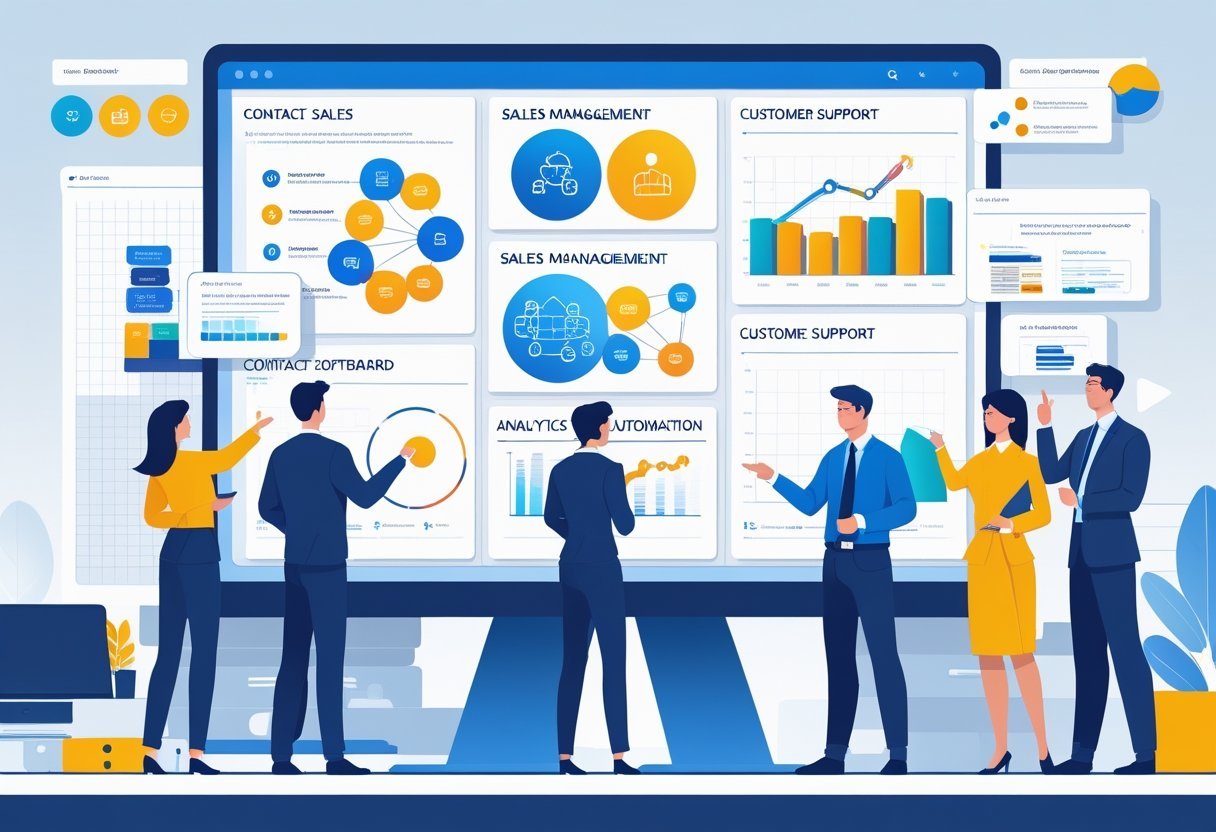
Strong CRM software requires specific features that directly impact how teams manage customers and close deals. The most critical areas include tools for organizing contacts and leads, tracking sales opportunities through the pipeline, accessing real-time data through reports and dashboards, and automating repetitive tasks.
Contact and Lead Management Features
Contact management serves as the foundation of any CRM system. This feature stores customer info like names, email addresses, phone numbers, company details, and communication history in one central location.
Teams can view complete interaction records, including past emails, calls, meetings, and purchases. Lead management builds on contact management by tracking potential customers through the sales process.
The system captures leads from multiple sources like web forms, email campaigns, and social media. Users can score leads based on behavior and demographics to identify which prospects deserve immediate attention.
Good CRM tools let teams segment contacts into specific groups for targeted marketing. Custom fields allow businesses to track information unique to their industry.
The ability to link contacts to companies, deals, and activities creates a complete view of each relationship.
Pipeline and Deal Management
Pipeline management provides visual tracking of sales opportunities from first contact to closed deal. Sales teams can see exactly where each opportunity stands and what actions need to happen next.
Most systems display the sales pipeline in stages like prospecting, qualification, proposal, negotiation, and closing. Deal tracking includes key details like deal value, expected close date, probability of winning, and associated contacts.
Sales reps can update deal status with simple drag-and-drop movements between pipeline stages. This visibility helps managers forecast revenue and identify bottlenecks.
Multiple sales pipelines let businesses manage different sales processes simultaneously. A company might use separate pipelines for new customer acquisition, existing customer upsells, and partner deals.
Pipeline management tools show win rates, average deal size, and sales cycle length for each stage.
Reporting, Dashboards, and Analytics
Reporting and analytics transform raw data into actionable insights. Standard reports track metrics like sales performance, conversion rates, customer acquisition costs, and revenue trends.
Users can filter reports by date ranges, team members, products, or regions. Custom dashboards display real-time metrics that matter most to each role.
Sales reps see their personal quotas and pipeline health. Managers view team performance and forecast accuracy.
Executives access high-level revenue trends and customer retention rates. Advanced analytics identify patterns in customer behavior and sales activities.
These tools reveal which marketing channels generate the best leads, which products sell together, and how long deals typically take to close. Export capabilities let teams share data with stakeholders who don't use the CRM daily.
Workflow and Sales Automation
Workflow automation eliminates repetitive manual tasks that slow down sales teams. Automation tools can assign leads to specific reps based on territory or product expertise.
The system sends follow-up reminders when deals sit idle too long or scheduled tasks approach their due dates. Sales automation handles routine communication like welcome emails, meeting confirmations, and contract delivery.
Email management features track when prospects open messages or click links. Task management ensures nothing falls through the cracks by creating to-do items triggered by specific actions.
Automated workflows can update deal stages, notify team members of changes, and log activities without manual data entry. Some systems create tasks automatically when deals enter certain pipeline stages.
This automation keeps sales pipelines moving forward while reducing the administrative burden on sales teams.
Top CRM Software Platforms Compared
Major CRM vendors offer different strengths across pricing tiers and industries. Free options provide basic features for small teams, while specialized platforms serve specific business sectors with tailored tools.
Comparing Leading CRM Vendors
Salesforce leads the CRM market with extensive customization and enterprise-grade features. It handles complex sales processes and integrates with thousands of third-party applications.
The platform works well for mid-size to large companies that need advanced automation. HubSpot CRM combines ease of use with marketing automation tools.
The interface requires minimal training, and the system includes email tracking, pipeline management, and reporting dashboards. It serves businesses that want marketing and sales tools in one platform.
Zoho CRM offers strong value with AI-powered sales assistance and workflow automation. The platform includes modules for sales, marketing, and customer support at lower price points than competitors.
Small to medium businesses get enterprise features without premium costs. Pipedrive focuses on visual pipeline management for sales teams.
The drag-and-drop interface shows deal stages clearly, and the system sends reminders for follow-up tasks. Sales representatives adopt it quickly due to its straightforward design.
Best Entry-Level and Free CRM Options
HubSpot's free CRM provides unlimited users and contacts with basic sales and marketing tools. Companies get email templates, deal tracking, and contact management without monthly fees.
The free version works for startups and small teams testing CRM solutions. Zoho CRM includes a free tier for up to three users with essential features like lead management and mobile access.
Businesses can upgrade as they grow without switching platforms. Freshsales offers a free plan with built-in phone, email, and contact management.
The system includes basic reporting and up to three users. New businesses get professional tools without upfront investment.
These free CRM platforms let teams organize customer data and track interactions before committing to paid plans.
Industry-Specific CRM Solutions
Real estate agents use specialized CRM platforms like LionDesk or Follow Up Boss that include property listings, open house management, and MLS integration. These systems track client property preferences and automate follow-up sequences for buyers and sellers.
Healthcare providers need HIPAA-compliant CRM solutions like Salesforce Health Cloud or Microsoft Dynamics 365 for Healthcare. These platforms protect patient data while managing appointments, referrals, and care coordination.
Financial services firms use industry-specific CRM vendors that include compliance tracking, document management, and client portfolio views. Platforms like Wealthbox or Redtail serve advisors with features for managing client investments and regulatory requirements.
Manufacturing companies benefit from CRM solutions with quote management, order tracking, and supply chain integration. These systems connect sales data with production schedules and inventory levels.
Head-to-Head: Popular CRM Tools
Salesforce Sales Cloud and HubSpot CRM lead the market with different strengths. Mid-tier options like Pipedrive, Freshsales, Zoho CRM, and Insightly serve specific business needs.
Newer platforms like Creatio and SugarCRM offer unique capabilities. Budget-friendly tools such as EngageBay and Less Annoying CRM cater to small teams.
Salesforce Sales Cloud vs. HubSpot CRM
Salesforce Sales Cloud dominates the enterprise CRM space with deep customization options and extensive third-party integrations. It offers advanced automation, AI-powered insights through Einstein, and scalable features for large sales teams.
The platform requires more technical setup and comes with higher costs starting around $25 per user monthly. HubSpot CRM takes a different approach with its free tier and user-friendly interface.
It combines marketing, sales, and service tools in one platform. The free version includes contact management, email tracking, and basic pipeline features.
Paid plans add marketing automation and advanced reporting. HubSpot works better for small to mid-sized businesses that want quick deployment without technical expertise.
Salesforce suits enterprises needing complex workflows and custom solutions. HubSpot fits growing businesses that prioritize ease of use and integrated marketing tools.
Pipedrive, Freshsales, Zoho CRM, and Insightly CRM
Pipedrive focuses on visual pipeline management for sales teams. Its drag-and-drop interface makes deal tracking simple.
The platform starts at $14 per user monthly and includes email integration, activity reminders, and customizable pipelines. Freshsales provides AI-based lead scoring and built-in phone systems.
It offers contact management, email tracking, and workflow automation starting at $15 per user monthly. The platform works well for teams wanting sales and communication tools in one place.
Zoho CRM delivers extensive features at competitive prices starting at $14 per user monthly. It includes workflow automation, analytics, and integrations with other Zoho products.
The platform serves businesses that need comprehensive functionality without premium pricing. Insightly CRM combines project management with traditional CRM features.
It tracks relationships, manages projects, and automates workflows. Pricing starts at $29 per user monthly, making it suitable for teams that handle both sales and project delivery.
Emerging CRM Platforms: Creatio, SugarCRM, Apptivo, and More
Creatio stands out with no-code customization and process automation capabilities. The platform combines CRM with business process management, letting users build custom workflows without programming.
It targets mid-market and enterprise companies seeking flexibility. SugarCRM offers both cloud and on-premise deployment options.
The platform emphasizes sales automation, marketing campaigns, and customer service features. It provides strong customization options and works well for businesses with specific security or hosting requirements.
Apptivo delivers an all-in-one business platform beyond standard CRM functions. It includes invoicing, project management, and supply chain tools.
The starter plan begins at $10 per user monthly, appealing to small businesses wanting multiple business apps integrated together. These platforms provide alternatives to mainstream options with specialized features or deployment flexibility.
Comparing EngageBay, Less Annoying CRM, and Others
EngageBay bundles marketing, sales, and service tools at budget-friendly prices. The free plan supports up to 15 users with basic features.
Paid plans start at $12.74 per user monthly and add email marketing, landing pages, and automation. Small businesses get multiple functions without paying for separate platforms.
Less Annoying CRM lives up to its name with straightforward contact management and calendar features. It charges a flat $15 per user monthly with no tiers or hidden costs.
The platform skips complex features in favor of simple contact tracking, task management, and pipeline visibility.
These budget CRMs sacrifice advanced capabilities for simplicity and cost savings. They work best for small teams under 20 people who need basic contact management and don't require extensive integrations or automation.
Businesses planning rapid growth may outgrow these platforms quickly.
Integrations, AI, and Customization Capabilities
Modern CRM platforms distinguish themselves through their ability to connect with other tools, leverage artificial intelligence for smarter workflows, and adapt to unique business needs.
These three factors determine how well a CRM fits into existing tech stacks and supports long-term growth.
Third-Party Integrations and Social Media
CRM software needs to work with the tools businesses already use. Most platforms offer integrations with email services like Gmail and Outlook, calendar apps, and communication tools such as Slack or Microsoft Teams.
The best CRMs provide extensive third-party integrations through native connections or integration platforms like Zapier. Popular integrations include accounting software (QuickBooks, Xero), project management tools (Asana, Trello), and e-commerce platforms (Shopify, WooCommerce).
Social media integrations let teams track customer interactions across platforms like Facebook, Instagram, LinkedIn, and Twitter. These connections help businesses monitor mentions, respond to messages, and gather customer data from social channels.
Some CRMs automatically log social media conversations in customer profiles for better context during follow-ups.
AI and Automation Tools in Modern CRMs
AI capabilities now extend beyond basic automation into predictive analytics and intelligent assistance. Marketing automation handles repetitive tasks like email campaigns, lead scoring, and follow-up sequences without manual input.
AI-powered sales assistants analyze customer data to suggest next steps, predict deal outcomes, and identify high-value opportunities. Tools like Freddy AI in Freshsales provide real-time insights and recommendations based on customer behavior patterns.
These systems learn from past interactions to improve their suggestions over time.
Automation tools streamline team collaboration by assigning tasks, sending notifications, and updating records automatically. AI features also include chatbots for customer service, sentiment analysis for support tickets, and predictive forecasting for sales pipelines.
Customization Options and Dashboards
Custom dashboards give teams immediate access to metrics that matter most. Users can create personalized views showing pipeline status, performance targets, or customer health scores at a glance.
Customizable modules let businesses add fields, change layouts, and build workflows that match their processes. Most CRMs allow custom objects for tracking industry-specific data beyond standard contacts and deals.
Advanced platforms offer custom automation rules and conditional logic for complex business requirements.
Role-based permissions ensure team members see relevant information without overwhelming them with unnecessary data. Custom reports pull specific data combinations for deeper analysis of sales trends, customer behavior, or team performance.
Usability, Implementation, and Support
The technical features of CRM software matter less if teams struggle to use the platform effectively. Strong user interfaces, smooth implementation processes, and reliable support channels determine whether a CRM becomes a valuable tool or an expensive headache.
User Experience and Collaboration
Modern CRM platforms prioritize clean interfaces that reduce training time and daily friction. The best systems organize customer data in logical hierarchies and present information through customizable dashboards.
Users should access contact records, deal pipelines, and communication histories without navigating through multiple screens.
Team collaboration features vary significantly between platforms. Some CRMs include built-in messaging, shared notes, and task assignments within customer records.
Others integrate with external tools like Slack or Microsoft Teams. Sales teams benefit from real-time updates when colleagues interact with shared accounts.
Mobile apps extend CRM access beyond desktop computers. Field sales representatives need full functionality on smartphones and tablets.
The quality of mobile experiences ranges from basic contact lookup to complete deal management capabilities.
Onboarding and CRM Implementation
CRM implementation requires careful planning regardless of company size. Small businesses often complete setup within days using templates and automated data imports.
Larger organizations need weeks or months to migrate legacy data, customize fields, and establish workflows.
Most vendors offer guided onboarding processes. These include data migration assistance, workflow configuration, and initial user training.
Some platforms charge extra for implementation services while others include basic setup in subscription costs.
Self-service resources help teams customize CRM systems independently. Video tutorials, knowledge bases, and community forums reduce reliance on vendor support.
Companies should evaluate whether a platform provides adequate documentation for their technical skill level.
Customer Support and Training
Customer support quality separates premium CRM vendors from budget options. Email-only support works for minor questions but creates delays during critical issues.
Phone support and live chat provide faster resolution times. Response times and availability windows matter significantly.
Some vendors offer 24/7 support while others operate during business hours only. Enterprise plans typically include dedicated account managers and priority response guarantees.
Ongoing training resources help teams maximize CRM value over time. Webinars, certification programs, and updated documentation address new features and advanced techniques.
Many platforms maintain user communities where customers share solutions and best practices. Regular training sessions reduce employee turnover impact and improve adoption rates across departments.
CRM Pricing and Market Considerations
CRM pricing varies significantly across providers, with options ranging from free tools to enterprise solutions costing thousands per month. Understanding pricing models and market trends helps businesses select a CRM solution that delivers value without exceeding budget constraints.
Price Ranges and Pricing Models
CRM pricing spans from $0 to over $4,300 per month depending on features and user counts. Free CRM options provide basic contact management and pipeline tracking for small teams just starting out.
Entry-level paid plans typically cost $10-30 per user monthly and include essential sales tools. Mid-tier plans range from $50-100 per user per month.
These packages add automation, reporting, and integration capabilities. Enterprise CRM solutions start at $150+ per user monthly and offer advanced customization, dedicated support, and unlimited features.
Most providers use per-user pricing models where costs increase with team size. Some vendors offer tiered pricing based on feature sets rather than users.
A few CRM platforms charge flat monthly fees regardless of team size, which benefits larger organizations.
Evaluating Value for Cost
The best CRM software balances features against price to meet specific business needs. Businesses must compare what's included in base pricing versus add-on costs.
Many vendors charge extra for email campaigns, phone support, or additional storage. Hidden costs appear in implementation fees, training expenses, and integration charges.
Some platforms require annual contracts with higher monthly costs for month-to-month billing. Businesses should calculate total ownership costs over 12-24 months, not just monthly subscription rates.
Free CRM tools work well for startups with under 10 users. Growing companies typically need paid plans once they require automation or advanced reporting.
Long-Term CRM Market Trends
The CRM market continues shifting toward more affordable, user-friendly options. Cloud-based solutions now dominate as businesses move away from expensive on-premise systems.
This shift reduces upfront costs and IT maintenance requirements. Vendors increasingly offer flexible pricing that scales with business growth.
Many now provide free trials lasting 14-30 days so teams can test features before committing. The market shows growing competition among providers, which drives down prices while improving feature sets.
AI-powered tools are becoming standard in mid-tier and enterprise plans. Mobile access and integration capabilities are now expected features rather than premium add-ons.
Making an Informed CRM Software Choice
Selecting the right CRM platform requires a clear understanding of business requirements, careful evaluation of available vendors, and strategic decision-making.
Identifying Your Business Needs
Every business has different requirements for a CRM platform. Small teams might need basic contact management and email tracking.
Larger organizations often require advanced automation, reporting, and integration capabilities. Start by listing the problems the CRM software should solve.
Does the sales team struggle with tracking leads? Do customer support requests fall through the cracks?
Are marketing campaigns difficult to measure? Consider who will use the system daily.
Sales teams need mobile access and quick data entry. Marketing departments want campaign tracking and analytics.
Customer service representatives require ticket management and communication history. Budget plays a major role in CRM comparison decisions.
Factor in monthly subscription costs, setup fees, training expenses, and integration costs. Some platforms charge per user while others offer unlimited users at a flat rate.
Key questions to answer:
- How many users need access?
- What integrations are essential?
- Is mobile access required?
- What level of customization is needed?
- How much technical support does the team require?
Shortlisting CRM Vendors
Research begins with creating a list of potential CRM vendors that match basic requirements. Look at industry-specific solutions first since they often include features tailored to particular business models.
Read user reviews on multiple platforms to get honest feedback about reliability, customer support, and ease of use. Pay attention to reviews from businesses similar in size and industry.
Most CRM vendors offer free trials ranging from 14 to 30 days. Test each platform with real data and actual workflows.
Have team members who will use the system daily participate in testing.
Essential evaluation criteria:
| Factor | What to Check |
|---|---|
| Ease of Use | Interface clarity, learning curve, mobile app quality |
| Features | Contact management, automation, reporting, customization |
| Integration | Compatibility with existing tools and software |
| Scalability | Ability to grow with the business |
| Support | Response times, training resources, documentation |
| Pricing | Total cost of ownership, hidden fees, contract terms |
Request demos from top contenders and prepare specific questions about features that matter most to the business.
Expert Tips for CRM Selection
Involve team members from different departments in the selection process. Sales, marketing, and customer service teams each have unique needs that the CRM solution must address.
Start with essential features rather than looking for every possible capability. A simple system that the team actually uses is preferable.
Check the vendor's track record for updates and improvements. Look at how often they release new features and security updates.
Test the import process with sample data before committing. The CRM platform should make this transition smooth.
Read the contract terms carefully, especially regarding data ownership and export capabilities. Businesses should always maintain the ability to extract their data if they decide to switch platforms later.