

Descript is changing how people edit videos and podcasts by letting you edit media files like you would edit a text document. Instead of learning complex timeline-based editing software, you can simply delete words from a transcript and watch those sections disappear from your audio or video. Descript is an AI-powered editing platform that automatically transcribes your recordings and enables text-based editing, making it possible to cut filler words, rearrange sections, and polish your content in minutes instead of hours.
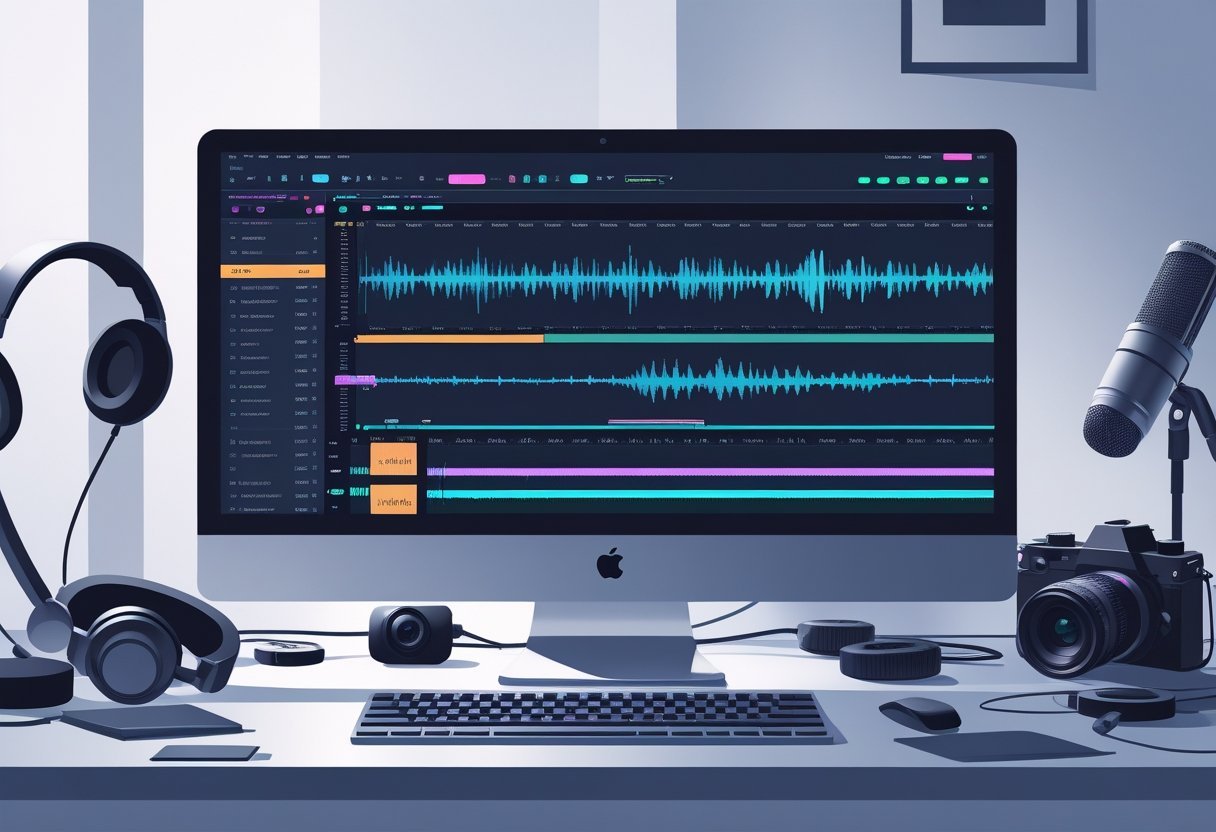
The software goes beyond basic transcription by offering AI tools like voice cloning, automatic filler word removal, and studio-quality sound enhancement. These features appeal to podcasters, video creators, marketers, and educators who want to produce professional content without mastering traditional editing software. Descript combines audio and video editing with screen recording and collaboration tools in one platform.
This review breaks down how Descript works, what features matter most, and whether the pricing makes sense for your needs. You'll learn about the platform's strengths and limitations based on real-world use cases so you can decide if it fits your content creation workflow.
Key Takeaways
- Descript lets you edit videos and podcasts by editing the automatically generated transcript instead of using traditional timeline editing
- The platform includes AI features like voice cloning, filler word removal, and sound enhancement to speed up your editing workflow
- Descript offers multiple pricing tiers starting with a free plan, making it accessible for beginners while providing advanced tools for professional creators
Descript AI Video & Podcast Editor Overview
Descript transforms audio and video editing by letting you edit media files the same way you edit a text document. The platform combines transcription, editing tools, and AI features into one workspace for podcasters and video creators.
What Sets Descript Apart
Descript makes editing video and audio as easy as editing text. Instead of working with traditional timelines, you edit the written transcript and your changes apply directly to the media file.
The platform handles recording, transcription, editing, and publishing in one tool. You can remove filler words, rearrange sentences, and cut segments by deleting text. This approach saves time compared to standard video editing software.
Descript includes AI-powered features like Overdub for voice cloning and automatic filler word removal. You can create screen recordings, add captions, and generate AI voiceovers without switching between different programs.
How Text-Based Editing Works
When you upload a video or audio file, Descript automatically transcribes it. The transcript appears alongside your media, with each word linked to its exact moment in the recording.
To edit your content, you simply highlight and delete words in the transcript. The corresponding audio or video disappears from your project. You can copy, paste, and rearrange paragraphs just like in a word processor.
Key editing actions include:
- Deleting words to remove unwanted sections
- Copying sentences to reuse content
- Finding and replacing repeated phrases
- Removing filler words with one click
This text-based editing method works well for podcasters and content creators who work with spoken-word content.
Types of Projects Descript Excels At
Descript works best for projects centered on speech and dialogue. Podcast editing represents one of the platform's strongest use cases, letting you clean up interviews and conversations quickly.
Video creators use Descript for YouTube videos, educational content, and marketing materials. The tool handles screen recordings, webcam footage, and presentation videos efficiently.
The platform suits:
- Podcast production with multi-track editing
- Educational videos requiring captions
- Social media clips extracted from longer content
- Interview content needing quick turnarounds
Descript may not fit projects requiring complex visual effects or advanced color grading. It focuses on making content creation faster through AI-powered editing tools rather than cinematic production features.
Core AI Features and Capabilities
Descript uses AI to automate time-consuming editing tasks through transcription, voice cloning, and audio enhancement tools. These features work together to speed up content creation while maintaining quality.
Automatic Transcription and Speaker Detection
Descript's AI-powered transcription converts your audio and video into text with 90-95% accuracy. The speech-to-text engine processes your recordings automatically when you upload files to the platform.
The software detects different speakers in your recording and labels them separately in the transcript. You can edit these speaker labels to add names or descriptions. This makes it easier to work with interviews, panel discussions, and multi-host podcasts.
The automatic transcription serves as the foundation for Descript's text-based editing approach. When you delete words from the transcript, the software removes that audio from your project. You can rearrange sentences by cutting and pasting text, and the audio follows your edits.
Overdub Voice Cloning and AI Audio Tools
Overdub lets you create an AI voice clone of yourself or use stock AI voices. You record about 10 minutes of scripted content to train your personal voice model. After training, you can type any text and generate audio in your cloned voice.
This AI voice cloning tool helps fix mistakes without re-recording. You can replace mispronounced words, update outdated information, or add missing sentences. The AI voice matches your original recording's tone and pacing.
Descript also includes AI-powered filler word removal. The software identifies and removes “um,” “uh,” “like,” and other verbal pauses from your audio. You can choose which filler words to remove and preview changes before applying them.
Studio Sound and Audio Enhancement
Studio Sound uses AI audio cleanup to improve recording quality with one click. The feature removes background noise, reduces echo, and balances audio levels automatically.
You don't need to adjust complex audio settings or use multiple plugins. Studio Sound analyzes your audio and applies professional-grade enhancements in seconds. This works well for recordings made in less-than-ideal environments like home offices or rooms with poor acoustics.
The AI audio cleanup handles various audio issues including room tone, computer fan noise, and ambient sounds. You can toggle Studio Sound on and off to compare the processed audio with your original recording.
Video and Podcast Editing Workflow
Descript handles video and podcast editing through text manipulation, screen capture tools, and automated captioning. You can export your finished content in multiple formats and resolutions without dealing with complex traditional editing interfaces.
Editing Video by Editing Text
You can edit video by editing text instead of working with timelines. When you upload a video or audio file, Descript automatically transcribes it. You then edit the transcript like a document, and the software cuts the corresponding media.
Deleting words from the transcript removes that section from your video. You can rearrange sentences by cutting and pasting text, which reorders your video clips accordingly.
The platform includes filler word removal that identifies and deletes ums, ahs, and other verbal pauses. You can review suggested cuts before applying them. Overdub lets you create an AI voice clone of yourself to fix mistakes or add words without re-recording.
Screen Recording and Remote Recording
The built-in screen recorder captures your display, webcam, or both simultaneously. You can select specific windows or your entire screen before starting a recording session.
Remote recording connects up to 10 participants for podcast or video interviews. Each person's audio and video records locally on their device in high quality, then uploads to your Descript project. This prevents quality loss from internet connection issues during the call.
The remote podcast recording feature includes separate tracks for each speaker. You can edit individual participants without affecting others. The system also records a backup audio track as a safety measure.
Captions, Subtitles, and Accessibility
Descript generates automatic captions from your transcript with speaker labels and timestamps. You can customize caption appearance by changing font, size, color, and position. The platform offers caption templates that match common social media styles.
Subtitles export as separate SRT files or burn directly into your video. You can add translations by editing the transcript text. The captioning tool maintains accuracy from the initial transcription, which you can correct before finalizing.
Exporting and Publishing Options
You can export videos in 1080p or 4K resolution depending on your subscription plan. Free accounts include a watermark, while paid plans provide watermark-free export. The platform supports MP4, MOV, and GIF formats.
Publishing integrations let you send content directly to YouTube, Transistor, and other platforms. You can also export audio-only files as MP3, WAV, or AAC. A brand kit feature stores your logos, colors, and fonts for consistent styling across projects.
Collaboration and Workflow Management

Descript provides cloud-based collaboration features that let multiple team members work on the same project simultaneously. The platform includes commenting systems, version tracking, and branding tools to help teams maintain consistency across their content.
Real-Time Collaboration Tools
You can invite team members to work on projects together through Descript's cloud storage system. Multiple editors can access the same file at once, similar to Google Docs. The collaborative editing interface lets you see when other people are working in the project.
Team members need an internet connection to use the full collaboration features. You can set different permission levels for each person on your team. Some users can edit the content while others can only view or comment on it.
The platform stores all your projects in the cloud automatically. This means you don't need to worry about sending large video files back and forth through email or file-sharing services.
Version History and Commenting
Descript saves every change you make to your projects automatically. You can go back to earlier versions if you need to undo major edits or compare different approaches. The version history shows you who made each change and when.
The commenting system lets you leave time-stamped comments on specific parts of your audio or video. You click on a section of the transcript and add your note. Other team members can reply to comments directly, creating conversation threads about specific edits.
This feature works well for getting feedback from clients or team members. They can point out exact moments that need changes without having to describe timestamps manually.
Templates and Brand Studio
The Brand Studio feature helps you maintain consistent branding across all your content. You can save your logo, color schemes, fonts, and lower-third graphics in one place. These elements become available for any project you create.
Templates let you create reusable layouts for common video types. You might build a template for podcast episodes, product demos, or social media clips. When you start a new project, you apply the template instead of rebuilding the same structure each time.
You can share templates with your entire team. This ensures everyone follows the same visual standards and speeds up the production process for recurring content formats.
Descript Plans, Pricing, and Accessibility

Descript offers four pricing tiers ranging from a free option to enterprise-level plans, with the Creator plan starting at $12 per month and Pro at $24 per month when billed annually. The platform supports 23 languages for transcription and includes various levels of transcription hours, priority support, and AI features depending on your chosen plan.
Free Tier and Hobbyist Plan
The Descript free tier gives you access to basic editing features with limited transcription hours. You can test the platform‘s core functionality without paying anything upfront.
This plan works well if you're just starting out or want to try the software before committing. You'll get enough resources to edit short projects and see if Descript fits your workflow.
The free version has restrictions on transcription time and access to AI features. You won't get Underlord and other AI tools that come with paid plans.
Creator, Pro, and Enterprise Plans
The Creator plan costs $12 per month when billed annually. It includes more transcription hours and basic AI features for regular content creators.
The Pro plan runs $24 per month annually and adds advanced features like voice cloning and more AI editing tools. You also get priority support and higher transcription limits.
Enterprise plans offer custom pricing based on your team's needs. These plans include dedicated support, advanced security features, and higher usage limits for large organizations.
Descript Pro vs Other Tiers
Descript Pro gives you significantly more AI capabilities than lower tiers. You get full access to Underlord and advanced editing features that speed up your workflow.
The Pro tier includes higher transcription limits and faster processing times. You also receive priority support when you run into issues.
The Pro plan costs $144 per year, which breaks down to $12 per month in savings compared to monthly billing. This tier makes sense if you edit videos or podcasts regularly and need advanced AI features.
Accessibility, Language Support, and Support
Descript supports transcription in 23 languages, making it accessible to creators worldwide. You can transcribe and edit content in multiple languages without switching platforms.
The interface includes standard accessibility features for users with different needs. You can navigate the software using keyboard shortcuts and adjust settings for better visibility.
Support options vary by plan. Free users get access to documentation and community forums. Paid plans include email support, while Pro and Enterprise customers receive priority support with faster response times.
Descript AI in the Creator Ecosystem
Descript works best for podcasters and video creators who edit dialogue-heavy content, though it requires adjustment from traditional editing software and competes directly with tools like Adobe Premiere and Audacity.
Who Descript Is Best Suited For
Descript targets content creators who work primarily with spoken content. Podcasters benefit the most since the platform handles everything from recording to transcription to final export in one workspace.
YouTubers and YouTube creators find value in Descript's ability to generate social media clips and audiograms from longer videos. You can create social clips for Instagram, TikTok, and other platforms without switching between apps.
Marketing teams use Descript to produce training videos and branded content efficiently. The text-based editing approach means team members without video experience can still contribute to projects.
Solo creators who handle their own editing save significant time with Descript's automated transcription and AI features. You don't need to scrub through timelines to find specific moments when you can search the transcript instead.
Content creators who prioritize speed over frame-by-frame precision will appreciate Descript's workflow. However, filmmakers working on cinematic projects with complex visual effects should stick with traditional editors.
Comparison With Alternative Tools
Descript competes with established tools like Final Cut, Premiere Pro, and Adobe Premiere for video editing. Unlike these timeline-based editors, Descript prioritizes script and dialogue editing over visual effects and color grading.
For audio work, Audacity and Pro Tools offer more advanced sound engineering capabilities. Descript focuses on dialogue cleanup and simple mixing rather than music production or complex sound design.
Otter.ai provides transcription services but lacks Descript's editing features. Riverside.fm handles remote recording well but requires separate editing software afterward.
| Tool | Primary Use | Key Difference |
|---|---|---|
| Adobe Premiere | Professional video editing | Timeline-based, more visual effects |
| Audacity | Audio editing | More audio engineering tools |
| Otter.ai | Transcription | No editing capabilities |
| Riverside.fm | Remote recording | Separate editing required |
When comparing Descript alternatives, consider whether you edit primarily dialogue or visual content. Traditional editors give you more control over individual frames and effects. Descript accelerates the editing of spoken-word content.
Learning Curve and Usability
The learning curve for Descript differs completely from traditional editors. You can start editing within minutes if you understand text editing, but you'll need time to unlearn timeline-based habits.
New creators adapt quickly since Descript works like a word processor. You delete text to remove audio or video segments. There's no need to learn complex keyboard shortcuts or understand layers initially.
Users switching from Final Cut or Premiere Pro face adjustment challenges. The lack of a traditional timeline feels limiting at first, especially for visual-heavy projects.
Descript's beginner-friendly interface eliminates the need for timeline navigation. You focus on what people say rather than where clips sit on a track.
Most creators become productive within a few hours of practice. Advanced features like Overdub and Studio Sound require additional learning but remain straightforward compared to mastering professional editing suites.
Frequently Asked Questions
Descript AI offers text-based editing that lets you cut video by editing transcripts, includes voice cloning technology, and provides multiple pricing tiers starting with a free plan for new users.
What new features have been added to Descript AI in its latest update?
Descript continues to expand its AI capabilities with improved transcription accuracy and enhanced editing tools. The platform now includes better AI-powered features for streamlining podcasting and video editing.
Recent updates have focused on making the text-based editing system more responsive. You can now edit your content faster with fewer clicks needed to complete common tasks.
The AI voice cloning feature has received improvements to sound more natural. These updates help you create smoother overdubs when you need to fix mistakes or add new content to existing recordings.
How user-friendly is Descript AI for beginners in podcast editing?
Descript uses a familiar text-editing interface that makes it easy to learn. You can edit audio and video as if you're editing a Word doc, which removes the learning curve of traditional editing software.
The platform automatically transcribes your audio when you upload it. You simply delete text from the transcript to remove that section from your audio file.
New users can start editing within minutes of creating an account. The interface shows you exactly what's happening as you make changes to the transcript.
What are the pros and cons of using Descript AI for video editing?
Descript excels at quick edits and content that needs frequent revisions. The text-based system lets you cut, copy, or delete video and audio simply by editing text, which speeds up your workflow significantly.
The platform handles basic video editing tasks well, including cutting, trimming, and rearranging clips. You get access to features like filler word removal, which automatically cleans up your speech.
However, Descript has limitations for advanced video work. You won't find the same level of color grading, visual effects, or motion graphics capabilities that dedicated video editors offer.
The platform works best for talking-head videos, interviews, and podcasts. Complex video projects with multiple layers and effects may require additional software to achieve your vision.
How does Descript AI's transcription accuracy compare to other similar tools?
Descript delivers accurate transcriptions for clear audio with minimal background noise. The AI handles most common accents and speaking styles without major issues.
You may need to make corrections when speakers have strong accents or use technical terms. The platform sometimes struggles with overlapping dialogue or poor audio quality.
The transcription speed is fast, typically processing files in a fraction of their actual length. You can start editing while the transcription is still processing for longer files.
Can Descript AI handle multi-track editing for complex video projects?
Descript supports multi-track editing with separate layers for video, audio, and text. You can work with multiple audio tracks and arrange them on a timeline.
The platform lets you manage different speakers on separate tracks. This makes it easier to adjust individual audio levels and apply effects to specific tracks.
However, the multi-track features are more basic than professional editing software. You get enough functionality for podcasts and straightforward video projects but may hit limits with highly complex productions.
What are the pricing options for Descript AI and do they offer a good value for money?
Descript offers a free plan to get started with limited features and export time. The free tier gives you enough functionality to test the platform and create short projects.
Paid plans start at a monthly subscription rate that increases based on features and usage limits. Higher tiers include more transcription hours, additional AI voices, and advanced editing capabilities.
The value depends on your specific needs and workflow. You save time with the text-based editing system, which can justify the cost if you create content regularly.
Estimated reading time: 16 minutes