
Freshsales is a cloud-based CRM software built by Freshworks to help sales teams manage their customer relationships and close more deals. It combines contact management, pipeline tracking, and communication tools in one platform that works for small businesses and larger sales teams alike.

Freshsales offers AI-powered features, built-in phone and email tools, and automation capabilities at a lower price point than many competing CRM platforms. The software includes a free plan for up to three users and paid plans that scale with business needs.
It works well for teams that want to track leads, automate sales tasks, and get insights from their data without spending weeks on setup. This review examines how Freshsales performs across key areas like features, pricing, ease of use, and integrations.
It compares the platform to other CRM options and helps readers decide if Freshsales fits their business needs.
Key Takeaways
- Freshsales is an affordable CRM platform with AI features and built-in communication tools for sales teams
- The software offers automation, reporting, and integration options that work for small to medium-sized businesses
- Freshsales provides a free plan and multiple paid tiers with different features to match various business requirements
What Is Freshsales?
Freshsales is a cloud-based CRM software designed to help sales teams manage customer relationships and close deals. It launched in June 2016 as part of the Freshworks suite of business tools.
The platform works as a complete sales CRM that lets teams track and manage customer interactions from one central location. Sales teams can monitor leads, manage deals, and communicate with customers across different channels using this system.
Key characteristics of Freshsales include:
- AI-powered features for sales automation
- Contact and deal management tools
- Workflow automation capabilities
- Multi-channel communication tracking
- Pipeline management and reporting
Freshsales integrates with other Freshworks products to create a connected business system. The CRM software aims to help small and medium-sized businesses get started quickly with an easy-to-use interface.
The parent company Freshworks operates from headquarters in the United States with offices in India, the UK, Australia, and Germany. This customer relationship management tool focuses specifically on sales team needs rather than trying to cover every business function.
Teams use Freshsales to organize their sales process, track customer data, and get insights into their sales pipeline. The platform handles everything from initial lead capture through deal closure.
It works for businesses managing a few leads or running complex sales campaigns across multiple team members. Freshsales provides the core features most sales teams need without overwhelming users with unnecessary complexity.
Core Features of Freshsales
Freshsales delivers a complete set of tools that handle everything from tracking contacts to closing deals. The platform combines smart automation with practical communication features that help sales teams work more efficiently.
Contact Management and Lead Tracking
Freshsales provides a centralized system for storing and organizing customer information. The contact management system automatically captures details from emails, calls, and website visits.
Sales teams can view complete customer profiles that show past interactions, deal history, and engagement patterns. The lead management system tracks prospects from first contact through conversion.
Users can add leads manually or let the system capture them automatically from web forms and emails. Each lead profile updates in real time as new information comes in.
Custom fields let teams track the specific data points that matter to their business. Tags and segments help organize contacts into groups for targeted outreach.
The platform also includes contact scoring that ranks leads based on their behavior and engagement level.
AI-Powered Lead Scoring and Freddy AI
Freddy AI serves as the platform's built-in intelligence system. This AI analyzes past sales data to predict which leads are most likely to convert.
The ai-powered lead scoring system assigns points to contacts based on their actions, demographics, and fit with ideal customer profiles. Freddy AI provides deal insights that highlight risks and opportunities in the pipeline.
The system can predict deal closure dates and suggest next steps for each opportunity. It also identifies the best times to contact leads based on historical engagement patterns.
The AI learns from each interaction and gets better at making predictions over time. Sales reps receive notifications when high-value leads show buying signals.
Freddy AI also automates routine tasks like data entry and follow-up reminders.
Sales Pipeline Management
The visual sales pipeline displays all deals in a drag-and-drop interface. Sales teams can create multiple pipelines for different products or sales processes.
Each stage in the pipeline can have custom requirements and automated actions. Deal management tools track the value, stage, and probability of every opportunity.
Users can set expected close dates and monitor how deals progress over time. The platform calculates win rates and identifies bottlenecks in the sales process.
Deal tracking features show which activities move deals forward fastest. Sales managers can view team performance across different pipeline stages.
The system sends alerts when deals sit too long in one stage or when close dates approach.
Built-In Communication Tools
Freshsales includes a built-in phone system that lets users make and receive calls directly from the CRM. Call logging happens automatically, and the system records conversations for later review.
The platform displays caller information on screen before users pick up. Email integration connects with Gmail and Outlook through two-way email sync.
All email conversations appear in the contact timeline without manual entry. Users can send tracked emails and see when recipients open messages or click links.
The live chat feature lets sales teams talk with website visitors in real time. Chat transcripts save to contact records automatically.
A mobile app provides access to the full mobile CRM on iOS and Android devices. Sales reps can update deals, log calls, and respond to messages from anywhere.
Automation and Workflow Optimization
Freshsales delivers robust automation capabilities that reduce manual tasks and keep sales teams focused on closing deals. The platform combines sales sequences, workflow automation, and intelligent lead routing to streamline operations from initial contact to conversion.
Sales Sequences and Email Automation
Freshsales enables users to create multi-step sales sequences that automatically guide prospects through the sales funnel. These sequences can include emails, tasks, and reminders that trigger based on prospect behavior or time delays.
The platform supports email sync across major providers and allows teams to send bulk emails while maintaining personalization. Users can track email opens, clicks, and replies in real-time.
The system automatically logs all email interactions in the contact timeline. Sales sequences adapt based on prospect engagement.
If a prospect opens an email or clicks a link, the sequence can branch into different follow-up paths. Teams can pause sequences manually or set them to stop automatically when prospects respond.
Workflow Automation Tools
Freshsales provides visual workflow automation that handles repetitive sales tasks without coding. Users can set up triggers based on field changes, time events, or specific actions.
The system then executes automated responses like sending emails, updating fields, or creating tasks. Freddy AI enhances these workflows with intelligent automation that learns from past interactions.
The platform supports webhooks for connecting with external applications and custom integrations. Teams can automate lead nurturing, deal stage updates, and notification alerts.
The automation tools include conditional logic and multiple action steps per workflow. Sales managers can create rules that apply across the entire team or customize automation for specific segments.
Auto-Assignment and Lead Distribution
The auto-assignment feature distributes incoming leads to sales representatives based on predefined rules. Organizations can set up assignment logic using criteria like geographic territory, deal size, product interest, or team capacity.
Freshsales balances lead distribution to prevent overloading individual reps. The system can assign leads round-robin style or based on rep availability and workload.
If a rep doesn't respond within a set timeframe, the platform can automatically reassign the lead. Lead routing happens instantly when new contacts enter the system through web forms, imports, or API integrations.
This ensures every prospect receives immediate attention from the right team member.
Integration Capabilities

Freshsales connects with both native Freshworks products and external applications through its marketplace and API. The platform supports over 100 integrations to expand sales and business operations.
Freshworks Ecosystem Integrations
Freshsales works directly with other Freshworks products to create a connected business system. Teams can link Freshdesk for customer support, Freshcaller for phone systems, Freshmarketer for marketing automation, and Freshservice for IT management.
These native integrations share data automatically across platforms. When a sales rep closes a deal in Freshsales, the customer information flows to Freshdesk without manual data entry.
Support tickets from Freshdesk appear in the Freshsales contact timeline, giving sales teams full context on customer interactions. The ecosystem eliminates the need for separate login credentials across tools.
Users access all Freshworks products from a single dashboard with unified reporting.
Third-Party Integrations and App Marketplace
The Freshworks marketplace offers connections to popular business tools beyond the native ecosystem. Freshsales integrates with accounting software like QuickBooks and Xero for invoice management and financial tracking.
Zapier extends integration options to thousands of additional apps not available in the standard marketplace. Teams can build custom workflows between Freshsales and tools for project management, email marketing, or e-commerce.
API access allows businesses to create custom integrations for specific needs. Developers can pull contact data, update deal stages, or sync information with proprietary systems.
The marketplace includes apps for lead generation, document signing, social media management, and analytics reporting.
Analytics, Reporting, and Forecasting
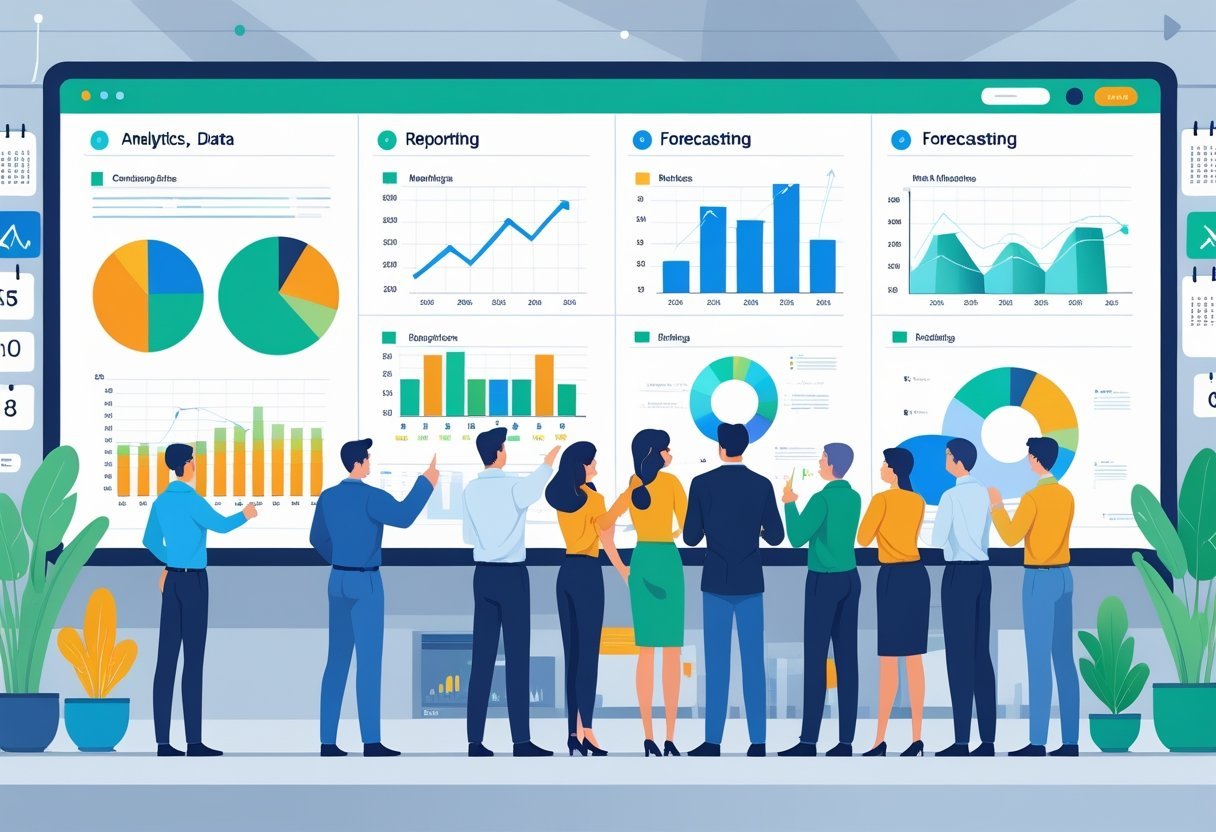
Freshsales provides built-in reporting tools and AI-powered forecasting features that help sales teams track performance and predict future outcomes. The platform includes ready-made reports and customizable dashboards that display key metrics without requiring spreadsheet work.
Reporting and Analytics Tools
Freshsales offers a reporting dashboard that displays sales metrics in a clear, easy-to-read format. Users can access curated reports that track common sales activities like lead conversion rates, deal progress, and team performance.
The platform allows teams to create custom reports based on specific business needs. These reports can filter data by time period, team member, product line, or other criteria.
Sales managers can view pipeline analytics that show where deals are in the sales process. The reporting and analytics system updates in real-time.
This means sales teams can see current numbers without waiting for daily or weekly report generation. Users can export reports to share with stakeholders or import into other business tools.
The dashboard design focuses on showing important information clearly. Teams can set up multiple dashboards for different roles or purposes.
Sales Forecasting and Deal Health
The Freddy AI tool provides sales forecasting based on historical data and current pipeline activity. It analyzes patterns in closed deals to predict future revenue with reasonable accuracy.
Deal health monitoring shows which opportunities are likely to close and which might need attention. The system flags deals that have stalled or show warning signs based on activity levels and timeline progress.
AI-powered insights identify trends that might not be obvious from basic reports. The system can spot patterns like which lead sources convert best or what deal sizes close fastest.
These AI-powered predictions help sales teams focus their efforts on the most promising opportunities. Sales teams can adjust forecast models based on their specific sales cycle and business factors.
The platform tracks forecast accuracy over time to help refine predictions.
Plans, Pricing, and Value
Freshsales offers four pricing tiers to match different business needs and budgets. The platform starts with a free option and scales up to enterprise-level features, with paid plans beginning at $9 per user per month.
Free and Growth Plans
The free plan supports up to 3 users and includes basic CRM features like contact management, deal tracking, and email integration. It works well for very small teams or businesses just starting with CRM software.
The plan has no time limit and remains free forever. The Growth plan costs $9 per user per month when billed annually.
This tier adds features like custom sales pipelines, email tracking, and phone integration. Users get access to basic reporting tools and can remove Freshsales branding from emails.
The Growth plan supports unlimited users, making it a cost-effective option for growing teams. Both plans include a 21-day free trial for paid features, allowing businesses to test the software before committing.
Pro and Enterprise Plans
The Pro plan is priced at $39 per user per month with annual billing. This tier includes AI-powered features like lead scoring and deal insights.
Teams get advanced workflow automation, time-based triggers, and more detailed analytics. The Pro plan also offers multiple sales pipelines and territory management tools.
The Enterprise plan costs $69 per user per month annually. It provides the most comprehensive feature set, including custom modules, audit logs, and advanced forecasting.
This tier includes dedicated account management and premium support options. Enterprise users gain access to AI-powered conversation insights and advanced customization capabilities for reports and dashboards.
User Experience and Onboarding
Freshsales delivers a modern interface designed for non-technical users, with clean layouts and straightforward navigation that reduce the learning curve.
The platform provides guided implementation support and training resources through Freshworks Academy to help teams transition smoothly.
Interface and Usability
The Freshsales interface uses a clean, modern design that prioritizes simplicity.
Users can navigate between contacts, deals, and pipelines without extensive training.
The dashboard presents key metrics and sales data in an organized layout that doesn't overwhelm new users.
The platform allows teams to customize fields, workflows, and views to match their specific sales processes.
Drag-and-drop functionality makes it easy to move deals through pipeline stages.
The system avoids cluttered menus and keeps frequently used features accessible from the main navigation.
Non-technical team members can start using basic features immediately.
The interface responds quickly to user actions, and search functions help locate contacts and deals efficiently.
Most daily tasks require just a few clicks to complete.
Implementation and Onboarding Support
Freshsales provides guided onboarding to help teams get started.
The setup wizard walks users through initial configuration, including importing contacts, setting up pipelines, and connecting email accounts.
This process typically takes less than an hour for basic setup.
Freshworks Academy offers training courses, tutorials, and documentation to support new users.
Teams can access video guides and step-by-step articles that cover common tasks and advanced features.
The knowledge base includes answers to frequent questions and troubleshooting tips.
Support staff are available to assist during implementation.
The fast implementation process means teams can transition from spreadsheets or basic tools without significant downtime.
Mobile Experience
The Freshsales mobile app provides access to core CRM functions on iOS and Android devices.
Sales teams can view contact details, update deal information, and log activities while away from their desks.
The mobile CRM interface adapts to smaller screens while maintaining usability.
Users can make calls, send emails, and add notes directly from the mobile app.
Push notifications alert team members to important updates and tasks.
The app syncs with the desktop version in real-time, keeping data current across devices.
The mobile experience works well for field sales teams who need quick access to customer information during meetings or site visits.
Customer Support and Help Resources
Freshsales provides multiple ways to get help when users need it, including live chat, email, and phone options that vary by plan level.
The platform also offers training materials and documentation to help teams learn the system.
Support Channels and Coverage
Freshsales offers live chat support as the primary contact method for users across all paid plans.
Teams can access chat support directly through the platform interface during business hours.
Email support is available to all Freshsales customers.
Response times typically range from a few hours to one business day depending on the plan tier and issue complexity.
Phone support is restricted to higher-tier plans.
Users on Growth and Pro plans can access phone support, while Free and Starter plan users must rely on chat and email channels.
The support team operates during standard business hours, which may limit availability for teams in certain time zones.
Enterprise customers receive priority support with faster response times and dedicated account resources.
Training and Documentation
Freshsales maintains a knowledge base with articles that cover setup, features, and troubleshooting.
The documentation includes step-by-step guides, screenshots, and explanations of core functions.
The platform offers webinars and video tutorials for users who prefer visual learning.
These resources cover topics like pipeline management, automation setup, and reporting features.
New users can access onboarding resources that walk through initial configuration and basic tasks.
The onboarding process includes guided tours within the software interface.
Freshworks Academy provides structured training courses for teams that want deeper product knowledge.
These courses are available online and cover both basic and advanced Freshsales features.
Advanced and Niche Features
Freshsales includes several advanced tools that go beyond basic CRM functions.
These features help sales teams handle complex pricing scenarios, organize territories, maintain clean data, and track system changes for compliance.
CPQ (Configure, Price, Quote)
Freshsales offers CPQ functionality that lets sales teams create quotes directly within the platform.
Users can configure product bundles, apply pricing rules, and generate professional quotes without switching to external tools.
The system supports discount management and approval workflows.
Sales reps can set up tiered pricing based on quantity or create custom pricing for specific customers.
This feature is available on higher-tier plans and helps reduce errors in the quoting process.
Quote templates can be customized with company branding.
The platform automatically pulls product information and pricing data from the CRM, which speeds up quote creation and keeps everything consistent.
Territory Management
Territory management in Freshsales allows companies to divide their sales regions and assign leads based on geographic areas or other criteria.
Managers can create territory rules that automatically route new leads to the right sales reps.
The system supports hierarchical territory structures.
A sales director can oversee multiple territories while individual reps only see their assigned accounts.
Territory assignments can be based on location, industry, company size, or custom fields.
Freshsales tracks performance metrics by territory.
Managers can compare revenue, pipeline value, and conversion rates across different regions.
Duplicate Detection and Data Enrichment
Freshsales includes built-in duplicate detection that identifies potential duplicate contacts and accounts as they enter the system.
The platform flags duplicates and suggests merging them to keep the database clean.
Data enrichment tools pull information from external sources to fill in missing contact details.
When a user adds an email address or domain, Freshsales can automatically populate fields like company name, industry, employee count, and social media profiles.
This feature saves time on manual data entry.
The enrichment capabilities work through integrations with third-party data providers.
Users can set up automatic enrichment rules or manually trigger enrichment for specific records.
Security and Audit Logs
Audit logs in Freshsales track all user activities within the system.
Administrators can see who accessed records, what changes were made, and when those actions occurred.
This creates an accountability trail for compliance purposes.
The platform maintains detailed logs of field changes, email access, and record deletions.
These logs are searchable and can be filtered by user, date range, or action type.
Freshsales offers role-based access controls that restrict what users can see and do.
Admins can set permissions at a granular level, controlling access to specific modules, fields, or records.
IP restrictions and two-factor authentication add extra security layers for teams handling sensitive customer data.
Freshsales Alternatives and Competitor Comparison
Freshsales competes with several CRM platforms that offer different strengths in pricing, features, and ease of use.
Zoho CRM provides deeper customization options, while HubSpot CRM excels with its free tier and marketing tools.
Comparison With Zoho CRM
Zoho CRM stands out as a strong alternative with more affordable pricing tiers and extensive customization capabilities.
The platform offers advanced workflow automation and a wider range of third-party integrations compared to Freshsales.
Both platforms include AI-powered features, but Zoho's Zia assistant provides more advanced analytics and predictive sales forecasting.
Freshsales maintains an edge in user interface simplicity and ease of setup for small teams.
Key Differences:
- Pricing: Zoho CRM starts at lower price points with a free plan for up to 3 users
- Customization: Zoho offers more fields, modules, and layout options
- Learning Curve: Freshsales provides a simpler, more intuitive interface
Businesses needing extensive customization and complex sales processes typically prefer Zoho CRM.
Teams prioritizing quick deployment and straightforward functionality often choose Freshsales.
Comparison With HubSpot CRM
HubSpot CRM offers a robust free plan with unlimited users and contacts, making it attractive for startups and growing businesses.
The platform integrates seamlessly with HubSpot's marketing and service hubs for companies wanting an all-in-one solution.
Freshsales includes built-in phone and email capabilities in its base plans, while HubSpot requires paid upgrades for similar features.
HubSpot provides superior reporting and analytics tools, especially in higher-tier plans.
Feature Comparison:
| Feature | Freshsales | HubSpot CRM |
|---|---|---|
| Free Plan | Limited features | Generous free tier |
| Built-in Phone | Yes | Paid add-on |
| Marketing Tools | Basic | Extensive |
| Reporting | Standard | Advanced |
HubSpot works better for companies focused on inbound marketing and content strategies.
Freshsales suits sales teams needing immediate communication tools without extra costs.
Other CRM Alternatives
Salesforce Sales Cloud remains the industry leader with the most comprehensive feature set and enterprise-grade capabilities.
The platform requires significant investment in both cost and implementation time but delivers unmatched scalability.
Pipedrive focuses specifically on pipeline management with visual sales workflows that many teams find intuitive.
It costs less than Freshsales while maintaining strong core CRM functionality for deal tracking.
Additional Options:
- Salesforce: Best for large enterprises needing complex customization
- Pipedrive: Ideal for visual pipeline management at lower costs
- Monday Sales CRM: Strong for teams already using Monday.com for project management
- Copper: Built specifically for Google Workspace users