
HubSpot offers both free and paid versions of its CRM platform. Knowing which one fits your business needs can be tricky.
The free version gives you basic contact management, deal tracking, and up to 2,000 marketing emails per month. Paid plans unlock more advanced features like automation, custom reporting, and better integration options.
The main difference between HubSpot free and paid plans is that free tools cover essential CRM functions while paid tiers add automation, advanced analytics, and expanded limits that growing businesses need. Small teams just starting out often do well with the free version.
Companies that need more power and customization will want to consider upgrading. Understanding what each plan offers helps you avoid paying for features you don't need or getting stuck with a platform that can't grow with you.
Key Takeaways
- HubSpot's free CRM provides basic contact management and limited marketing tools while paid plans offer automation and advanced features
- The right plan depends on your team size, growth goals, and need for features like custom reporting and integrations
- Businesses can start with the free version and upgrade when they need more functionality or hit usage limits
Core Differences Between HubSpot Free and Paid Plans
HubSpot's free plan provides basic CRM tools for contact management and simple marketing tasks. Paid plans remove HubSpot branding and add advanced automation, reporting, and customization options.
Overview of Free Plan Features
The HubSpot free plan includes contact management for unlimited users and contacts. Users can track basic deals and manage their sales pipeline without paying anything.
The free version allows up to 2,000 marketing emails per month, with HubSpot branding in the footer. Users also get access to simple landing pages and forms to capture leads.
Basic reporting tools are available to track email opens and website visits. The free plan includes access to HubSpot's knowledge base and community support.
Users can connect their email accounts and log customer interactions in one place.
What Upgrading Unlocks
Paid plans remove the 2,000 email limit and allow businesses to send more marketing emails based on their contact list size. Advanced automation features let teams create workflows that trigger actions based on customer behavior.
Custom reporting dashboards become available on paid tiers. These dashboards help teams track specific metrics that matter to their business.
Paid plans also include additional user permissions and team management tools. Marketing automation grows more powerful with list segmentation and A/B testing capabilities.
Sales tools expand to include email sequences, meeting scheduling, and conversation intelligence. Customer service features like ticketing systems and knowledge base tools are only available on paid plans.
HubSpot Branding and Customization
All emails, forms, and landing pages created on the free plan display “Powered by HubSpot” branding. This branding appears at the bottom of customer-facing materials and cannot be removed without upgrading.
Paid plans remove HubSpot branding completely. Businesses can present a fully branded experience to their customers across all touchpoints.
Customization options expand significantly with paid pricing plans. Users gain access to custom properties, advanced form fields, and personalized email templates.
Domain customization for landing pages and email sending domains is only available on paid tiers. The ability to match company colors, fonts, and design elements becomes more flexible as users move up pricing tiers.
CRM Features Comparison: Free vs Paid
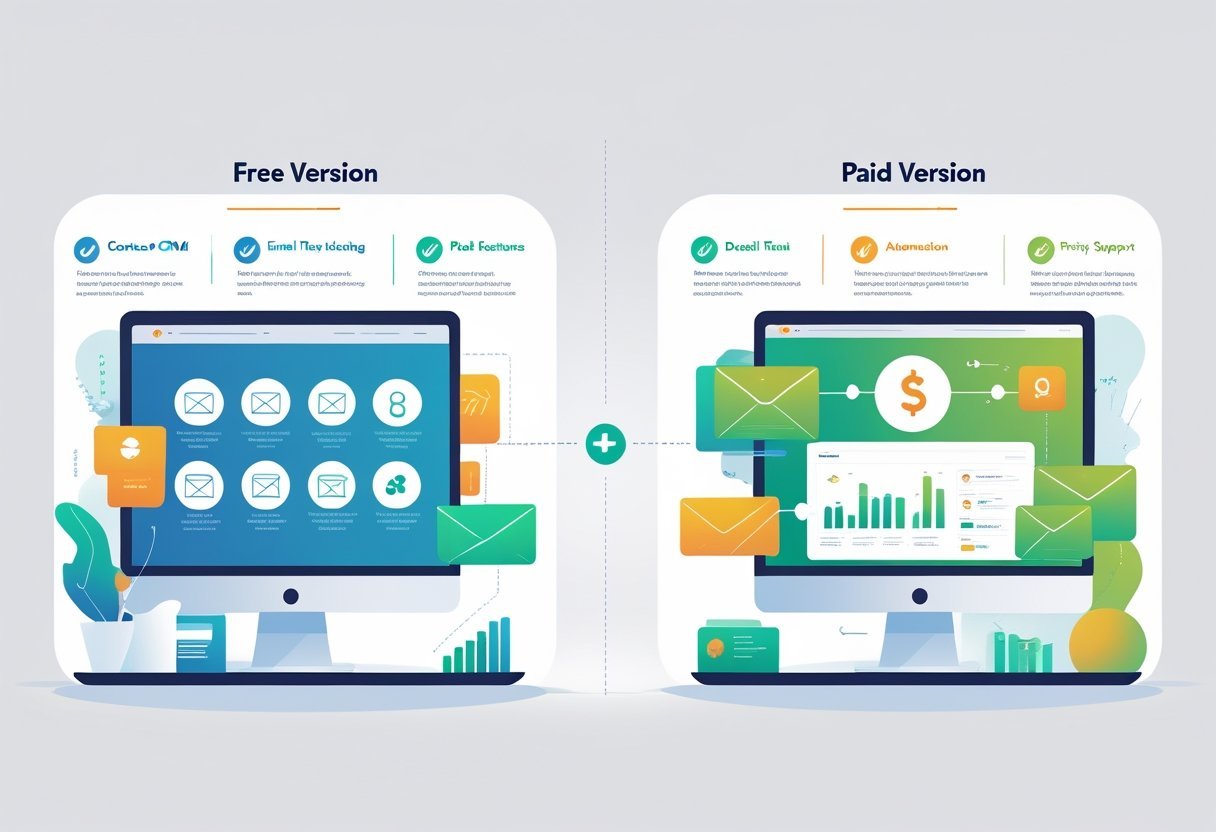
The HubSpot CRM provides core tools in both free and paid versions, but the scope and depth of features differ significantly. Free users get basic contact tracking and deal management, while paid plans unlock advanced customization, automation, and team collaboration tools.
Contact Management
HubSpot Free CRM allows businesses to store up to 1 million contacts with basic information like names, email addresses, and phone numbers. Users can log interactions, add notes, and view contact activity timelines.
The free version includes standard contact properties and basic filtering options. Paid plans expand contact management with custom properties that let teams track industry-specific data fields.
Users can create calculated properties, set up required fields, and build custom views based on complex criteria. Paid tiers also enable contact scoring to prioritize leads automatically.
The paid versions remove HubSpot branding from contact records and email communications. Teams get access to bulk editing tools that speed up data management tasks.
Advanced segmentation features help create precise contact lists based on multiple criteria and behaviors.
Deal Pipeline and Pipeline Management
The free HubSpot CRM includes one customizable deal pipeline with up to five deal stages. Users can create deals, assign them to team members, and track progress through each stage.
Basic forecasting shows total deal values by stage. Paid plans offer multiple custom pipelines for different sales processes or product lines.
Teams can automate deal stage movements based on specific triggers and actions. Advanced reporting provides win rate analysis, sales velocity metrics, and pipeline health indicators.
Pipeline management tools in paid versions include deal rotation, territory management, and custom deal properties. Users can set up automated tasks that trigger when deals move between stages.
The paid tiers also provide predictive lead scoring that helps sales teams focus on high-value opportunities.
Email Templates and Tracking
HubSpot Free CRM provides basic email templates that users can save and reuse. The free version includes simple email tracking that notifies users when recipients open emails or click links.
Teams can send one-to-one emails directly from contact records. Paid plans unlock shared inbox functionality where teams can manage group email addresses collaboratively.
Users get access to A/B testing for email templates to optimize messaging. Advanced tracking shows detailed engagement data including time spent reading and device type.
The paid versions include email sequences that automatically send follow-up messages based on recipient behavior. Teams can create personalized tokens that auto-fill contact information in templates.
Advanced analytics track email performance metrics across team members and campaigns.
Sales and Marketing Tools
HubSpot's free and paid plans differ significantly in their sales automation capabilities, email marketing limits, and the sophistication of forms and landing pages available to users.
Sales Automation and Automation Features
The free plan includes basic contact management and simple deal pipelines to track sales opportunities. Users can manage up to 1 million contacts and create basic workflows for their sales process.
Sales Hub Starter adds automated task creation and simple sequences to follow up with leads. The paid tiers unlock advanced automation features like automated lead rotation, custom deal stages, and workflow triggers based on specific customer actions.
Sales Hub Professional and Enterprise plans provide sophisticated automation tools including task queues for sales teams, predictive lead scoring, and automated data enrichment. These plans also include conversation intelligence and custom reporting dashboards.
Professional plans support more complex sales processes with multiple pipelines and advanced deal management features.
Marketing Emails and Email Marketing
Free users can send up to 2,000 marketing emails per month with HubSpot branding included in each message. The free plan covers basic email creation and contact list management.
Paid plans remove the HubSpot branding and increase sending limits substantially. Marketing Hub Starter allows users to send more emails and access A/B testing for subject lines.
Professional and Enterprise tiers add advanced personalization, smart content that changes based on recipient data, and detailed analytics on email performance. The paid versions also include automated email sequences, sophisticated segmentation tools, and the ability to create complex nurture campaigns based on user behavior.
Forms and Landing Pages
The free plan lets users create simple forms and basic landing pages to capture lead information. These tools work well for small businesses getting started with lead management.
Paid plans unlock advanced form features like conditional logic, progressive profiling, and dependent fields that change based on previous answers. Landing pages in paid tiers include A/B testing, smart content personalization, and removal of HubSpot branding.
Professional and Enterprise plans add membership areas, multiple domains, and advanced analytics to track conversion paths from initial visit to final purchase.
Reporting, Analytics, and Dashboards

HubSpot's free plan includes basic reporting tools, while paid plans unlock advanced analytics, custom dashboards, and forecasting capabilities that help businesses make data-driven decisions.
Reporting Dashboards
The free version of HubSpot provides standard reporting dashboards that display essential metrics for sales, marketing, and customer service activities. These dashboards show basic data like contact information, deal stages, and email performance.
Users can view pre-built reports but cannot customize them extensively. Paid plans remove these limitations and allow users to create custom reporting dashboards tailored to specific business needs.
Teams can combine multiple data sources into single views and track the metrics that matter most to their operations. The ability to build personalized dashboards means different team members can monitor their own key performance indicators.
Marketing teams might track campaign performance while sales teams focus on pipeline metrics. This flexibility helps organizations align their reporting with actual business goals.
Analytics and Custom Reporting
Basic analytics in the free plan show simple metrics like email open rates and website visits. These reports provide a starting point but lack depth for complex analysis.
Paid plans deliver advanced analytics that reveal deeper insights about customer behavior and campaign performance. Users gain access to sales analytics that track revenue, deal velocity, and team productivity.
The system can generate detailed reports on customer interactions across multiple channels. Custom reporting becomes available with paid subscriptions.
Businesses can build reports that combine different data points and filter information based on specific criteria. This includes the ability to segment audiences, compare time periods, and analyze conversion paths.
Teams can schedule automated reports to run regularly and share them with stakeholders who need regular updates.
Attribution and Forecasting
Attribution reporting and forecasting tools are exclusive to paid HubSpot plans. Attribution tracking shows which marketing activities and touchpoints contribute to closed deals.
This helps teams understand what drives revenue and where to invest resources. Multi-touch attribution models reveal the entire customer journey rather than crediting only the first or last interaction.
Businesses can see how different channels work together to generate results. Forecasting features use historical data to predict future sales performance.
Sales leaders can project revenue, identify trends, and set realistic targets for their teams. The system analyzes pipeline data and conversion rates to generate estimates.
These predictions help with budget planning and resource allocation throughout the year.
Advanced Features and Integrations
Paid HubSpot plans unlock powerful automation capabilities and third-party connections that free users cannot access. These tools help businesses scale their marketing efforts and connect HubSpot with other software they already use.
Marketing Automation and Workflow Automation
Free HubSpot accounts lack marketing automation features. Paid plans introduce workflow automation that lets users create customizable workflows triggered by specific actions or conditions.
These automated workflows can send email sequences, assign tasks to team members, update contact properties, and move leads through the sales pipeline. Multi-step workflows become available in paid tiers, allowing businesses to build complex automation sequences based on contact behavior and engagement.
The automation builder uses a visual interface where users drag and drop actions to create their workflows. Marketing Hub Professional and Enterprise plans offer the most advanced workflow options, including branching logic and if/then conditions.
Sales Hub paid plans also include workflow automation for sales processes like automatic lead rotation among team members.
Segmentation and Lead Scoring
HubSpot's free plan provides basic list segmentation based on contact properties. Paid plans expand these capabilities significantly with advanced list segmentation options and dynamic lists that update automatically.
Lead scoring is exclusive to paid Marketing Hub plans. This feature assigns point values to contacts based on their actions and characteristics.
When someone downloads a resource or visits pricing pages, they earn points that indicate their sales readiness. Predictive lead scoring uses machine learning to identify which contacts are most likely to convert.
This feature appears in Marketing Hub Professional and Enterprise plans. It analyzes historical data to score leads without manual setup.
Integrations and Extensions
Free HubSpot accounts connect with popular tools like Gmail, Outlook, and Facebook. Paid plans unlock hundreds of additional integrations through the HubSpot App Marketplace.
Salesforce integration requires a paid Sales Hub or Service Hub Professional plan or higher. This connection syncs data between both platforms automatically.
Slack integration works with paid plans to send notifications and updates directly to team channels. Workflow extensions in paid plans let users trigger actions in external apps from within HubSpot workflows.
Users can create contacts in other systems, send data to analytics tools, or update records across platforms without leaving HubSpot.
Plan Options, Scalability, and Support
HubSpot offers multiple paid tiers beyond its free tools, each designed to match different business sizes and needs. The right choice depends on your budget, team size, and how much support you need as you grow.
Plan Tiers: Starter, Professional, and Enterprise
The Starter plan provides basic upgrades from the free version at an affordable price point. It removes HubSpot branding from emails and forms, increases contact and email limits, and adds simple automation features.
This tier works well for small businesses that need more than the free tools but don't require advanced features.
The Professional plan, often called HubSpot Pro, delivers powerful automation and customization options. It includes multi-step workflows, A/B testing for emails and landing pages, custom reporting dashboards, and advanced analytics.
Teams that run complex marketing campaigns or need detailed customer data will find this tier valuable.
The Enterprise plan offers the highest level of features and flexibility. It provides unlimited automation, advanced permissions for larger teams, predictive lead scoring, and custom objects in the database.
This tier suits large organizations with complex processes and multiple departments using HubSpot.
Limitations of the Free Plan
The free plan caps users at basic contact management and limited email sends per month. Users cannot remove HubSpot branding from emails, forms, or landing pages.
Automation features are restricted to simple tasks only. The free plan does not include A/B testing, custom reporting, or advanced analytics dashboards.
Email send limits may become restrictive as contact lists grow. Support options are limited to community forums and basic knowledge base articles.
Free users cannot access chat support, phone support, or priority assistance.
Customer Support and Knowledge Base
Paid plans include access to HubSpot's customer support team through multiple channels. Starter plan users get email and chat support during business hours.
Professional and Enterprise customers receive priority support with faster response times. All paid tiers can access the full knowledge base, which contains detailed guides, tutorials, and troubleshooting articles.
Enterprise customers also get a dedicated customer success manager and phone support. The knowledge base remains available to free users, but without direct support channels, resolving complex issues takes longer.
Choosing the Right Plan for Your Business
Small businesses with basic needs should start with the free plan or Starter tier.
The Starter plan makes sense when branding removal and slightly higher limits matter more than advanced features.
Growing companies that need automation and detailed reporting benefit most from the Professional plan.
This tier provides the tools needed to scale marketing and sales operations.
Large organizations with complex requirements should evaluate the Enterprise plan.
The investment pays off when teams need custom workflows, advanced permissions, and dedicated support.
Businesses can also purchase individual Hubs like Marketing Hub, Sales Hub, or Service Hub separately rather than buying the entire platform at once.