
Managing customer relationships and sales processes can get messy fast. Spreadsheets pile up, emails get lost, and deals slip through the cracks.
Monday.com Sales CRM is a flexible customer relationship management platform built on monday.com's Work OS that helps sales teams track deals, automate tasks, and manage their entire sales cycle in one central place. It combines the visual layout of project management software with standard CRM features like lead tracking and pipeline management.

This platform works well for small to medium-sized businesses that need something between basic spreadsheets and complex enterprise software. Sales teams can customize their workflows, connect their email, and automate repetitive tasks without writing code.
The system also includes AI tools to help with data entry and forecasting. Whether you run a tech startup, creative agency, or growing sales team, Monday.com Sales CRM adapts to how you work.
It aims to keep sales and operations teams aligned while giving everyone visibility into deals and customer data. This review looks at what the platform offers, how much it costs, and whether it fits your team's needs.
Key Takeaways
- Monday.com Sales CRM combines visual project management with standard CRM features to help teams manage leads, deals, and customer relationships in one platform
- The system offers customization options, no-code automation, AI-powered tools, and integrations with popular business apps to streamline sales workflows
- Pricing varies based on team size and features needed, with plans designed for small to mid-market businesses looking for flexible sales management software
What Is Monday.com Sales CRM?
Monday.com Sales CRM is a customer relationship management platform built on monday.com's Work OS that combines sales pipeline management with project collaboration tools. The software uses AI technology and visual interfaces to help teams track leads, automate tasks, and manage customer relationships without requiring coding skills.
Key Features Overview
Monday.com Sales CRM provides customizable pipelines that let sales teams organize deals and leads in a way that matches their specific sales process. The platform includes contact management tools that store customer information, communication history, and deal status in one centralized location.
Core capabilities include:
- Lead capture from multiple sources like web forms, emails, and manual entry
- Email integration that syncs with existing email accounts
- Workflow automation that handles repetitive tasks without code
- Sales analytics with visual dashboards and performance tracking
- Post-sales management for customer onboarding and account management
The CRM software features a visual interface with customizable boards and columns. Teams can view their sales pipeline as cards, lists, or timelines based on their preferences.
AI-powered tools help with data entry, email composition, and activity suggestions. The platform also offers mobile apps for iOS and Android devices.
How Monday.com Sales CRM Differs From Traditional CRMs
Traditional CRM platforms often focus solely on sales data and lead tracking. Monday.com Sales CRM blends these functions with project management features that keep sales and operations teams aligned.
The platform prioritizes flexibility over rigid structures. Users can customize fields, workflows, and views without technical expertise.
This differs from many CRM systems that require administrator access or developer help to modify. Monday.com Sales CRM uses a visual, board-based layout rather than form-heavy interfaces.
Teams see their pipeline as movable cards instead of navigating through multiple tabs and menus. The software connects pre-sales and post-sales activities on the same platform.
Sales teams can hand off closed deals to customer success teams without switching systems or losing context.
Supported Business Types and Use Cases
Small to medium-sized businesses benefit most from Monday.com Sales CRM's flexible structure and straightforward setup. The platform works well for companies that need both sales tracking and team collaboration tools.
Industries commonly using the platform:
- Tech startups managing rapid growth
- Creative agencies tracking client projects
- Consulting firms handling multiple client relationships
- B2B companies with longer sales cycles
Sales teams use the CRM to manage their entire sales cycle from initial contact through deal closing. RevOps teams leverage the platform to align sales, marketing, and customer success processes.
The sales platform suits businesses that value customization and visual organization. Companies with 10 to 200 employees typically find the right balance of features and complexity in various CRM plans offered.
Core Sales Management Capabilities
Monday.com Sales CRM provides tools for managing leads, contacts, deals, and pipelines through a visual board-based system. The platform allows teams to customize their sales processes while automating routine tasks and tracking performance across the entire sales cycle.
Lead Management and Capture
Monday.com Sales CRM centralizes lead management through a dedicated leads board where teams can capture and organize potential customers. The platform connects to multiple lead sources including web forms, email, and third-party integrations to automatically populate the system.
Users can assign leads to specific team members and track lead status through customizable columns. The leads board displays key information like contact details, lead source, and engagement history in one view.
The system supports lead scoring and qualification workflows. Teams can set up automation rules to move leads through different stages based on specific actions or criteria.
This helps sales representatives prioritize high-value opportunities and maintain consistent follow-up.
Contact and Account Management
The CRM includes separate boards for managing individual contacts and company accounts. Contact management features store essential information like email addresses, phone numbers, job titles, and interaction history.
The accounts board tracks company-level data including industry, company size, revenue potential, and relationship status. Teams can link multiple contacts to a single account to maintain clear organizational relationships.
Both boards support custom fields that adapt to specific business needs. Sales teams can add fields for tracking preferences, communication methods, or any other relevant data points.
The system also maintains a complete activity timeline for each contact and account.
Deal and Pipeline Tracking
Deal management in Monday.com Sales CRM uses visual pipelines that display opportunities as cards moving through stages. Each deal card contains information about value, expected close date, associated contacts, and current status.
The pipeline view offers drag-and-drop functionality for updating deal stages. Sales managers can monitor multiple pipelines simultaneously and filter deals by owner, value, or timeline.
The platform calculates pipeline value automatically and provides forecasting based on deal stages and probabilities. Teams can attach files, log calls, and record meetings directly within deal cards.
The system tracks all interactions and updates in a centralized location. This visibility helps prevent deals from stalling and ensures proper follow-up.
Sales Cycle Customization
Monday.com Sales CRM adapts to different sales processes rather than enforcing a rigid structure. Teams can create custom stages that match their actual sales funnel and adjust workflows as needs change.
The platform allows users to define unique sales cycles for different product lines or customer segments. Each pipeline can have distinct stages, automation rules, and required fields.
This flexibility supports complex sales operations without requiring technical expertise. Sales teams can configure automation to trigger actions at specific stages.
Examples include sending follow-up emails, creating tasks, or notifying team members. These automated workflows reduce manual work and improve conversion rates by ensuring consistent execution of the sales process.
AI and Automation in Monday.com Sales CRM
Monday.com Sales CRM includes built-in AI tools and automation features that reduce manual tasks and speed up sales processes. The platform offers email writing assistance, automated workflows, and customizable triggers that work without coding knowledge.
AI-Powered Productivity Tools
The CRM provides AI capabilities that help sales teams work faster. The AI email writing feature generates personalized messages based on context and customer data.
Sales reps can use AI to summarize email threads and activity timelines, making it easier to catch up on conversations quickly. The platform includes an AI autofill feature that populates fields automatically.
This tool can assign sales reps based on location, enrich contact data, and fill in board columns without manual entry. Teams can also access sentiment analysis to understand customer emotions in communications.
AI assists with data enrichment by adding missing contact details and company information. The system uses these tools to help sales teams focus on conversations instead of administrative work.
Workflow Automation
Monday.com Sales CRM offers workflow automation that connects different stages of the sales process. Teams can set up automated actions that move deals through the pipeline based on specific conditions.
The automation builder uses a code-free interface that lets users create custom workflows without technical skills. The platform supports automated lead routing and deal assignment.
Sales managers can configure rules that distribute leads to the right team members automatically. These automations work alongside the CRM data to ensure smooth handoffs between marketing and sales teams.
Automations and Triggers
The no-code automation builder lets users create custom triggers and actions. Teams can set up automations that send notifications, update fields, or create tasks when specific events occur.
Common triggers include status changes, date arrivals, and new item creation. Users can build personalized sequences that trigger follow-up emails or reminders at scheduled intervals.
The system supports multiple automation recipes that handle repetitive tasks like data updates and team notifications. These code-free automations integrate with other Monday.com products for cross-functional workflows.
Communication, Collaboration, and Engagement

Monday.com sales CRM centralizes client communication and team coordination through integrated email tools, shared workspaces, and automated activity tracking. The platform brings together mass emailing capabilities with collaborative features that keep sales teams aligned on customer interactions.
Two-Way Email and Email Campaigns
The two-way email feature connects directly to the CRM, allowing users to send and receive messages without switching between applications. Sales teams can view complete email threads alongside contact records and deal information.
The email composition tools include templates and personalization options that speed up responses to prospects and clients. Email campaigns enable mass emailing to multiple contacts with targeted messaging.
Users can create campaign sequences, schedule send times, and track open rates and click-through performance. The system automatically logs all email activities to contact records, creating a complete history of client communication.
Campaign results feed back into the CRM dashboard, showing which messages generate the most engagement and which leads respond to outreach.
Team Collaboration Features
Shared dashboards give everyone on the sales team visibility into active deals, upcoming tasks, and customer interactions. Team members can tag colleagues in comments, share documents, and update records in real time.
The collaborative workspace eliminates confusion about who contacted which client and when. Multiple users can work on the same board simultaneously without overwriting each other's changes.
The platform supports role-based permissions that control what information different team members can view or edit. Sales managers can monitor team performance through shared metrics while individual contributors focus on their assigned accounts.
Reminders and Activity Tracking
The emails & activities widget displays all customer touchpoints in one location, including calls, meetings, and message exchanges. Users can set reminders for follow-ups, contract renewals, and scheduled check-ins.
Automated notifications alert team members when tasks are due or when leads haven't been contacted within specified timeframes. Activity tracking captures every interaction automatically, building a timeline for each customer relationship.
The system records when emails were sent and opened, when calls occurred, and which team members participated in each activity. This tracking helps sales teams identify engagement patterns and prevents duplicate outreach to the same contacts.
Customization and Integrations
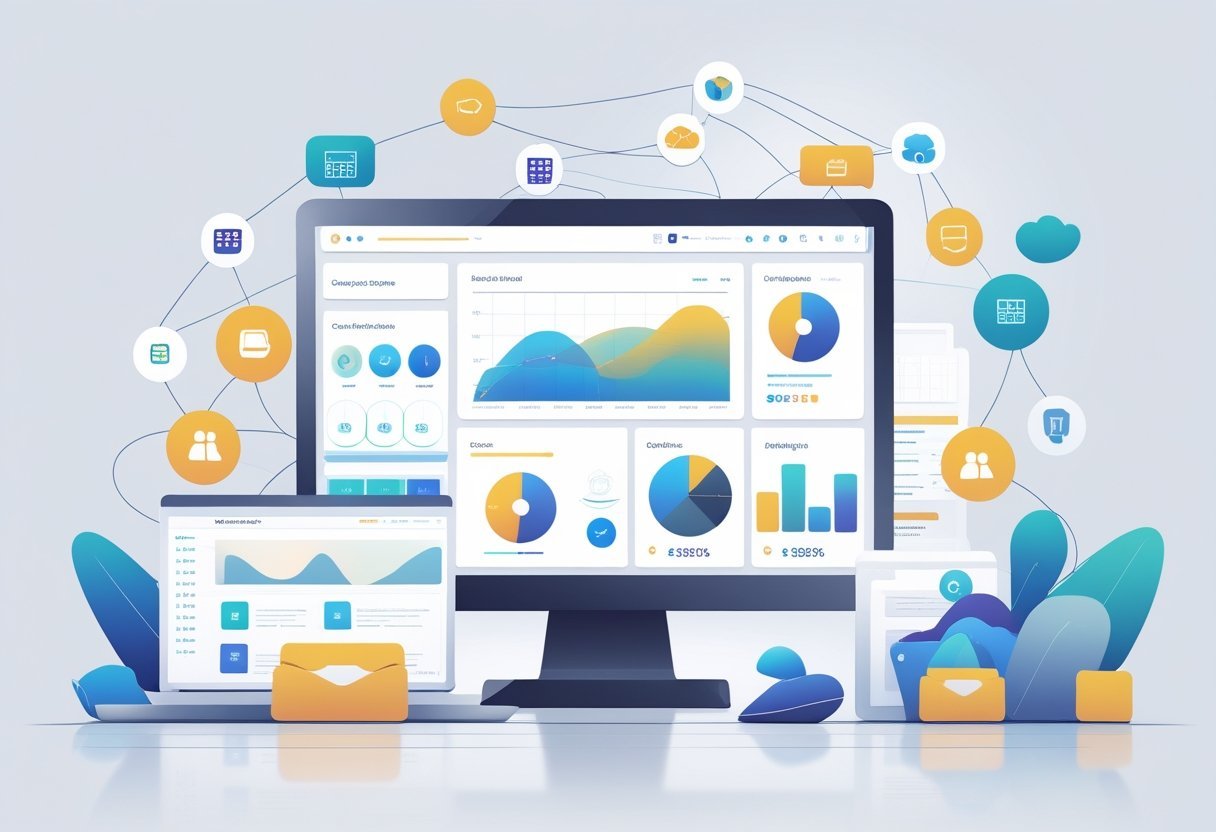
Monday.com Sales CRM offers extensive customization options that let teams adapt the platform to their specific needs, while its integration capabilities connect with over 200 third-party apps to centralize work processes.
Customizable Workflows and Dashboards
Monday.com Sales CRM provides a drag-and-drop interface that allows users to build custom workflows without technical expertise. Teams can create automations that trigger actions based on specific conditions, such as sending notifications when deals reach certain stages or updating fields automatically when status changes occur.
The platform's custom dashboards give users visual control over their data. Sales teams can design their own sales dashboard layouts using widgets that display metrics, charts, and tables.
Each dashboard can be tailored to show relevant information for different roles, from individual sales reps tracking their pipeline to managers monitoring team performance. Users can customize nearly every aspect of their workspace.
Fields, columns, and views adjust to match unique business processes. The customizable CRM structure means teams can add custom fields for industry-specific data, create unique deal stages, and design boards that reflect their actual sales process rather than forcing their workflow into a rigid template.
Third-Party Integrations and Apps
The platform connects with popular business tools through its Apps Marketplace. Email integrations with Outlook and Gmail sync communication directly into the CRM.
Zoom integration schedules and logs meetings automatically. Slack integration keeps teams updated on deal progress through real-time notifications.
Document management tools like DocuSign and PandaDoc streamline contract workflows. Zapier extends integration options to thousands of additional apps, creating automated connections between Monday.com Sales CRM and other software.
Sales-specific integrations include Salesforce data transfer capabilities and various marketing automation tools. The integrations maintain data accuracy by automatically updating records across connected systems.
API and Open Integrations
Monday.com Sales CRM provides API access for custom integrations. Development teams can build connections to proprietary systems or create specialized workflows that aren't available through standard integrations.
The open API documentation guides developers through authentication, queries, and data management operations. Organizations with unique technical requirements can leverage the API to connect legacy systems or industry-specific software.
This flexibility supports complex business needs that go beyond pre-built integrations. Companies can maintain their existing tech stack while adding Monday.com Sales CRM to their project management and sales processes.
Analytics, Reporting, and Revenue Forecasting
Monday.com Sales CRM provides built-in tools for tracking performance metrics and forecasting future revenue. The platform transforms raw sales data into visual reports that help teams make informed decisions about their sales strategy.
Reporting Tools and Sales Insights
Monday.com Sales CRM includes a dashboard with visual reporting tools that display team performance in real time. Users can create custom reports to track key metrics across the entire sales process without relying on manual spreadsheets.
The platform offers a centralized view of sales operations data. Teams can monitor individual performance, team progress, and pipeline health through visual charts and graphs.
Sales managers can customize dashboards to show the metrics most relevant to their team. The visual nature of the reports makes it easy to spot trends and identify areas that need attention.
Advanced Analytics and Performance Monitoring
The CRM delivers analytics capabilities that go beyond basic reporting. Users can track conversion rates at each stage of the sales pipeline and identify where deals typically stall or succeed.
Deal inspection tools let teams examine individual opportunities in detail. Sales leaders can analyze which activities lead to closed deals and which strategies need adjustment.
The system processes sales data automatically to surface actionable insights. Performance monitoring happens in real time rather than through delayed reports.
Teams can see how current activities impact results and make quick adjustments to their approach. This immediate feedback helps sales reps improve their techniques while deals are still active.
Revenue Projections and Forecasting
Monday.com Sales CRM helps teams forecast monthly revenue through dedicated forecasting features. The platform serves as a hub where sales projections align with actual performance data for more accurate predictions.
Revenue managers can use the system to track deals against forecasted amounts. The CRM pulls data from active opportunities to generate revenue projections based on deal stage, probability, and historical patterns.
Sales teams can adjust forecasts as new information becomes available. The system supports accrual accounting practices for teams that need to match revenue recognition with specific time periods.
Plans, Pricing, and Support
Monday.com Sales CRM offers three main pricing tiers with different feature sets to match team needs and budgets. The platform includes mobile access and multiple support options across all paid plans.
Overview of Monday.com Sales CRM Plans
Monday.com Sales CRM starts with a 14-day free trial of the Pro plan, allowing teams to test the platform before committing. After the trial ends, users need to select a paid plan to continue using the CRM.
The pricing structure begins at $10 per user per month. All plans support unlimited sales pipelines, which helps teams manage multiple deal flows without restrictions.
The CRM does not offer a permanently free plan like some of Monday.com's other products. Each pricing tier builds on the previous one.
Teams pay based on the number of seats they need. The cost per user stays consistent within each plan tier regardless of team size.
Standard, Pro, and Enterprise Features
Standard Plan provides core CRM functionality at the entry level. Users get basic pipeline management, contact organization, and collaboration tools.
This plan works well for small teams just starting with CRM software. Pro Plan adds automation and integration capabilities.
Teams can connect Monday.com Sales CRM with other business tools and set up workflow automations without coding. The Pro tier includes advanced reporting features and additional customization options.
Enterprise Plan delivers the full feature set with enhanced security and support. This tier includes advanced permissions, enterprise-grade security controls, and dedicated account management.
Large organizations benefit from priority support and tailored onboarding assistance.
| Plan | Starting Price | Best For |
|---|---|---|
| Standard | $10/user/month | Small teams |
| Pro | Higher tier | Growing businesses |
| Enterprise | Custom pricing | Large organizations |
Mobile App and Customer Support
The Monday.com Sales CRM mobile app works on both iOS and Android devices. Sales teams can access pipelines, update deals, and manage contacts from anywhere.
The mobile experience maintains most desktop features in a simplified interface.
Customer support includes video tutorials and documentation across all plans. Standard and Pro users access support through the help center and email channels.
Enterprise customers receive priority support with faster response times and dedicated success managers.
The support library contains step-by-step guides for common tasks. Video tutorials walk users through setup processes and advanced features.
Teams can also access community forums where other users share tips and solutions.