
Creating professional videos used to require expensive equipment, a production crew, and hours of editing work. Synthesia.ai changed this by letting you generate videos with AI avatars and voices in minutes instead of days. Synthesia is an AI video creation platform that turns text into polished videos using digital avatars, making it possible to produce training materials, marketing content, and multilingual videos without cameras or studios.
You type your script, pick an avatar and voice, and Synthesia produces a finished video. The platform works for companies that need to create content at scale without the usual production costs. This makes it useful for training videos, product demos, and internal communications.
This review covers everything you need to know about Synthesia in 2025. You'll learn about its features, pricing options, what it does well, and where it falls short compared to other tools.
Key Takeaways
- Synthesia turns written text into professional videos using AI avatars without needing cameras or video editing skills
- The platform offers multiple pricing plans and features suited for different business sizes and video production needs
- While Synthesia excels at scalable video creation, it has limitations in avatar realism and creative flexibility compared to traditional video production
What Is Synthesia.ai?
Synthesia is an artificial intelligence platform that converts text into videos featuring digital avatars. The technology eliminates the need for cameras, actors, or traditional video production equipment.
Origins and Mission
Synthesia launched in 2017 as a spinoff from University College London's research on deep learning and computer vision. The company's founders aimed to make professional video creation accessible to businesses without requiring expensive equipment or technical expertise. Their mission focuses on removing traditional barriers in video production.
The platform targets organizations that need to create training materials, marketing content, and communications at scale. Synthesia ai serves companies across education, healthcare, technology, and corporate training sectors. The company has grown to support over 50,000 businesses globally.
How the Platform Works
You start by typing or pasting your script into the Synthesia video creation platform. The system then generates a video with your chosen avatar reading the text. You can select from pre-built avatars or create custom ones.
The interface allows you to:
- Choose from 140+ languages and accents
- Add slides, images, and graphics
- Customize backgrounds and layouts
- Edit text and timing without re-recording
Videos typically render in minutes rather than the hours required for traditional production. You can make updates by simply editing the text script.
Technological Foundations
Synthesia relies on deep learning algorithms that analyze human speech patterns and facial movements. The artificial intelligence models learn from extensive video datasets to replicate natural expressions and lip movements. Computer vision technology ensures that avatar gestures and mouth shapes match the audio accurately.
The platform uses generative AI to synthesize voices that sound natural across different languages. Neural networks process your text input and convert it into realistic speech with appropriate intonation. The technology continues improving as the models train on more data.
Core Features and Capabilities
Synthesia provides 230+ AI avatars across diverse demographics, support for 140+ languages with natural voice synthesis, automated text-to-video conversion, and comprehensive branding tools that let you maintain visual consistency across all productions.
AI Avatars and Avatar Library
You get access to over 230 pre-built digital avatars that cover various ages, ethnicities, and professional styles. These AI presenters serve as your on-demand actors for any video project.
The platform introduced the EXPRESS-1 avatar model in 2025. This update brought more natural facial expressions and body language to the avatars. You'll notice improved emotional range and subtle gestures like nodding that make the presentations feel more authentic.
Beyond stock avatars, you can create personal avatars using the avatar builder. This feature lets you record yourself and generate a digital twin that speaks any script you provide. Companies often use custom avatars to put a recognizable face on training videos or customer communications.
The avatars work particularly well for:
- Corporate training presentations
- Product demonstrations
- Company announcements
- Educational content
Multilingual Voice Synthesis
Synthesia supports 140+ languages and dialects for voice synthesis. You can create content in Spanish, French, German, Mandarin, Hindi, and dozens of other languages without hiring voice actors or translators.
The text-to-speech technology generates natural-sounding voiceovers that match your avatar's lip movements. The quality has improved significantly with recent updates, making the AI voices sound more human and less robotic.
Voice cloning adds another layer of personalization. You can record your own voice and create a digital version that speaks any language. This means your CEO's voice can deliver quarterly updates in English, Spanish, and Japanese without recording three separate sessions.
AI dubbing, also called 1-Click Translation, converts existing videos into multiple languages. The system translates your script and adjusts the avatar's voice while keeping the visual content identical.
Text-to-Video Automation
You type or paste your script, and Synthesia converts it into a finished video. The process takes minutes instead of days. You can input text directly, upload documents like PowerPoint or PDF files, or provide a URL for the AI Video Assistant to extract content from.
The platform uses a slide-based editing interface. You arrange scenes in sequence, add your script to each slide, and assign avatars and backgrounds. Drag-and-drop blocks make it simple to insert images, text overlays, or transitions.
The AI Script Generator creates video scripts from basic prompts. If you provide a topic or paste a webpage URL, the tool drafts a complete script you can edit before generating your video.
You'll find over 300 video templates organized by use case. These templates give you starting points for training modules, marketing videos, or internal announcements. You just swap in your content and adjust the branding.
Brand Kit and Customization
Brand Kit 2.0 launched in 2025 with enhanced controls for maintaining visual consistency. You upload your company logo, select brand colors, choose fonts, and set these as defaults for all projects.
The system automatically applies your branding to new videos. This saves time and ensures every video matches your corporate identity. You can create multiple brand kits if you manage videos for different departments or clients.
Beyond basic branding, you control backgrounds, music tracks, and transitions. You can upload custom images or videos as backdrops for your avatars. The video editing tools let you trim scenes, adjust timing, and layer elements to create polished final products.
Use Cases and Content Creation Workflows
Synthesia works across multiple business functions where video content production matters. The platform handles training videos, marketing content, and educational materials without requiring traditional filming equipment.
Corporate Training and Onboarding
You can create corporate training videos in minutes instead of days. The platform lets you turn existing documents and presentations into onboarding videos with AI avatars narrating your content. Synthesia handles training and marketing use cases effectively for enterprise teams.
Companies use it to build training libraries covering HR policies, safety procedures, and software tutorials. You update videos by editing the script rather than reshooting entire segments. This matters when policies change or you need to localize content for global teams.
The AI video assistant supports over 120 languages. You create one master training video and generate versions in different languages using the same avatar.
Marketing and Explainer Videos
Marketing teams use Synthesia to produce explainer videos and product announcements quickly. You build marketing videos by selecting an avatar, writing your script, and adding brand colors and logos.
The platform works well for social media content, website explainers, and email campaigns. Content creators make video presentations without appearing on camera themselves. You maintain consistent branding across all marketing content while scaling production.
AI-powered platforms for creating videos help teams that lack video production resources. You generate multiple variations to test different messages or audiences without additional filming costs.
Educational Materials and E-Learning
Schools and training companies build educational materials using text-to-video features. You convert lesson plans and course outlines into engaging video content with visual aids and avatar instructors.
The platform supports e-learning modules for compliance training, skill development, and academic courses. You add slides, screen recordings, and images to enhance learning outcomes. Students access content in their preferred language without requiring separate instructors for each version.
Customer Support and Product Demos
Support teams create product demos and troubleshooting guides using Synthesia. You build a library of how-to videos covering common questions and feature explanations. This reduces support ticket volume when customers can watch video answers instead of reading documentation.
Product demos show new features or walk through complex processes step-by-step. You record screen captures showing your software while an avatar explains each action. Customer support content stays current because you edit scripts and regenerate videos as your product evolves.
The video content production process requires no cameras or studios. You simply update your knowledge base articles into video format that customers find easier to follow.
User Experience and Editing Interface
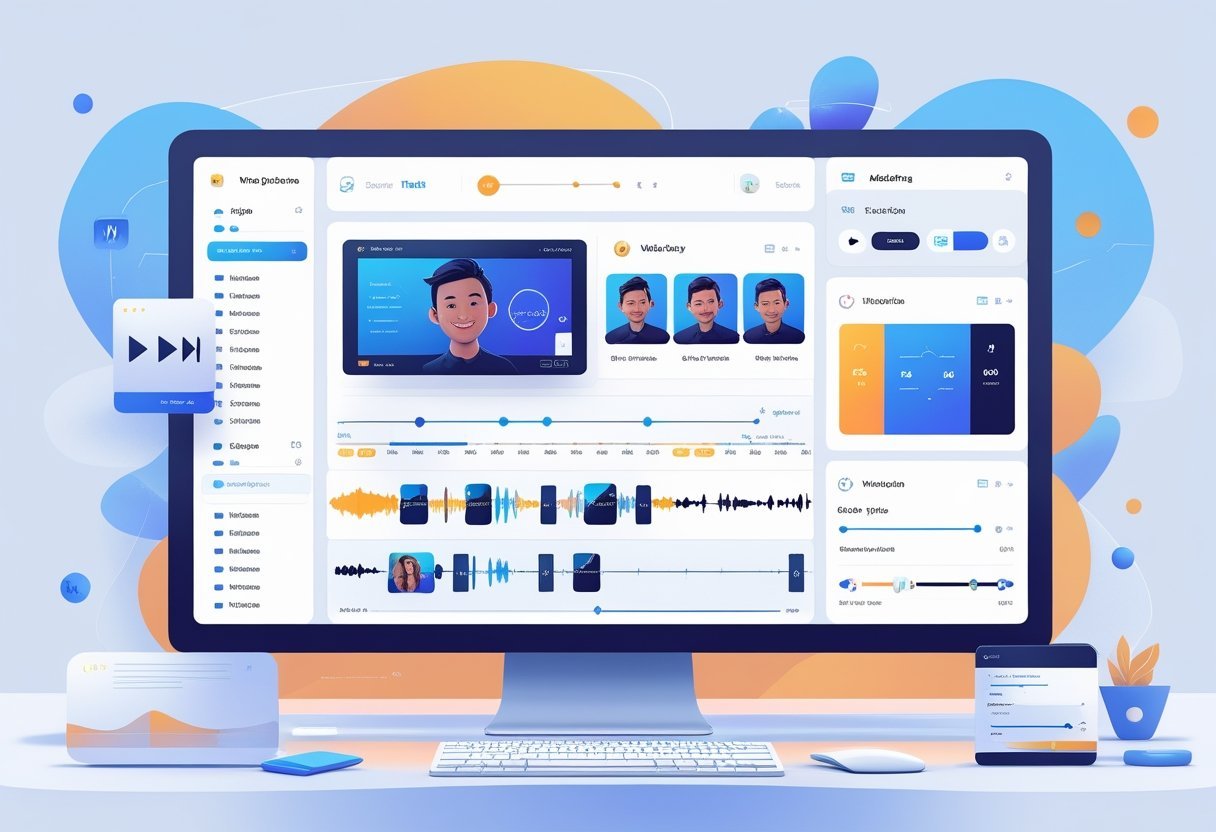
Synthesia offers a straightforward platform where you can create videos by typing text and selecting avatars. The interface prioritizes simplicity over complex editing tools, making it accessible even if you have no video production background.
Getting Started and Onboarding Process
When you first log into Synthesia, you see a clean dashboard with access to templates and recent projects. The platform guides you through selecting an avatar from their library of over 140 options.
You then input your script directly into a text box. The system supports over 120 languages, so you can create content for global audiences without additional translation work.
The video creation tool provides real-time previews as you make changes. You can adjust avatar appearance, voice selection, and background settings before generating your final video. This preview function helps you catch mistakes early without wasting video credits on test renders.
Timeline and Scene-Based Editing
Synthesia uses a scene-based approach rather than a traditional video timeline. Each scene contains one avatar delivering a portion of your script against a selected background.
You add new scenes by clicking a simple button and can rearrange them using drag-and-drop functionality. Within each scene, you can upload images or videos from the media library to appear alongside your avatar.
The platform limits some advanced editing features you might find in traditional video software. You cannot perform frame-by-frame edits or apply complex transitions between scenes. However, you can add text overlays, adjust timing, and incorporate your brand colors and logos.
Collaboration Features and Team Workflows
For teams, Synthesia includes collaboration features that let multiple users work on video projects. You can share projects with team members who can review and make edits.
The platform tracks changes and maintains version history. This helps when you need to revert to earlier versions or see who made specific modifications.
Enterprise plans include dedicated account management and custom video credits based on your organization's needs. Team members can access shared brand assets from a centralized media library, ensuring consistent branding across all videos your organization produces.
Pricing, Plans, and Support

Synthesia offers multiple pricing tiers to match different video creation needs, with plans ranging from $18 to $89 per month when billed annually. The platform provides customer support options that vary by plan level.
Free Trial and Starter Options
Synthesia does not offer a traditional free trial that gives you full access to the video creation platform. However, you can request a demo to see how the AI video tool works before committing to a paid plan.
The Starter plan starts at $29 per month when billed monthly or $18 per month with annual billing. This entry-level option gives you 10 video minutes per month and access to 125+ AI avatars. You get one editor seat and one guest user slot.
The Starter plan includes 3 personal avatars that you can create. This lets you add custom AI representations to your professional videos. You can produce up to 120 video minutes per year with this plan.
Paid Plans and Enterprise Features
The Creator plan costs $89 monthly or $64 per month with annual billing. You get 30 video minutes per month and access to 180+ AI avatars. This plan includes 5 personal avatars and allows 3 to 5 guest users depending on your billing cycle.
| Plan Feature | Starter Annual | Creator Annual | Enterprise |
|---|---|---|---|
| Monthly Cost | $18 | $64 | Custom |
| Video Minutes/Month | 10 | 30 | Custom |
| AI Avatars | 125+ | 180+ | 230+ |
| Personal Avatars | 3 | 5 | Unlimited |
The Enterprise plan offers custom pricing with unlimited video creation and 230+ AI avatars. You get unlimited personal avatars, priority support, API access, and advanced integrations. Studio avatars are available as paid add-ons across all plans.
Customer Support and Documentation
Your support level depends on which plan you choose for the video generation platform. Starter and Creator plans include standard customer support through email and documentation resources.
Enterprise customers receive priority support with faster response times. You also get access to comprehensive training and a dedicated account team. The Enterprise plan includes SAML/SSO authentication and SCORM export for learning management systems.
All plans provide access to Synthesia's knowledge base and video tutorials. These resources help you learn how to create professional videos using the platform's features. API documentation is available for technical integrations across all tiers.
Security, Compliance, and Data Privacy
Synthesia implements enterprise-grade security measures including AES-256 encryption and maintains SOC 2 Type II and ISO certifications. The platform stores your data in EU-based data centers with GDPR compliance built into its infrastructure.
Data Security Standards
Your data receives protection through multiple layers of security controls. Synthesia encrypts all stored customer data using 256-bit Advanced Encryption Standard (AES-256), with encryption keys managed through Amazon Key Management Service (KMS).
The platform requires all staff members to use FIDO2-compliant authentication factors like physical security keys. Every access and action taken by Synthesia employees gets logged and stored for up to four years. These logs cannot be deleted or modified, even by administrators.
Synthesia operates on AWS infrastructure across multiple availability zones in Ireland, with secondary backups in Frankfurt. The company performs daily database backups with a 24-hour recovery point objective and 72-hour full system recovery target.
All communications use Transport Layer Security 1.2+ encryption. The platform includes continuous monitoring for cloud misconfigurations, vulnerability scanning, and works with 24/7 managed detection and response providers.
Privacy and Compliance Practices
Synthesia maintains compliance with GDPR, SOC 2 Type II, ISO 27001, and ISO 42001 standards. Customer data stays within the European Union, with primary storage in Ireland-based data centers.
You maintain control over your content and can export generated videos as MP4 files during your subscription. After account termination, Synthesia assists with video retrieval for up to 90 days. When you request deletion, all customer data gets permanently removed within 90 days, including backups.
The platform uses Standard Contractual Clauses approved by the EU for any data transfers to the USA. You can access their transfer impact assessment through their security portal. Synthesia undergoes regular third-party audits and runs a private bug bounty program with HackerOne to identify security vulnerabilities.
Limitations, Drawbacks, and Areas for Improvement
While Synthesia offers solid AI video generation capabilities, the platform has notable limitations in avatar realism, advanced features, and cost structure that affect different user needs.
Avatar Realism and Voice Quality
The avatars in Synthesia can fall into the uncanny valley effect. Their movements sometimes appear stiff or unnatural, particularly during longer videos. Facial expressions lack the subtle nuances that human presenters provide, which can reduce viewer engagement during emotional or sensitive training content.
Voice quality varies across the available options. The text-to-speech voices, while generally clear, sometimes sound robotic or lack natural inflection. You may notice awkward pauses or incorrect emphasis on certain words. Voice cloning features exist, but the output quality depends heavily on your recording setup and sample quality. Background noise or poor audio can result in cloned voices that sound distorted or inconsistent.
The platform struggles with complex pronunciations, technical jargon, and proper nouns. You'll need to use phonetic spelling workarounds for many terms. This becomes time-consuming when creating specialized content for industries like healthcare or technology.
Feature Gaps for Power Users
Advanced video editing capabilities are limited compared to traditional software. You cannot fine-tune timing, add complex animations, or layer multiple visual effects. The template-based approach works well for basic videos but restricts creative control for custom projects.
Power users report missing features like advanced scene transitions, detailed avatar customization, and granular control over gestures. You're locked into preset options for most visual elements. The platform doesn't support importing custom 3D models or creating fully unique avatar designs without purchasing expensive custom avatar packages.
Integration options remain basic. While API access exists on higher tiers, the functionality is narrower than what experienced developers expect from enterprise tools.
Credit System and Scalability
The credit-based pricing model creates unpredictability in your costs. Different features consume varying credit amounts, making it difficult to budget accurately. Longer videos, premium avatars, and voice cloning all drain credits faster than basic options.
Scalability becomes expensive as your video production needs grow. Organizations creating large content libraries may find the credit system restricts output volume. You might hit your credit limit mid-project, forcing you to upgrade or wait for renewal.
The system penalizes experimentation. Each render consumes credits, even if you're testing different versions. This discourages iteration and quality refinement, particularly for users learning the platform.
Comparison With Alternatives and Market Position
Synthesia competes in a crowded AI video creation space where platforms differ significantly in avatar quality, language support, and production capabilities. The platform's strength lies in its extensive avatar library and enterprise-grade features, though specific use cases may favor different tools.
How Synthesia.ai Stacks Up Against Competitors
Synthesia offers over 140 AI avatars and supports 120+ languages, giving it a clear advantage over many competitors. HeyGen provides only 25+ avatars, making Synthesia the stronger choice if you need diverse presenter options. You'll also find more fine-tuned controls over avatar gestures and appearances with Synthesia.
When compared to Descript, the platforms serve different purposes. Descript focuses primarily on audio editing with stronger transcription and collaboration features. Synthesia takes a video-first approach with AI avatars and text-to-speech capabilities that Descript lacks entirely.
Pictory AI offers a more affordable option at $19/month and excels at converting existing content into videos. However, Synthesia provides unique AI avatars and better support for creating videos from a human perspective. You'll pay more with Synthesia's $29/month starting price, but you gain access to specialized avatar technology.
Elai and D-ID compete in similar territory with AI-generated presenters. Lumen5 takes a different approach by focusing on social media content creation from blog posts. Kling operates in the AI video space but with different core features.
Ideal Users and Best Fit Scenarios
You'll benefit most from Synthesia if you produce high volumes of training videos, marketing content, or multilingual communications. The platform works well for marketing teams creating product demos, HR departments building onboarding materials, and global companies needing content in multiple languages.
Synthesia fits your needs if you want professional videos without appearing on camera yourself. You can maintain brand consistency across all content while avoiding the costs of hiring actors or renting studios.
The platform may not suit you if you need highly customized human avatars or primarily work with screen recordings. Loom excels at screen capture but lacks the lip-sync, avatars, and production features Synthesia provides. Small businesses with limited budgets might find better value in simpler alternatives.
You should consider Synthesia when you need to update video content frequently by modifying scripts rather than re-recording everything. Companies requiring enterprise features like single sign-on, dedicated support, and advanced analytics will find these capabilities in Synthesia's custom pricing tier.
Frequently Asked Questions
Synthesia AI offers over 160 AI avatars and supports more than 120 languages, though videos can sometimes appear robotic, and the platform has limitations with emotional expression and complex hand gestures.
What are the key features and limitations of Synthesia AI?
Synthesia AI lets you create videos using AI avatars without filming or editing. You can choose from more than 160 pre-made avatars or create your own custom avatar. The platform supports over 120 languages and includes automatic closed captions.
The tool offers a text-to-video feature where you type your script and the AI avatar speaks it. You can add backgrounds, music, and images to your videos. Templates are available to help you start quickly.
However, the platform has some clear limitations. The avatars can look stiff or robotic at times. Realistic avatars and content automation work well for training videos but may not suit all content types.
The AI struggles with showing complex emotions or natural hand movements. You can't control every aspect of how the avatar moves or gestures. Video quality depends heavily on your script quality and how well you set up the scene.
How does Synthesia AI's video generation quality compare to competitors?
Synthesia AI stands out for its speed, reliability, and scalability compared to other AI video platforms. The avatars look more realistic than many competitors, though they still don't match real human presenters.
The platform generates videos faster than traditional video editing software. You can create a video in minutes instead of hours or days. The rendering process typically takes just a few minutes for most projects.
When compared to tools like D-ID or HeyGen, Synthesia offers more avatar options and language support. The lip-syncing quality is generally good but can sometimes appear slightly off. Background options and customization features are comparable to other leading platforms.
What are users' general experiences with Synthesia AI based on reviews?
Users find Synthesia AI easy to use for creating training and marketing videos quickly. Many reviews praise how the platform saves time and money compared to traditional video production. Corporate trainers and marketing teams report positive experiences with the tool.
Some users mention the learning curve for getting the most natural-looking results. You need to write scripts carefully and adjust settings to avoid robotic-sounding output. The avatar movements don't always look completely natural.
Real-world reviews show that businesses use Synthesia successfully for internal communications and educational content. Users appreciate the multi-language support for global teams. However, some find the pricing high for smaller projects or individual creators.
Customer support receives mixed feedback. Some users report quick responses while others experience delays. The platform continues to add new features based on user feedback.
How cost-effective is Synthesia AI for content creation?
Synthesia AI can save money compared to hiring video production teams or actors. You don't need cameras, studios, or editing software. The platform works on a subscription model with different tiers based on your needs.
For companies making multiple videos per month, the cost often makes sense. You can create unlimited videos on higher-tier plans. This becomes more cost-effective than paying per video with traditional production.
Individual creators or small businesses making just a few videos might find the price steep. The platform targets businesses and educational institutions rather than casual users. You need to calculate how many videos you plan to make to determine if the investment pays off.
The time savings also factor into cost-effectiveness. What might take days or weeks with traditional video production happens in hours with Synthesia. Your team can focus on other tasks instead of managing complex video projects.
To what extent can Synthesia AI videos be customized for branding purposes?
You can add your company logo, brand colors, and custom backgrounds to your videos. The platform lets you upload your own images and graphics. You can choose fonts and text styles that match your brand guidelines.
Custom avatar creation allows you to design an avatar that represents your brand or company spokesperson. This feature costs extra but provides stronger brand consistency. You can dress the avatar in specific clothing or add accessories.
However, you can't control every visual detail. The avatar movements and expressions follow preset patterns. You can't make major changes to how the avatars behave or move beyond the built-in options.
Background music and sound effects can be customized. You can upload your own audio files or choose from the platform's library. Text overlays and screen layouts offer flexibility for matching your brand style.
What are the security measures in place to protect user data on Synthesia AI?
Synthesia AI stores your video content and scripts on secure cloud servers. The platform uses encryption to protect data during transfer and storage. Your account requires password protection and supports two-factor authentication.
The company follows standard data protection regulations. Your videos and scripts remain private unless you choose to share them. The platform doesn't use your content to train AI models without permission.
Business and enterprise plans offer additional security features. These include single sign-on options and more control over user access. You can manage team permissions to limit who sees specific projects.
However, like any cloud-based tool, you're trusting a third party with your content. You should review the terms of service and privacy policy carefully. Consider what types of videos you feel comfortable creating on a cloud platform.