
Toggl is a popular time tracking tool used by freelancers, small businesses, and teams to monitor work hours easily. It offers a clean interface and straightforward setup, making it a simple choice for those who want to improve productivity without spending too much time managing their tools.
Toggl provides efficient time tracking with useful features, helping users understand where their time goes and how to manage tasks better.

The app includes options for tracking projects and tasks, generating reports, and integrating with other software. Users appreciate its ease of use and clear design, which lets them focus on work rather than complicated settings.
Toggl also offers flexible pricing, making it accessible for different types of users and businesses.
Key Takeways
- Toggl simplifies time tracking with a user-friendly interface.
- It supports project management and detailed reporting.
- Pricing is flexible, making it suitable for freelancers and teams.
What Is Toggl?
Toggl is a time tracking tool designed to help users monitor how they spend their work hours. It offers a simple way to log tasks, review time data, and manage productivity.
The platform works across many devices, making it easy for users to stay organized whether they are at a desk or on the go.
Who Is Toggl For?
Toggl is built for freelancers, remote workers, small teams, and businesses that want to track their time efficiently. Freelancers benefit from its simplicity and fast setup, which helps them keep precise records for clients.
Remote workers use it to maintain focus and track billable hours across various projects. Small teams find Toggl useful because it supports collaboration and provides clear insights into team productivity.
It adapts well to different industries and work styles, making it a versatile tool for individuals and groups looking to improve time management.
How Toggl Works Across Devices
Toggl offers cross-platform compatibility through its desktop apps, mobile apps, and browser extensions. The desktop app runs on major operating systems like Windows, macOS, and Linux, allowing users to start or stop timers without switching devices.
The mobile app is designed for iOS and Android, enabling users to track time on the move. Browser extensions work with popular browsers such as Chrome and Firefox, letting users manage timers directly while working in a browser-based environment.
This multi-device approach ensures time tracking stays consistent and accessible anywhere.
Core Purpose and Approach
Toggl’s main goal is to make time tracking easy and non-intrusive. It focuses on automated tracking features like reminders and idle detection to reduce manual input.
Users can create projects, add tasks, and tag time entries to organize work clearly. Its clear interface helps users quickly review their time logs and generate reports.
Toggl aims for productivity improvement by helping users identify where their time goes, which supports better planning and resource use.
Time Tracking Features
Toggl Track offers a mix of automated and manual tracking tools that help users capture work hours quickly and accurately. The app includes simple timers, smart detection of idle time, and productivity boosts based on popular work methods.
It also works smoothly offline and can track time without user input.
One-Click Timer and Manual Entries
Toggl Track’s core feature is its easy-to-use one-click timer. Users just press start to begin tracking time on a task or project.
This timer syncs across multiple devices, so time entries stay accurate whether on a phone, computer, or tablet.
In addition to the timer, the platform supports manual time entries. This lets users add or edit tracked hours after the fact, which is helpful if they forget to start the timer or want to adjust rounding.
The manual input option gives flexibility in how time is recorded. Time rounding features ensure that time entries reflect usual billing increments.
This helps simplify reporting and invoicing.
Idle Detection and Pomodoro Mode
Toggl Track uses idle detection to automatically pause the timer if a user stops working for a set period. This prevents inaccurate time tracking caused by long breaks or distractions.
Users can review and decide whether to keep or discard idle periods. The built-in Pomodoro timer applies the Pomodoro technique, encouraging users to work in focused intervals, typically 25 minutes long.
After each session, the app prompts a short break. This helps maintain productivity while preventing burnout.
Offline and Automatic Tracking
Toggl Track works even without an internet connection. Offline time tracking saves entries locally, which then sync as soon as the device is online again.
This ensures no time is lost when users work remotely or in areas with poor connectivity. The app also offers automatic tracking features that detect work patterns or app usage.
This helps users identify where their time is spent without manually starting timers every time. Notifications and time tracking reminders further encourage consistent logging.
These options make Toggl Track flexible for different workflows, whether users want full control or some automatic help with their time tracking.
Project and Task Management
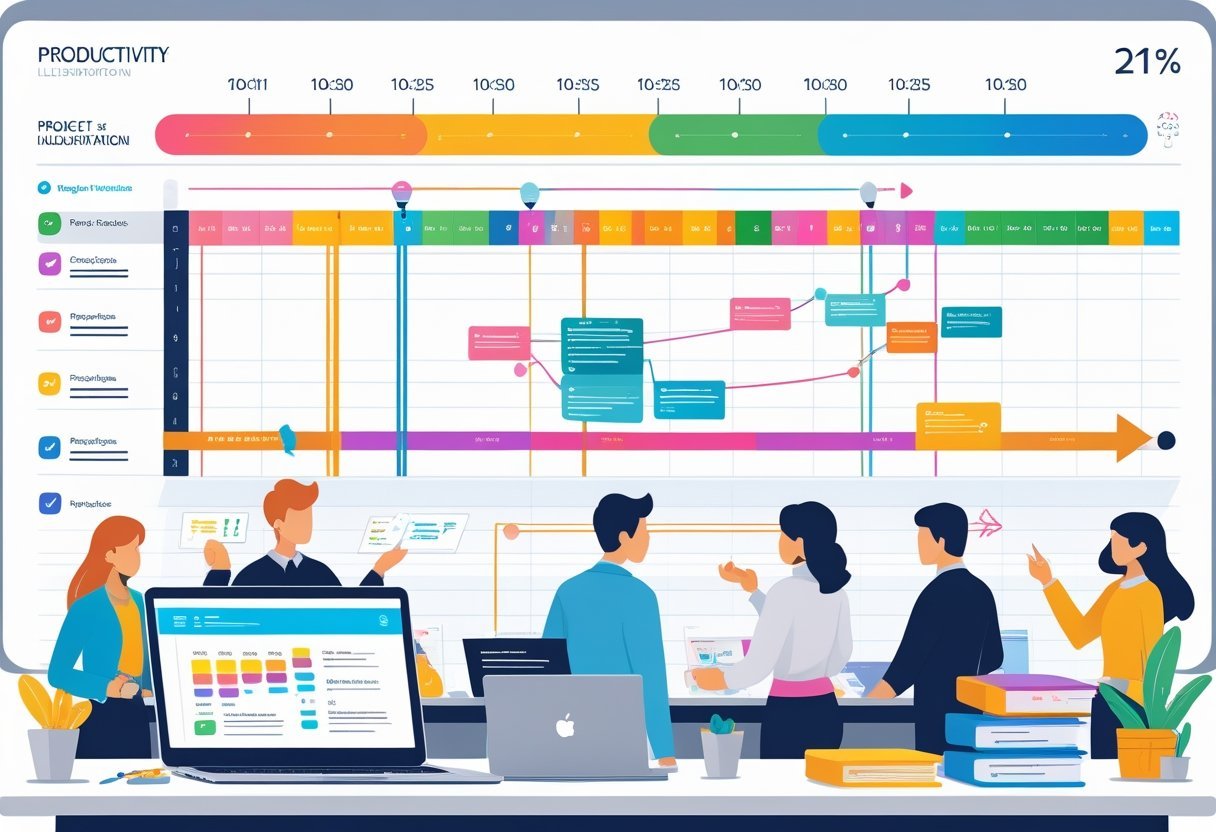
Toggl Plan offers tools that help organize work clearly and keep projects on track. It focuses on simple visual layouts and straightforward task handling.
Users can manage teams, assign jobs, and monitor project results all in one platform.
Projects, Clients, and Teams
Toggl Plan organizes work by projects, allowing users to group tasks under specific clients or teams. Teams can be created and managed easily, with members assigned to relevant projects.
This helps keep roles clear and responsibilities divided. Project templates speed up setup by providing ready-made structures for different types of projects.
Users can start with a template and customize it to fit their needs. This reduces repetitive work and keeps the planning consistent.
Clients can be tagged to projects, making it simple to track who each project is for. This is helpful for billing and communication.
Managing multiple clients and teams in one view supports coordination across departments or external partners.
Task Tracking and Assignment
Task management in Toggl Plan is visual and interactive. Users can drag and drop tasks along timelines to set start and end dates.
The interface displays tasks in color-coded bars that show progress or priority. Assigning tasks is straightforward.
Each task can be given to one or more team members, ensuring everyone knows their workload. Task collaboration features include checklists and attachments, which improve clarity and reduce confusion.
Recurring tasks are not yet supported, which may slow down teams working on repetitive jobs. However, the tool’s easy rescheduling and task tracking compensate by allowing quick adjustments to daily plans and priorities.
Project Profitability and Dashboards
Toggl Plan provides project dashboards to track how projects are progressing in terms of tasks completed and deadlines met. These dashboards summarize key metrics in one place, making it easy to check status at a glance.
While Toggl Plan offers visual project tracking, detailed project profitability features are limited. The platform focuses more on scheduling and task handling rather than financial analysis.
Weekly reports and visual overviews help teams understand task distribution and time allocation. These insights support better planning and resource use.
Reporting and Analytics

Toggl Track offers robust reporting and analytics tools that provide insights into time usage, project progress, and team productivity. These tools allow users to customize reports based on different criteria and automate report distribution.
The platform’s reporting capabilities help businesses monitor time audits and manage workflows with clarity.
Detailed and Summary Reports
Toggl Track provides detailed reports showing time spent on tasks, projects, or clients, with options to view summaries for quick assessment. Users can filter data by date range, team members, or projects to focus on relevant information.
Reports include charts and tables that make it easy to spot trends and inefficiencies. These reports can be customized to highlight key metrics like billable hours and project profitability.
This level of detail supports better decision-making and helps users track how time is allocated across multiple projects.
Timesheets and Approvals
The timesheet feature in Toggl Track collects daily time entries into clear, organized views. It allows managers to review logged hours for accuracy and compliance.
Timesheet approvals ensure that submitted hours meet company standards before payroll or billing. Managers can use calendar integration to compare scheduled shifts with actual logged time.
This reduces errors and supports accountability. Timesheets also serve as records for audits or client billing, making project management smoother and more transparent.
Scheduled and Automated Reports
Users can schedule reports to be emailed automatically on daily, weekly, or monthly cycles. This feature keeps stakeholders informed without manual effort.
Scheduled reports can cover various data points, such as weekly summaries, billable hours, or time audits. Automation helps teams maintain consistent oversight of productivity and project costs.
It also reduces the risk of missing key deadlines for reporting. Toggl’s scheduled and automated reporting enhances workflow efficiency by delivering timely insights directly to inboxes.
Integrations and Compatibility
Toggl offers a wide range of ways to connect with other software, helping users work smoothly across different tools. Its compatibility covers popular project management, communication, and financial apps, enhancing both team and personal productivity.
Popular Third-Party Integrations
Toggl integrates with more than 100 third-party tools. This includes project management apps like Asana, Jira, Trello, and ClickUp, allowing teams to track time without leaving their main workspace.
For communication and scheduling, it links with Slack, Outlook, and calendar apps such as Google Calendar, so users can sync and manage their tasks and meetings efficiently.
Financial and accounting tools like QuickBooks, FreshBooks, and invoicing software also connect with Toggl. This integration automates billing based on tracked time.
Productivity apps including Notion, Evernote, and GitHub help users keep their workflow organized and transparent. Automation services like Zapier streamline data transfer between Toggl and hundreds of other apps, reducing manual work and errors.
Browser Extensions and Plug-Ins
Toggl’s browser extensions allow users to start and stop timers directly within many online tools. Extensions work with popular services such as Asana, Trello, Jira, and Todoist, meaning users don’t have to switch apps to track time.
This helps maintain focus and saves time. The extensions support most browsers, enhancing accessibility and cross-platform use.
They also enable features like automatic detection of tasks and projects, making tracking accurate and less disruptive. Plug-ins also integrate with calendar apps, giving users clear visibility of logged hours alongside appointments, improving daily planning and reporting.
Pricing and Plans
Toggl offers a range of pricing plans that suit different business sizes and needs. It starts with a free option that covers basic time tracking.
Paid plans add more features, support, and customization for growing teams and enterprises.
Free Plan Features
The free plan is designed for individuals or small teams trying Toggl's core features without cost. It includes basic time tracking, simple reports, and integration with popular apps.
Users can track time manually or use the timer. This plan supports unlimited users but limits advanced tools like billable rates, project tracking, and priority support.
It’s ideal for freelancers or teams needing straightforward time management without extra bells and whistles. Users should note that some features, such as detailed reporting and budget tracking, are only available with paid plans.
Starter, Premium, and Enterprise Plans
Toggl’s paid plans expand on the free plan with more tools and services:
- Starter Plan: Priced around $10 per user/month, it adds billable rates, project budgets, and team management features.
- Premium Plan: Offers advanced reporting, time audits, and priority customer support for larger, more complex teams.
- Enterprise Plan: Customized pricing with features like account management, enhanced security, and dedicated support tailored to big organizations.
Each tier includes flexible integrations and data exports. Pricing increases based on the number of users and added premium features.
Value for Freelancers and Teams
Freelancers benefit from Toggl’s free tier or starter plan because it covers basic time tracking and invoicing needs at an affordable price.
For agencies and larger teams, premium and enterprise plans bring more control over projects, detailed analytics, and faster customer support.
The priority support in higher plans ensures faster issue resolution.
Billing, Invoicing, and Client Management
Toggl Track provides tools that help users manage billable hours, set different rates, generate invoices, and handle client billing efficiently.
These features are designed to keep billing accurate and simplify the payment process.
Billable Hours and Rates
Toggl Track allows users to assign billable hours easily by tracking time spent on tasks and projects.
It supports setting different billable rates for each client or project.
This makes it easier to bill varied clients or work types accurately without manual adjustments.
Users can toggle billable rates on or off per entry.
This flexibility helps in tracking work that is billable separately from non-billable activities.
Reports break down the hours by client or project, providing clear insights into billable work.
Invoicing Capabilities
The platform generates invoices automatically based on tracked billable hours.
These invoices include detailed time entries and rates for transparency.
Users can customize invoices with logos, client information, and payment terms, maintaining a professional look.
Invoices can be sent directly to clients via email from within Toggl Track.
It also integrates with accounting tools like QuickBooks, simplifying financial workflows.
This reduces manual invoice creation and helps ensure all billable hours are properly documented and charged.
Client Billing Workflows
Toggl Track simplifies client billing by combining time tracking, rate management, and invoicing in a single system.
Users can organize billable work by client, making it easier to manage multiple accounts without confusion.
Billing workflows are streamlined by linking tracked hours directly to invoices.
This reduces errors and saves time compared to manual billing processes.
The system supports exporting reports that clients or accounting teams can review.
User Experience and Productivity
Toggl Track is designed to help users manage their time efficiently while offering flexibility in how they work.
Its focus on clarity and straightforward tools supports productivity without overwhelming users.
The app balances ease of use with features that allow teams and individuals to customize their workflows.
Interface and Ease of Use
Toggl Track’s interface is simple and clean, making it easy for new users to start tracking time quickly.
It works across desktop apps, mobile devices, and web browsers, allowing users to switch devices without losing progress.
The clear layout highlights key actions like starting and stopping timers, adding tasks, and viewing reports.
Users appreciate the minimal learning curve.
Buttons and menus are well organized, so essential features are never hidden.
The design avoids clutter and distractions, focusing instead on helping users track their time accurately.
Productivity Boosts
Toggl Track improves productivity by making time management transparent and straightforward.
Its real-time tracking feature helps users log hours instantly, which promotes accountability.
Teams can monitor workloads and project progress, reducing time lost on guesswork about where hours are spent.
Integrated reports break down work periods by project and task, making it easier to analyze where productivity is highest or where improvements are needed.
Notifications and reminders also encourage users to keep timers running, which prevents forgotten hours and increases billing accuracy.
Customization Options
Toggl Track offers various customization features that adapt the tool to different workflows and needs.
Users can set different billing rates per project or team member, which supports accurate invoicing.
Workload management allows flexible assignment, so tasks can be distributed evenly or prioritized based on urgency.
The app integrates with many other tools, such as project managers and calendar apps, allowing users to build a personalized productivity system.
Custom tags and filters help organize time entries for clearer reporting and easier follow-up.
These options make Toggl Track more than a basic timer—it becomes a tailored productivity tool.
Security and Support
Toggl Track pays close attention to protecting user data and offers several security features to keep accounts safe.
It also provides different levels of customer support, with faster response times for paid plans.
Data Security Standards
Toggl Track uses strong security measures to protect data.
It employs encryption for data both in transit and at rest, which helps prevent unauthorized access.
The platform follows industry best practices to ensure user information remains secure.
Regular backups and monitoring are part of Toggl’s approach to avoid data loss or corruption.
Users can trust that their time-tracking data is handled carefully and stored safely.
Single Sign-On (SSO) and Enterprise Security
For enterprise customers, Toggl Track supports Single Sign-On (SSO), allowing users to log in through their company’s identity provider.
This simplifies access management and raises security by reducing password-related risks.
SSO integration helps businesses enforce their existing security policies, such as multi-factor authentication.
It also streamlines onboarding and offboarding employees by centralizing credential control.
Toggl’s support for enterprise security features shows its commitment to handling organizational needs.
Customer Support Levels
Toggl offers different levels of customer support depending on the plan.
Free users may experience slower responses and limited help options.
Paid customers receive priority support, including faster reply times and more personalized assistance.
This tiered support model means businesses can expect quicker resolution of account issues.
Some users have reported challenges with support responsiveness, but overall, premium users benefit from solid service.
Comparisons and Alternatives
Toggl is a popular time-tracking tool, but users often compare it to other similar apps to find the best fit.
Key factors include pricing, features, integrations, and ease of use.
Some alternatives also offer project management capabilities alongside time tracking.
Toggl vs Clockify, Harvest, and Others
Clockify is a strong Toggl alternative with a free plan that offers unlimited users and projects.
It is favored for simple, straightforward time tracking but lacks some advanced reporting features found in Toggl.
Harvest provides built-in invoicing and expense tracking, making it suitable for freelancers and small teams who need billing tools.
Rize focuses on automatic time capture, which reduces manual input.
Jibble offers quick clock-in and biometric options, appealing to teams tracking attendance.
Compared to these, Toggl has more flexible integrations with other tools and stronger reporting options.
Comparison Table:
| Feature | Toggl | Clockify | Harvest | Rize | Jibble |
|---|---|---|---|---|---|
| Free Plan | Limited | Yes, unlimited | Limited | Limited | Yes |
| Invoicing | No | No | Yes | No | No |
| Automatic Tracking | No | No | No | Yes | No |
| Biometric Logins | No | No | No | No | Yes |
| Integrations | Extensive | Moderate | Moderate | Limited | Limited |
When to Consider Alternatives
Users might consider alternatives when they need features Toggl does not offer.
For example, teams requiring free unlimited users and projects may opt for Clockify.
Freelancers and businesses looking for integrated invoicing may find Harvest more suitable.
If automatic time tracking or biometric punch-ins are a priority, Rize or Jibble could be better choices.
Some users also look for time-tracking tools that combine project management.
Toggl integrates with many project tools, but solutions like ClickUp or Hubstaff offer more combined features.
Checking platforms like Capterra can help users see real reviews, pricing details, and features comparisons before choosing.
Final Verdict and User Feedback
Toggl Track offers a well-rounded time tracking experience with clear strengths and some limitations.
Users generally appreciate its ease of use and useful features but mention a few issues related to pricing and advanced functionality.
Pros and Cons Overview
Pros:
- User-friendly interface: Many find the design simple and easy to navigate, which helps in quickly starting and stopping timers.
- Wide integrations: It connects with popular tools like calendars and project management apps.
- Detailed reporting: Reports are clear and help users track productivity effectively.
- Cloud-based: Access from anywhere with automatic syncing across devices.
Cons:
- Pricing concerns: Some users feel the paid plans are expensive, especially for small teams.
- Limited offline capabilities: The app struggles when internet access is poor or unavailable.
- Feature gaps: Advanced tracking and payroll functions may require workarounds or other software.
User Reviews and Ratings
User feedback reflects a generally positive experience with Toggl Track.
On average, it holds strong ratings around 4.7 out of 5 across review platforms.
Users highlight its reliability for daily work and team tracking.
Some users praise its adaptability for freelancers and teams, noting that it makes time management easier without much setup.
Others mention frustration with syncing delays and occasional bugs.
Many suggest improvements in pricing clarity and offline functionality to enhance value.