
Creating videos used to require cameras, actors, and editing skills. Now AI video creation platforms are changing how people make video content.

HeyGen is an AI-powered video creation platform that lets you generate professional videos using realistic digital avatars and text-to-speech technology, eliminating the need for filming or complex editing. You can type a script and the platform creates a video with an AI avatar speaking your words in over 170 languages. This makes video production faster and more accessible for businesses and content creators.
Whether you need marketing videos, training materials, or social media content, HeyGen offers tools to create videos at scale. The platform includes customizable avatars, voice options, and templates that help you produce content without expensive equipment or production teams.
Key Takeaways
- HeyGen uses AI avatars and text-to-speech to create professional videos without cameras or actors
- You can generate videos in over 170 languages with customizable avatars and branding options
- The platform works well for marketing, training, education, and social media content creation
What Is HeyGen AI?
HeyGen is an AI video creation platform that turns text into professional videos using digital avatars and synthetic voices. The platform supports over 170 languages and eliminates the need for cameras, actors, or editing software.
Core Purpose and Technology
HeyGen serves as an AI-powered video generation tool that creates realistic talking avatars from your text input. You simply write a script, select an avatar and voice, and the platform produces a finished video in minutes.
The technology combines multiple AI systems to generate photo-realistic avatars. You can choose from a library of pre-made avatars or create a custom digital twin using your own photos and videos.
The platform offers 300+ voices across its supported languages. This lets you create localized content for different markets without hiring voice actors or translators. Each avatar can deliver your message in any of the available languages while maintaining natural lip-sync and facial expressions.
Founding and Company Background
Joshua Xu founded HeyGen as a generative artificial intelligence company focused on making video production accessible to everyone. The company started with the goal of removing technical barriers that prevent businesses and creators from scaling their video content.
The platform has grown to serve marketers, trainers, educators, and small businesses worldwide. HeyGen's development reflects the broader shift toward AI-driven content creation tools that democratize professional video production.
How HeyGen Differs From Traditional Video Creation
Traditional video creation requires significant resources and time. You need cameras, lighting equipment, studio space, actors, and video editing software. Each video demands hours of filming and post-production work.
HeyGen removes these requirements entirely. You don't need any filming equipment or technical editing skills. The entire process happens through a single web interface where you input text and customize your video settings.
Key differences include:
- No filming required – Create videos without cameras or studios
- Instant avatar selection – Choose from hundreds of pre-made characters
- Multilingual capability – Generate videos in 175+ languages from one script
- Rapid production – Complete videos in minutes instead of days
This approach makes video creation scalable and cost-effective for your business or project needs.
Key Features of HeyGen AI
HeyGen transforms written text into professional videos using AI avatars with synchronized lip movements and natural-sounding voices. The platform eliminates the need for cameras, studios, or video editing skills while producing high-quality content in 1080p resolution.
Text-to-Video Generation
You can create complete videos by simply typing or pasting your script into HeyGen's platform. The text-to-video system processes your written content and automatically generates a finished video with an AI presenter speaking your words.
The process takes just minutes instead of hours or days. You select your preferred avatar, choose a voice, add your text, and let the AI handle the rest. This approach works well for marketing videos, training materials, social media content, and presentations.
HeyGen supports over 170 languages and dialects for your scripts. You don't need any filming equipment or video production experience to get started.
AI Avatars and Avatar IV Model
HeyGen offers multiple avatar options to represent your brand or message. You can choose from stock avatars that come pre-built into the platform, or you can create custom ones using your own photos.
The Avatar IV model represents HeyGen's latest technology for creating realistic avatars. This system produces more natural facial expressions and movements compared to earlier versions. You can upload a photo avatar of yourself or anyone else to create a personalized digital twin.
Realistic avatars mimic human gestures, eye movements, and facial expressions to make videos feel more authentic. You maintain control over which avatar appears in each video, allowing you to match the presenter to your content type or audience preferences.
Accurate Lip Sync and Voiceovers
HeyGen's lip-sync technology ensures that avatar mouth movements match the audio perfectly. The system analyzes your script and creates synchronized facial animations that look natural and believable.
You have access to AI voices in numerous languages and accents for your voiceover needs. These digital voices sound human-like rather than robotic. HeyGen also offers voice cloning capabilities, which let you create a digital version of your own voice or someone else's voice for use in multiple videos.
The platform includes gesture control features that add hand movements and body language to your avatars. This makes your videos more engaging and helps emphasize key points in your message.
Personalization and Branding Capabilities
HeyGen lets you customize videos to match your brand identity and create content that feels personal to your audience. You can build custom avatars that look like real people and use ready-made templates to speed up production.
Custom Avatars and Branding Elements
You can choose from a diverse library of AI avatars or create your own custom avatar using your photo. A photo avatar captures your likeness and maintains brand consistency across all your videos. This feature works well for companies that want their team members or brand representatives to appear in videos without filming.
Your custom avatars can speak in over 170 languages. You can add your company logo, brand colors, and fonts to every video. The platform saves your branding elements so you don't need to recreate them each time.
When you make a personalized video for marketing or sales, the avatar can address viewers by name. This creates a more direct connection with your audience.
Templates and Scene Transitions
HeyGen provides customizable templates for different video types including marketing ads, training materials, and sales presentations. These templates come with pre-designed layouts that you can modify to fit your needs. You can adjust text, swap avatars, and change backgrounds.
Scene transitions let you move smoothly between different parts of your video. You can switch between speakers, change backgrounds, or move to new topics without awkward cuts. The platform includes multiple transition styles to keep your videos professional.
The template API allows developers to integrate HeyGen's templates into other software systems. This helps larger teams automate video creation at scale while maintaining consistent branding across all content.
Multilingual and Localization Tools
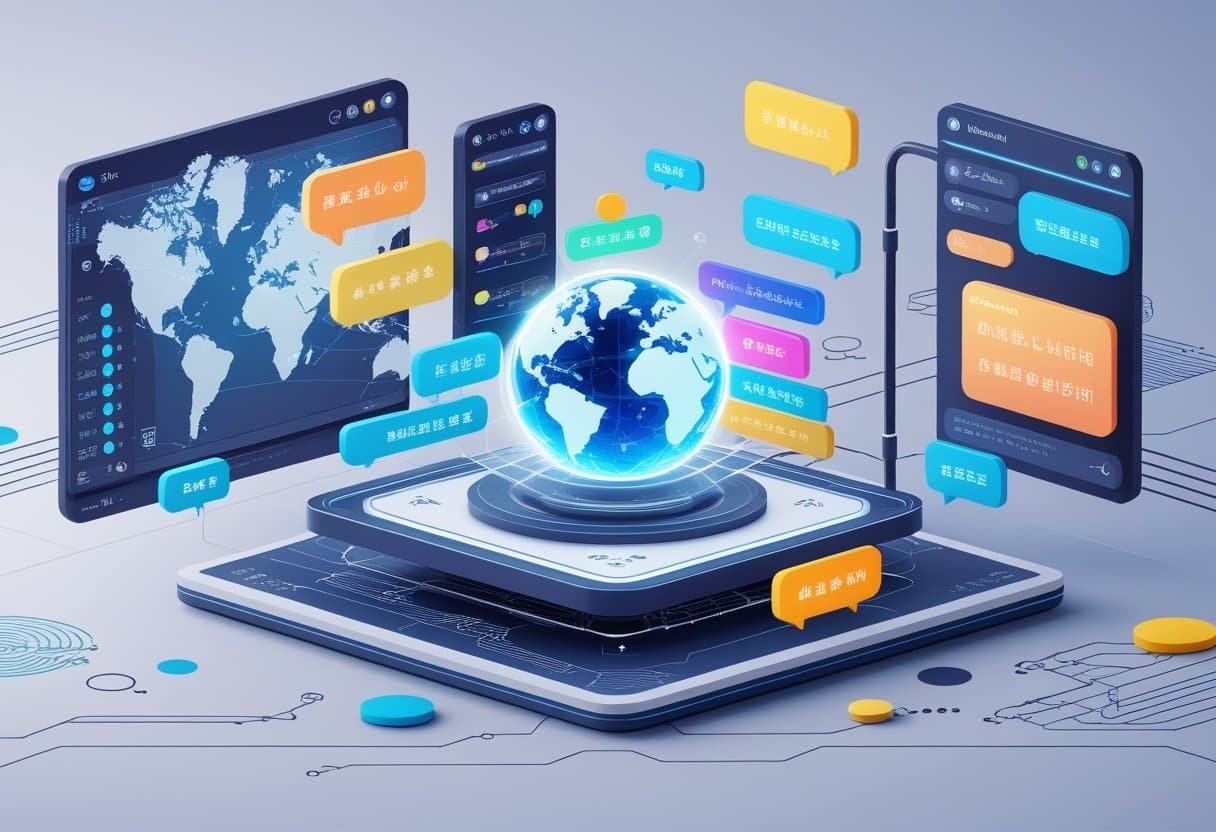
HeyGen provides AI dubbing and multilingual voiceovers that let you translate videos into dozens of languages while maintaining natural lip movements and voice quality. The platform supports over 170 languages and dialects for global content distribution.
AI Dubbing and Multilingual Voiceovers
When you use HeyGen's AI dubbing feature, the platform automatically generates voiceovers in your chosen language while preserving the original tone and emotion of your content. You can create multilingual voiceovers without hiring voice actors or recording studios.
The system matches voices to your selected language and syncs them with the avatar's lip movements. This means your video looks natural in every language you produce.
HeyGen's voice-matching AI technology analyzes the original audio characteristics and replicates them in the target language. You maintain consistency across all language versions of your content.
The platform lets you generate multiple language versions from a single video recording. You simply enter your script once, and HeyGen creates versions in English, Spanish, Japanese, Cantonese, or any other supported language.
Video Translation and Global Reach
HeyGen's language localization tools support over 70 languages with precise AI lip-sync technology. You can translate videos quickly for international audiences without expensive production costs.
The platform breaks down language barriers for marketing campaigns, training materials, and educational content. Your videos reach global audiences while maintaining professional quality in each market.
When you translate videos through HeyGen, the system adjusts lip movements to match the translated audio. This creates a natural viewing experience regardless of the target language.
The tool works well for businesses expanding into new markets or creators building international audiences. You can localize content for overseas teams or adapt marketing messages for different regions without starting from scratch.
Popular Use Cases and Applications

HeyGen works across different business needs, from creating marketing content to training employees. Companies use it to make professional videos without cameras or studios.
Marketing and Explainer Videos
You can create marketing videos quickly with HeyGen's AI avatars and text-to-script features. Marketing teams use the platform to produce explainer videos that break down complex products or services into simple, easy-to-understand content.
The platform lets you choose from pre-made avatars or create custom ones that match your brand. You can add voiceovers in multiple languages, which helps you reach audiences around the world. This makes it easier to scale content creation without hiring actors or video crews.
HeyGen helps businesses create professional content fast, cutting down the time from concept to finished video. You can produce multiple versions of the same video with different messaging or languages in minutes.
Product Demos and YouTube Shorts
Product demos become simpler to produce when you use AI avatars to walk viewers through features and benefits. You can create YouTube Shorts and other short-form content without setting up lighting, cameras, or recording equipment.
The platform works well for product launches and quick promotional content. You can script your demo, select an avatar, and generate a video that shows your product in action. This speeds up your content pipeline for social media and product pages.
You can also personalize videos for different customer segments or markets. The AI avatars speak clearly and naturally, making technical information more accessible to viewers.
Corporate Training and Onboarding
Training materials and onboarding videos are common uses for HeyGen in enterprise settings. You can turn training documents and employee handbooks into engaging video content with AI presenters.
HeyGen is built for global organizations that need to create consistent training across multiple locations. You can translate the same training video into different languages while keeping the same avatar and visual style. This ensures all employees receive the same information regardless of location.
Internal communications also benefit from this approach. You can create regular updates, policy explanations, or procedure guides without pulling subject matter experts away from their work to record videos.
HeyGen AI Studio and Collaboration Tools
HeyGen's AI Studio functions as a text-based video editor where you can control avatars, scripts, and scenes without recording equipment. The platform includes tools for teams to work together and manage brand consistency across projects.
User-Friendly Interface
The AI Studio workspace gives you full creative control over avatar-led videos. You type your script, select an avatar, and direct how they talk and move.
The interface works without cameras or traditional editing experience. You can manage everything from a single dashboard where text inputs drive the video creation process.
HeyGen's Brand Kit lets you upload your company's logos, fonts, and color schemes. This keeps all your videos looking consistent across different projects and team members.
The platform offers three pricing tiers for different needs. The Creator Plan and higher tiers provide access to the full AI Studio capabilities with varying output quality and feature sets.
Real-Time Collaboration
AI Studio enables team collaboration through features like comments, tagging, and multi-user editing. Marketing teams can leave feedback directly on video projects without switching between different tools.
Team members can edit videos at the same time and see changes as they happen. This speeds up the review process and reduces the back-and-forth that usually slows down video production.
The collaboration features work well for marketing teams managing multiple campaigns. You can assign tasks, track progress, and maintain version control all within the platform.
Advanced Editing Controls
HeyGen AI Studio provides script-level control over voice, gestures, and B-roll footage. You can adjust how your avatar speaks, what hand movements they make, and when supporting visuals appear.
The platform includes voice controls that let you modify tone, pace, and emphasis. You can fine-tune these elements to match your brand's communication style.
The new Video Agent feature can generate stories, voiceovers, and visuals from a single prompt. This turns content creation into a more automated process while still giving you final control over the output.
Integrations, Accessibility, and Plans
HeyGen connects with popular business tools and offers flexible access through web browsers and API options. The platform provides three pricing tiers that range from free testing accounts to enterprise solutions.
Platform Integrations
HeyGen works with several major platforms to fit into your existing workflow. You can connect it with Zapier to automate video creation tasks across thousands of apps. The platform also integrates with content management systems and marketing tools to streamline your video production process.
These connections let you trigger video generation automatically when certain events happen in your other tools. For example, you could create personalized videos when someone fills out a form or makes a purchase.
Web-Based Access and API
You can access HeyGen through any web browser without downloading software. The AI Studio platform provides the main interface where you create and manage your videos.
For developers and businesses needing custom solutions, HeyGen offers an API that lets you build video generation directly into your applications. The API supports features like avatar creation, video translation, and batch processing. This works well for companies that need to generate large volumes of personalized videos or want to add AI video capabilities to their existing products.
Subscription Options
HeyGen offers three pricing tiers based on your needs:
- Free Plan: Lets you test the platform with basic features
- Creator Plan: Designed for individual users and small teams
- Enterprise Plan: Built for large organizations with custom requirements
All plans include access to AI Studio and avatar features. The main differences are video quality, the number of team seats, and collaboration tools. Higher tiers provide better resolution output and more monthly video credits.
Limitations and Considerations
While HeyGen offers powerful AI video creation tools, the platform has certain restrictions in editing flexibility and requires careful attention to responsible content creation practices.
Editing and Customization Limits
HeyGen's editing capabilities are relatively basic compared to traditional video editing software. You cannot make detailed adjustments to your videos after generation. The platform focuses primarily on avatar creation and voiceover production rather than comprehensive post-production work.
Key editing restrictions include:
- Limited ability to modify scenes after rendering
- Basic timeline editing tools
- Minimal video effects and transitions
- Restricted customization of avatar movements and gestures
The avatar generator produces realistic results, but you have less control over fine-tuning expressions and body language compared to filming with real actors. Rendering speeds can be slow, which makes iterative changes time-consuming. If you need advanced editing features like complex animations or detailed visual effects, you'll likely need to export your video and use separate editing software.
Ethical Use and Content Moderation
You must use HeyGen responsibly to avoid creating misleading or harmful content. The platform's AI avatars can appear highly realistic, which raises concerns about deepfakes and misinformation.
Content moderation considerations:
- Verify you have permission to create avatar videos of real people
- Avoid generating content that could deceive viewers
- Follow platform guidelines on acceptable use
- Be transparent about AI-generated content when sharing publicly
Your account may face restrictions or termination if you violate these policies. You should clearly disclose that your videos use AI avatars, especially in professional or marketing contexts where authenticity matters to your audience.
Frequently Asked Questions
HeyGen AI simplifies professional video production through artificial intelligence that converts text into realistic avatar videos. Users can choose from various pricing tiers and create content without traditional filming equipment.
How does HeyGen AI enhance video content creation?
HeyGen AI streamlines video production by combining realism, automation, and efficiency in one platform. You can create professional-quality videos without cameras, filming crews, or complex editing software.
The platform uses AI avatars and voice cloning to generate talking presenters from simple text input. You type your script and the AI handles the rest, including realistic speech synchronization and natural movements.
HeyGen makes video creation more accessible and cost-effective for businesses, marketers, and educators. You can produce content for training videos, marketing campaigns, and social media without specialized skills.
What are the subscription costs associated with HeyGen AI?
HeyGen offers multiple pricing plans to match different user needs. The exact costs vary based on the features and video creation limits you require.
You can access different subscription tiers that provide varying levels of avatar options, video length limits, and rendering capabilities. Higher-tier plans typically include more advanced features like custom avatars and extended video durations.
Can users access HeyGen AI without incurring charges?
You can explore HeyGen through a free option that lets you test basic features. This allows you to understand how the platform works before committing to a paid plan.
The free access comes with limitations on video length, avatar selection, and monthly creation limits. You'll need to upgrade to a paid subscription to unlock the full range of capabilities and remove watermarks from your videos.
What security measures does HeyGen AI implement to protect user data?
HeyGen processes your video content and text scripts through its cloud-based platform. The company handles user data as part of its video generation service.
You should review HeyGen's privacy policy and terms of service to understand how your content and personal information are stored and used. Like most AI platforms, your uploaded materials are processed on their servers to generate the final videos.
How user-friendly is the HeyGen AI interface for beginners?
HeyGen makes video production accessible to users without filming or editing experience. The platform was designed so anyone can create professional-looking content regardless of technical skill level.
You work through a straightforward process that doesn't require learning complex video editing software. The interface guides you through selecting avatars, entering text, and choosing voices with simple point-and-click actions.
What steps are involved in creating a video with HeyGen AI?
You start by choosing an AI avatar from HeyGen's library of digital presenters. These avatars serve as the on-screen personality for your video content.
Next, you enter your script as text input. The AI then converts your written words into speech that matches your selected avatar's lip movements.
You can customize voice options, adjust the video background, and add additional elements like captions or effects. Video clips can range from 15 seconds up to 3 minutes each, depending on your subscription plan.
Once you finish customizing, you render the video and download it for use. The entire process takes minutes instead of the hours or days required for traditional video production.