
Zoho CRM is a cloud-based customer relationship management platform that helps businesses manage their sales, marketing, and customer support activities in one place. The software has gained attention for its affordable pricing and wide range of features that work for small businesses and larger companies alike.
Many businesses consider it when looking for CRM software that won't break the budget.

Zoho CRM stands out as a low-cost CRM solution that offers strong customization options, automation tools, and an AI assistant called Zia to help sales teams work more efficiently. The platform includes contact management, sales pipeline tracking, workflow automation, and detailed reporting features.
It also connects with many other business tools and apps.
This review examines what Zoho CRM does well and where it falls short. Readers will learn about its key features, pricing plans, ease of use, and how it compares to other CRM options on the market.
Key Takeaways
- Zoho CRM offers affordable pricing with features like automation, AI tools, and customization that scale with business growth
- The platform includes contact management, sales pipeline tracking, workflow automation, and analytics to help teams stay organized
- Strong integration options and security features make it suitable for mid-sized businesses and enterprises looking for a cost-effective CRM solution
Key Features of Zoho CRM
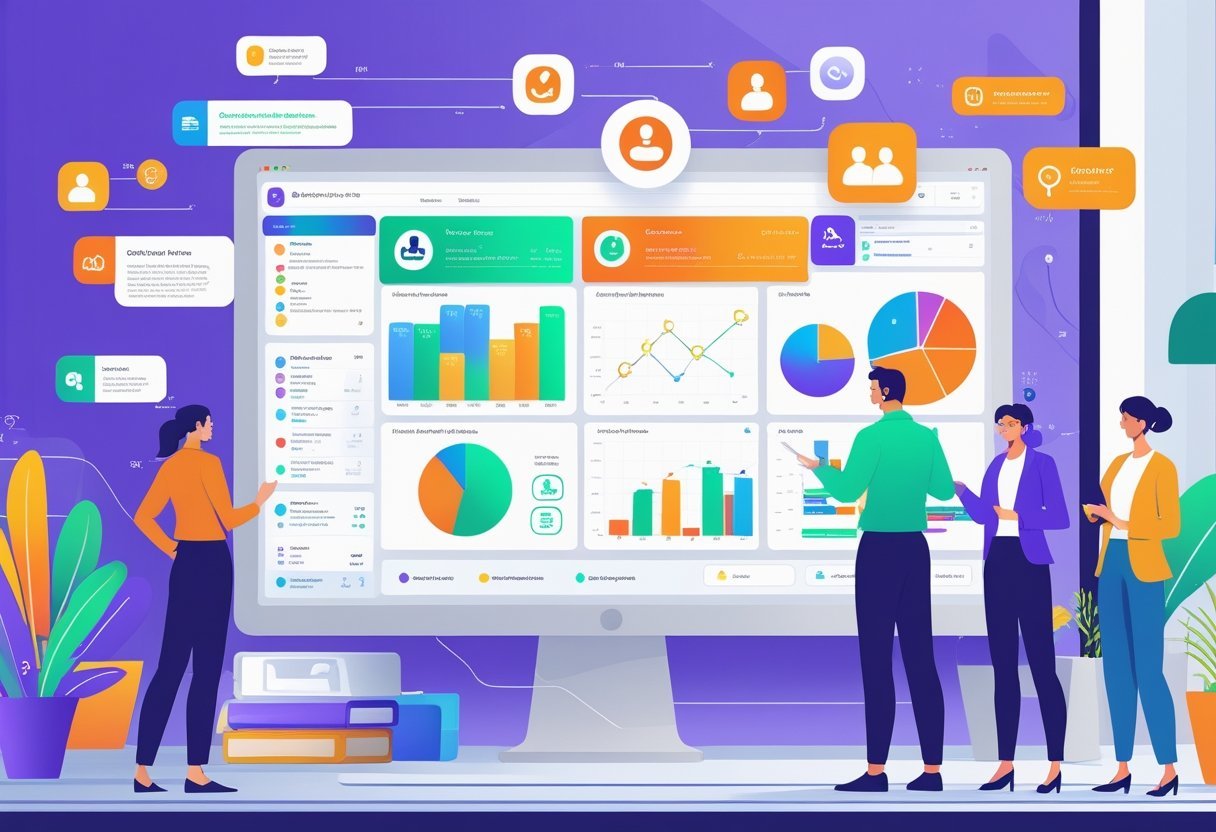
Zoho CRM provides tools to organize customer data, track sales opportunities, and automate routine tasks. The system includes custom fields, workflow rules, and widgets that help teams manage their sales processes more effectively.
Contact and Lead Management
Zoho CRM stores all contact and lead information in one central location. Users can add custom fields to capture specific details about their prospects and customers.
The system tracks communication history, including emails, calls, and meetings. Lead management tools help teams sort and prioritize potential customers.
Sales reps can assign scores to leads based on their behavior and engagement. The CRM system automatically routes leads to the right team members using assignment rules.
Contact records link to related deals, tasks, and notes. Teams can segment contacts into lists for targeted campaigns.
The platform also tracks social media profiles connected to each contact.
Deal and Sales Pipeline Management
The sales pipeline displays all active deals in a visual board format. Users can drag and drop deals between stages as they progress.
Each pipeline stage shows the total value and number of opportunities. Deal management features track important details like expected close dates, deal value, and probability of winning.
Sales teams can set up multiple pipelines for different products or sales processes. The system calculates forecasts based on pipeline data and historical win rates.
Custom widgets display key metrics on the dashboard. Teams can view their top deals, recent activities, and upcoming tasks at a glance.
Workflow Automation Capabilities
Workflow automation reduces manual data entry and repetitive tasks. Workflow rules trigger actions when specific conditions are met.
Teams can automate email alerts, field updates, and task assignments. Sales automation features include automatic lead assignment, follow-up reminders, and email sequences.
The CRM system can update fields based on user actions or time-based triggers. Users set up approval processes for discounts or contract changes.
The platform supports multi-step workflows with multiple conditions and actions. Teams can schedule workflows to run at specific times or intervals.
Automation logs track all automated activities for review and troubleshooting.
User Experience and Interface
Zoho CRM delivers a user-friendly interface that makes navigation straightforward for new and experienced users alike. The platform offers extensive customization options and includes a mobile app for both Android and iOS devices.
Ease of Use and Learning Curve
Zoho CRM features an intuitive interface that simplifies daily tasks. The platform organizes functions in a logical way, which helps users find what they need without confusion.
New users can get started quickly thanks to clear menus and straightforward layouts. The learning curve is gentle compared to many enterprise CRM systems.
Users don't need technical expertise to handle basic functions like adding contacts or tracking leads. The platform includes helpful learning resources.
Users can access tutorials, video guides, and detailed FAQs directly from the website. These resources make it easier to learn advanced features without outside help.
Customization Options
The platform provides flexible customization options that let businesses adapt the system to their needs. Users can create customizable dashboards that display the metrics and data most important to their workflow.
Teams can modify fields, modules, and layouts to match their specific processes. The customizations extend to sales pipelines, email templates, and reporting structures.
Users can set up custom views and filters to focus on relevant information. The system allows different team members to have personalized interfaces based on their roles.
These customizations don't require coding knowledge for most standard adjustments.
Mobile App and Mobile Access
Zoho CRM offers a dedicated mobile app for both Android and iOS platforms. The CRM mobile app gives users full access to customer data, tasks, and communication tools while away from their desks.
The Zoho mobile app maintains the same intuitive design as the desktop version. Users can view and update records, check their schedules, and respond to leads from their phones.
The mobile interface adapts well to smaller screens without losing functionality. Mobile access receives positive feedback from users who value the convenience.
The app syncs data in real-time, so information stays current across all devices. Sales teams can access customer information during meetings or while traveling without delays.
Automation and Artificial Intelligence
Zoho CRM provides automation tools and AI capabilities through Zia, its built-in assistant that handles tasks from data entry to sales predictions. The platform combines workflow automation with machine learning to reduce manual work and improve decision-making.
Automation Features and Workflow Rules
Zoho CRM includes workflow rules that trigger actions based on specific conditions. Users can set up automatic email responses, task assignments, field updates, and notifications without writing code.
The platform offers Blueprint for visual process management. This feature maps out sales processes step by step and ensures teams follow the same procedures.
Users can create approval chains, add mandatory fields at different stages, and set time-based actions. Cadences automate sales outreach by scheduling multiple touchpoints across email, phone, and social media.
Sales reps can enroll leads into preset sequences that run automatically. The system tracks engagement and adjusts follow-ups based on prospect responses.
CommandCenter provides a centralized hub for monitoring all automation activities. It shows which workflows are active, how many records they've processed, and where bottlenecks occur.
Zia AI Sales Assistant
Zia AI handles routine CRM tasks through voice commands and chat. Sales reps can ask Zia to pull up customer records, create deals, or schedule meetings without navigating through menus.
The AI assistant analyzes email conversations and suggests the best times to contact leads. It identifies which deals need attention and recommends next steps based on historical data.
Zia scores leads automatically by examining engagement patterns, demographic information, and behavior signals. This helps sales teams prioritize prospects most likely to convert.
The system learns from closed deals to refine its scoring over time.
Sales Forecasting and Predictive Analytics
Zia generates sales forecasts by analyzing pipeline data, deal history, and market trends. The AI examines factors like deal age, stage progression, and historical win rates to predict revenue.
Advanced analytics tools visualize forecast accuracy and highlight gaps in the pipeline. Users can compare predicted outcomes against actual results to improve future estimates.
The system adjusts predictions as deals move through stages or new information becomes available. The platform identifies at-risk deals by detecting unusual patterns or lack of activity.
It flags opportunities that might slip and suggests corrective actions to keep them on track.
Analytics and Reporting Tools
Zoho CRM provides built-in reporting capabilities for tracking sales performance and customer data, with options to upgrade to more advanced analytics tools. The platform includes standard dashboards and report creation features, plus an option to connect with Zoho Analytics for deeper analysis.
Dashboards and Custom Reports
Users can access pre-built dashboards that display key metrics like sales numbers, lead conversions, and team performance. The system allows businesses to create custom dashboards tailored to specific roles or departments.
Custom reports let teams filter and organize CRM data based on their needs. Sales managers can pull reports on deal stages, revenue forecasts, and activity logs.
The interface supports drag-and-drop functionality for building reports without technical knowledge. Reports can be scheduled to run automatically and sent to team members via email.
The system stores historical data so users can compare performance across different time periods.
Report Builder and Sales Trends
The report builder provides a straightforward way to generate sales reports using CRM data. Users select data fields, apply filters, and choose chart types to visualize information.
The tool includes templates for common report types like pipeline analysis and win/loss ratios. Sales trends appear through visual charts that show patterns over time.
Teams can track metrics like monthly revenue growth, average deal size, and conversion rates. The system updates these trends automatically as new data enters the CRM.
Users can export reports in multiple formats including PDF, Excel, and CSV files. This makes sharing data with stakeholders outside the CRM simple.
Business Intelligence and Zoho Analytics
Zoho Analytics serves as a separate tool for businesses that need advanced analytics beyond standard CRM reporting. It connects directly to Zoho CRM and pulls data for more complex analysis.
The platform supports multi-app reporting when companies use other Zoho products or third-party tools. Analytics includes features like predictive forecasting, cohort analysis, and custom calculations.
Users can blend data from multiple sources to create comprehensive business intelligence reports. The AI assistant helps identify trends and anomalies in datasets.
Businesses should start with built-in CRM reports and move to Zoho Analytics when their reporting requirements grow more complex. The analytics platform requires a separate subscription but offers significantly more depth for data analysis.
Integrations and Ecosystem Compatibility

Zoho CRM connects with over 40 native Zoho applications and hundreds of third-party tools to create a unified business platform. The system supports integration through built-in connections, marketplace apps, and developer APIs.
Zoho Applications and CRM Plus
Zoho CRM integrates directly with the entire Zoho ecosystem without requiring third-party connectors. Key native integrations include:
- Zoho Campaigns for email marketing automation
- Zoho Desk for customer support ticket management
- Zoho Books for accounting and invoicing
- Zoho Social for social media management
- Zoho Survey for customer feedback collection
Zoho CRM Plus bundles the CRM platform with these complementary applications into a single subscription. This package provides a complete business management solution at a lower cost than purchasing each app separately.
Data flows automatically between these applications, eliminating duplicate data entry and keeping customer information synchronized across all tools. The native integrations work seamlessly because all Zoho applications share the same underlying architecture.
Users can access multiple apps from a single dashboard and maintain consistent workflows across their entire business operations.
Third-Party Integrations
Zoho CRM connects with hundreds of external platforms through its marketplace and integration options. Popular third-party integrations include:
| Category | Tools |
|---|---|
| Email & Productivity | Google Workspace, Microsoft 365 |
| Communication | Slack, RingCentral |
| E-commerce | Shopify |
| Accounting | QuickBooks |
| Documents | DocuSign |
These CRM integrations enable businesses to connect their existing software stack with Zoho CRM. Users can sync leads from their website, track email campaigns, log phone calls, and automate follow-ups without switching between platforms.
Third-party app integrations require configuration through the Zoho Marketplace or connection tools like Zoho Flow and Zapier. Most major business applications offer pre-built connectors that require minimal technical setup.
The marketplace provides detailed instructions for each integration to simplify the installation process.
API and Developer Tools
Zoho CRM offers a REST API that allows developers to build custom integrations and extend platform functionality. The custom API supports standard operations like creating, reading, updating, and deleting records across all CRM modules.
Developers can use the API to connect proprietary systems, build custom applications, or automate complex workflows that standard integrations cannot handle. Zoho provides comprehensive documentation, code samples, and SDKs in multiple programming languages to support development efforts.
The platform also includes webhook support for real-time data synchronization and bulk API operations for handling large data transfers. API rate limits vary by subscription tier, with higher plans offering increased call volumes for demanding integration needs.
Zoho CRM Pricing and Plans
Zoho CRM offers five pricing tiers ranging from a free plan to enterprise-level options, with monthly costs from $0 to $65 per user. The platform includes a 15-day free trial for paid plans and flexible billing options for businesses of different sizes.
Overview of Pricing Plans
Zoho CRM structures its pricing across five main tiers. The Free plan supports up to 3 users at no cost.
The Standard plan costs $14 per user monthly when billed annually. The Professional plan runs $23 per user per month.
Enterprise customers pay $40 per user monthly for advanced features. The Ultimate plan tops out at $52 per user per month for the most complete feature set.
Annual billing provides discounts compared to monthly payment options. All paid plans scale with the number of users a business needs.
Businesses can also access CRM Flex, a usage-based pricing model that offers more flexibility for specific workflows.
Free Plan and Free Trial
The free CRM plan accommodates up to 3 users permanently. It includes basic lead and contact management, deal tracking, and task management features.
Users get access to mobile apps and standard reports. The free version works well for new businesses or small teams testing CRM software.
It has limitations on automation, customization, and advanced features. Storage caps at 1 GB for the free tier.
Paid plans come with a 15-day free trial. The trial requires no credit card and gives full access to features in the selected plan tier.
Users can test workflows, integrations, and reporting tools before committing.
Standard, Professional, Enterprise, and Ultimate Plans
Standard Plan ($14/user/month) adds workflow automation, custom reports, and sales forecasting. It includes email integration and supports up to 100,000 records.
Professional Plan ($23/user/month) brings inventory management, validation rules, and webhooks. Users get access to advanced customization options and blueprint process management.
Enterprise Plan ($40/user/month) unlocks AI-powered sales assistant Zia, multi-user portals, and territory management. This tier includes advanced analytics and custom functions.
Ultimate Plan ($52/user/month) provides enhanced storage, advanced BI analytics, and dedicated database clusters. It offers the highest level of customization and feature access across the platform.
Customer Support and Onboarding
Zoho CRM provides multiple support channels and learning resources to help users get started and resolve issues. The platform includes detailed onboarding materials and various support tiers based on subscription level.
Onboarding Process and Resources
Zoho CRM offers a structured onboarding experience for new users. The platform includes expert onboarding assistance to help businesses set up their sales processes correctly from the start.
New users can access a wide range of learning materials on the Zoho website. These resources include detailed FAQs, step-by-step tutorials, and video guides that explain different features.
The platform also provides podcasts for users who prefer audio learning formats. Some users report that the initial setup can be complicated.
The learning curve may be steep for teams without prior CRM experience. Many users need to rely heavily on Zoho's customer service team during the early stages of implementation.
Support Options and Knowledge Base
Zoho CRM delivers customer support through several channels. Users can access the comprehensive knowledge base to find answers to common questions and technical issues.
The knowledge base contains documentation that covers most platform features. Users can search for specific topics or browse through categories to find relevant information.
Video tutorials complement the written guides to show exactly how features work. The quality of customer support varies according to user feedback.
Some users report excellent service and quick responses. Others note inconsistent support quality that affects their experience with the platform.
Premium Support and Webinars
Zoho CRM offers premium support options for businesses that need faster response times and dedicated assistance. These paid support tiers provide priority access to the customer service team.
The platform hosts regular webinars to educate users about new features and best practices. These live sessions allow users to ask questions and learn directly from Zoho experts.
Businesses can also benefit from multi-user portals that help manage support tickets across team members. Premium support packages typically include shorter response times and access to technical specialists.
Companies with complex implementations or larger teams often find value in upgrading to these higher support tiers.
Zoho CRM Use Cases and Target Audience
Zoho CRM serves businesses of different sizes and industries through its flexible platform design. The software adapts to various organizational needs, from startups managing their first customer database to large corporations handling complex sales operations.
Small and Medium-Sized Businesses
Small businesses benefit from Zoho CRM's affordable entry point and straightforward setup process. The platform offers essential features like contact management, email integration, and basic automation without requiring technical expertise.
New users can start tracking leads and managing customer relationships within hours of signing up. Medium-sized businesses find value in the platform's ability to grow with their needs.
As teams expand, they can add users and activate more advanced features like workflow automation and custom modules. The software supports multiple sales pipelines and team collaboration tools that help growing companies maintain organization as customer volumes increase.
The pricing structure works well for budget-conscious organizations. Companies can start with free plans for up to three users or choose paid tiers that remain cost-effective compared to enterprise-focused alternatives.
Large Enterprises
Large enterprises use Zoho CRM to manage complex sales processes across multiple departments and regions. The platform handles high user counts and large data volumes while maintaining performance.
Organizations can create custom roles, territories, and approval processes that match their specific operational structures. Enterprise teams benefit from advanced analytics and AI-powered insights that help identify trends across large customer bases.
The software integrates with existing tech stacks through APIs and pre-built connectors. Multi-language support and compliance features accommodate global operations.
Companies with dedicated IT resources can leverage extensive customization options. They can build custom applications within the platform and automate sophisticated workflows that span multiple business functions.
Industry Adaptability and Scalability
Zoho CRM adapts to various industry requirements through customizable fields, modules, and workflows. Real estate agents track property listings and showings.
Manufacturing companies manage distributor networks and order fulfillment. Healthcare providers maintain patient engagement programs while respecting privacy regulations.
The platform scales vertically as individual businesses grow and horizontally across different use cases. A company can start using Zoho CRM for sales tracking and later expand to customer service, marketing automation, and project management.
The modular structure lets organizations activate only the features they need at any given time.
Comparisons and Alternatives
Zoho CRM competes with major platforms like Salesforce and HubSpot, each offering different strengths in pricing, features, and scalability. Understanding these differences helps businesses choose the right CRM for their specific needs and budget.
Zoho CRM vs Salesforce
Salesforce stands as the industry leader in CRM platforms, but it comes with a significantly higher price tag than Zoho CRM. Salesforce's starting plans begin around $25 per user per month, while Zoho CRM offers a free tier and paid plans starting at $14 per user per month.
The main advantage of Salesforce is its advanced customization capabilities and extensive app marketplace. It handles complex sales processes better and offers more robust reporting tools for enterprise-level organizations.
Zoho CRM provides better value for small to medium-sized businesses. It includes comparable core features like contact management, sales tracking, and automation at a fraction of the cost.
Salesforce requires more technical expertise to set up and maintain, while Zoho CRM offers a more user-friendly interface that teams can adopt quickly.
Zoho CRM vs HubSpot
HubSpot offers a free CRM with unlimited users, making it attractive for startups and small teams. The free version includes basic contact management, deal tracking, and email integration without any cost barriers.
Zoho CRM's free plan limits users to three, but its paid tiers unlock more advanced features at lower prices than HubSpot. HubSpot's pricing increases dramatically when businesses need marketing automation, custom reporting, or advanced sales tools.
HubSpot excels in inbound marketing integration and content management. Zoho CRM provides stronger native features for sales automation and includes more built-in tools without requiring expensive add-ons.
HubSpot works better for marketing-focused teams, while Zoho CRM suits sales-driven organizations.
Other CRM Alternatives
Monday.com offers visual project management combined with CRM capabilities. It works well for teams that need workflow visualization but lacks some traditional CRM depth.
Pipedrive focuses specifically on sales pipeline management with a simple, intuitive interface. It costs between $14-$99 per user per month and emphasizes ease of use over extensive features.
Freshsales provides AI-powered lead scoring and phone integration at competitive prices. It competes directly with Zoho CRM in the small business market with similar pricing structures.
Microsoft Dynamics 365 serves enterprise clients who already use Microsoft products. It integrates seamlessly with Office 365 but requires significant investment and technical resources to implement properly.
Security and Data Protection
Zoho CRM builds security into every layer of its platform and maintains compliance with major data protection regulations. The system uses multiple security measures to protect customer information and gives businesses control over who can access their data.
Encryption and Privacy Measures
Zoho CRM protects data through encryption both when it's stored and when it's being transferred between users and servers. The platform uses industry-standard encryption protocols to keep customer information safe from unauthorized access.
The system includes two-factor authentication as an extra layer of security. This feature requires users to verify their identity through a second method beyond just a password.
Zoho conducts regular security audits to identify and fix potential vulnerabilities. The company follows secure coding guidelines and uses automated tools to scan for security issues during development.
Every feature and update goes through manual review processes before release. The platform allows businesses to set up role-based access controls.
This means companies can limit which team members can view or edit specific data based on their job responsibilities.
Data Access and Compliance
Zoho CRM complies with GDPR requirements for handling personal data. The platform helps businesses stay transparent about how they collect and process customer information through built-in compliance tools.
The system maintains detailed audit logs that track who accesses data and what changes they make. These logs help businesses monitor activity and meet regulatory requirements for data accountability.
Zoho requires clear user consent before gathering data for AI features. The company's privacy policies emphasize protecting user autonomy while maintaining functionality.
The platform meets compliance standards for multiple data protection regulations beyond GDPR. This makes it suitable for businesses operating in different regions with varying legal requirements.